Bug when translating into Japanese

Hi Team,

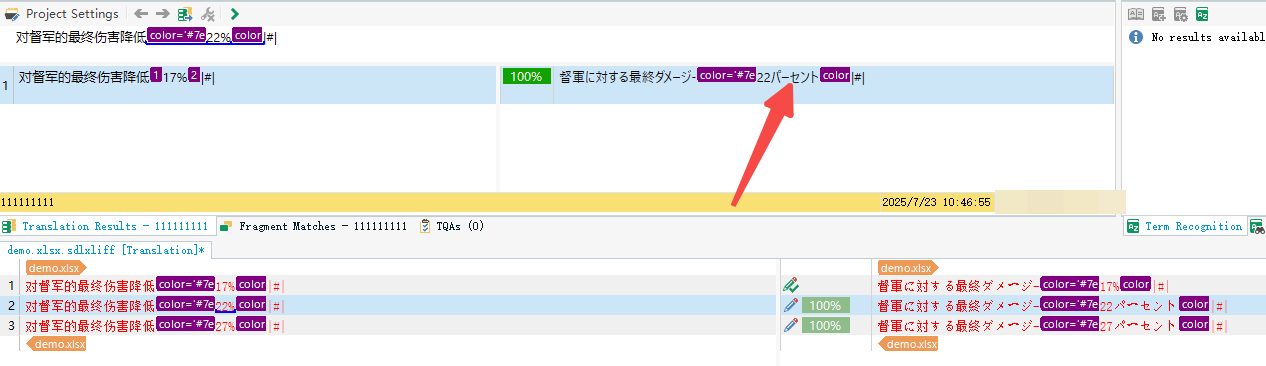
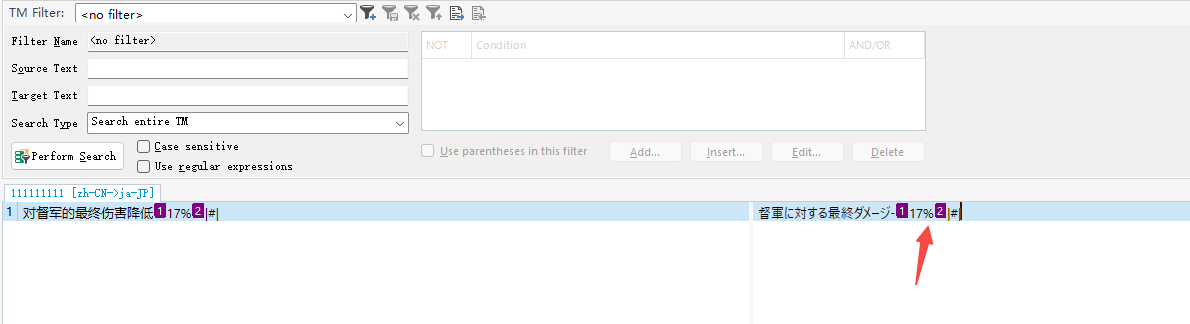
As you can see in my image below, the 1st segment was translated as 17%, and I updated my TM.

But When I trying to translate 2nd segment, it showed 17パーセント than 22%.

The TM is a clean new TM, doesn't contain any other segments.
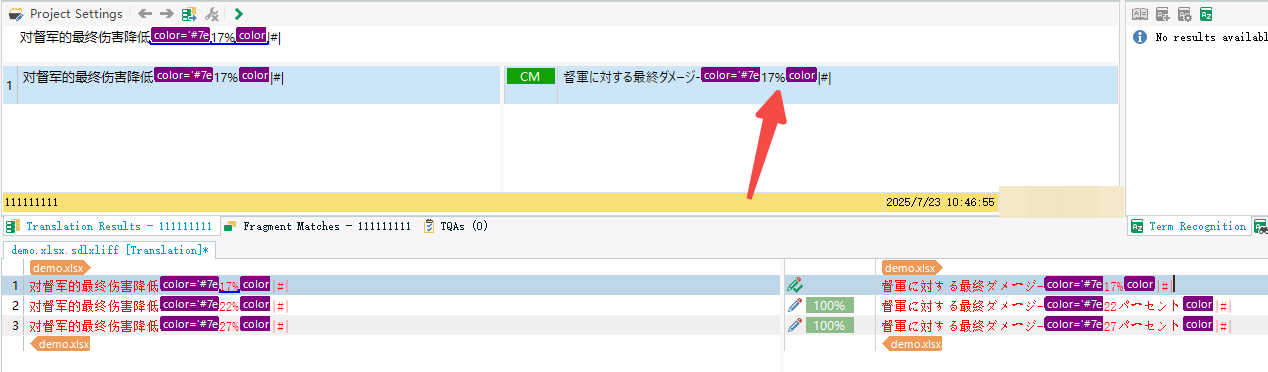
Screenshot showing Trados Studio with the first segment translated as 17% and highlighted in purple, with an arrow pointing to the 17% value.Screenshot showing Trados Studio with the second segment translated as 22% and highlighted in purple, with an arrow pointing to the 22% value.Screenshot showing the TM Filter in Trados Studio with a segment translated as 17% and highlighted in purple, with an arrow pointing to the 17% value.demo.xlsx


Generated Image Alt-Text
[edited by: RWS Community AI at 6:51 AM (GMT 1) on 23 Jul 2025]

emoji
Parents
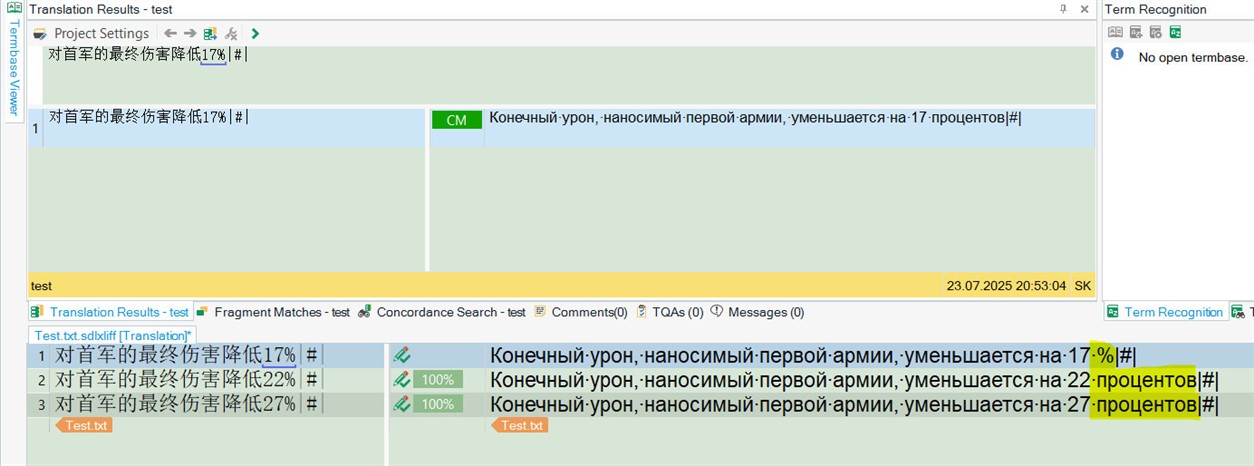
  • I have seen this bug for En>Ru too. Not me but a colleague of mine experienced it. We couldn't find a solution or fix.
    Screenshot of Trados Studio showing translation results with highlighted percentages in yellow, including 17%, 22%, and 27%. Cyrillic text is visible in the target translation.

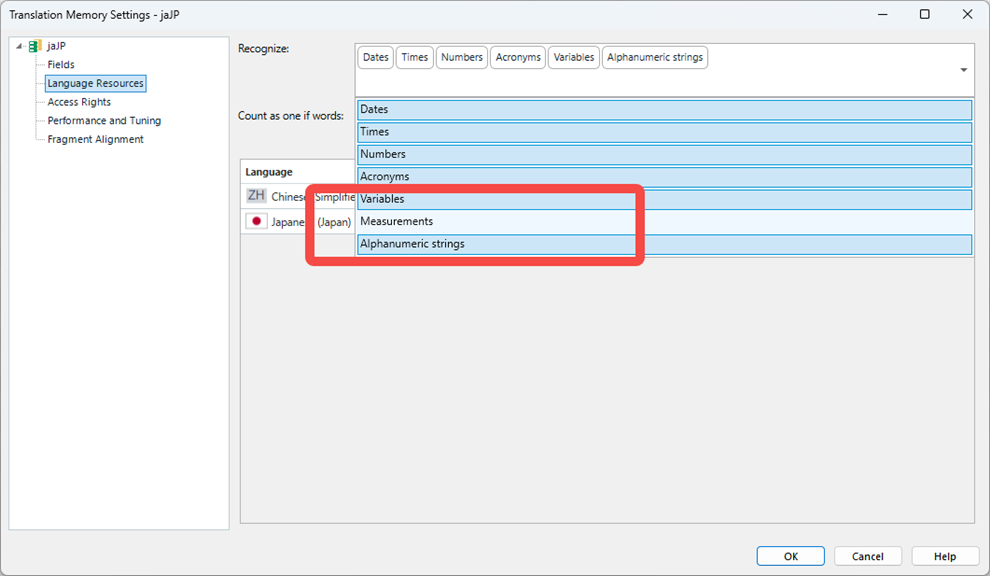
    With that in mind, if you put anything else other than % or "percent", say "km", in your target segment 1, this bug would not happen. That means Trados somehow "knows" that the % character and the word "percent" stand for the same concept. But why it replaces one with the other... 
    And it works like this even if you don't have any TM attached at all. I mean TM has nothing to do with the bug.
    Most probably you use Trados Studio 2022 SR1 17.1.6.16252. Update your software to this version: downloadcentercdn.sdl.com/.../TradosStudio2022_SR2_CU12_19268.zip There is no % bug in there.
    emoji


    Generated Image Alt-Text
    [edited by: RWS Community AI at 6:00 PM (GMT 1) on 23 Jul 2025]
Reply
  • I have seen this bug for En>Ru too. Not me but a colleague of mine experienced it. We couldn't find a solution or fix.
    Screenshot of Trados Studio showing translation results with highlighted percentages in yellow, including 17%, 22%, and 27%. Cyrillic text is visible in the target translation.

    With that in mind, if you put anything else other than % or "percent", say "km", in your target segment 1, this bug would not happen. That means Trados somehow "knows" that the % character and the word "percent" stand for the same concept. But why it replaces one with the other... 
    And it works like this even if you don't have any TM attached at all. I mean TM has nothing to do with the bug.
    Most probably you use Trados Studio 2022 SR1 17.1.6.16252. Update your software to this version: downloadcentercdn.sdl.com/.../TradosStudio2022_SR2_CU12_19268.zip There is no % bug in there.
    emoji


    Generated Image Alt-Text
    [edited by: RWS Community AI at 6:00 PM (GMT 1) on 23 Jul 2025]
Children