Bug when translating into Japanese

Hi Team,

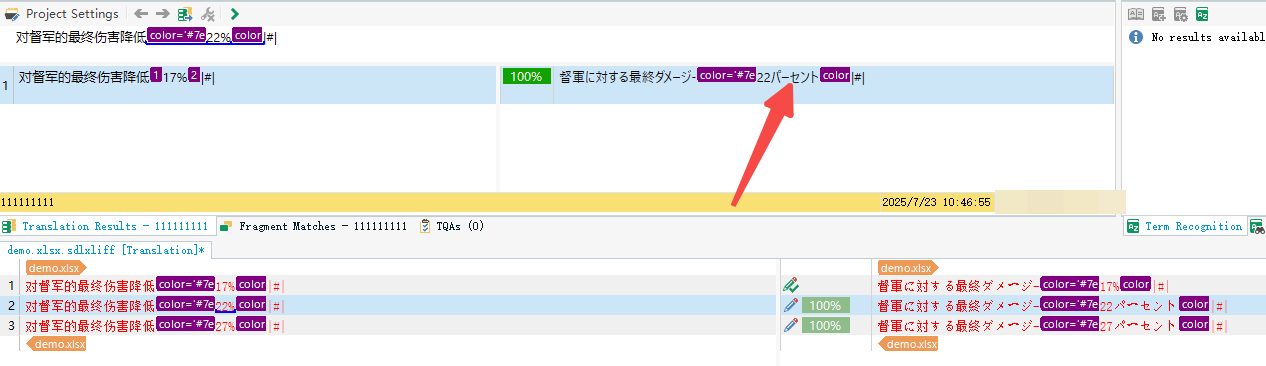
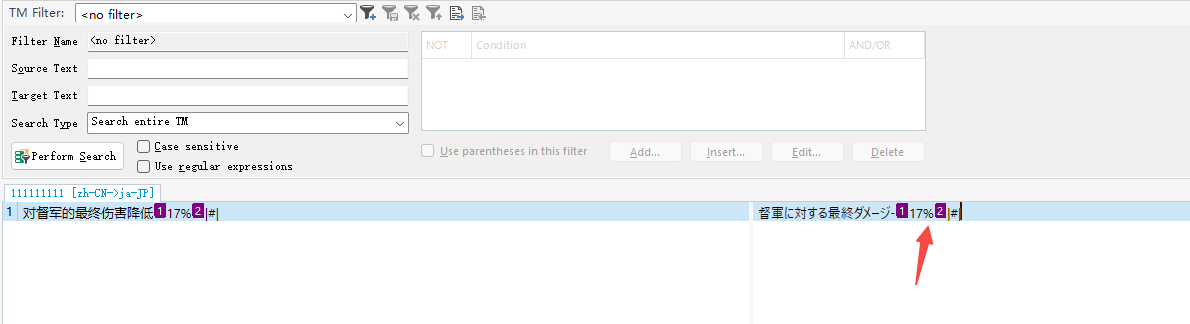
As you can see in my image below, the 1st segment was translated as 17%, and I updated my TM.

But When I trying to translate 2nd segment, it showed 17パーセント than 22%.

The TM is a clean new TM, doesn't contain any other segments.
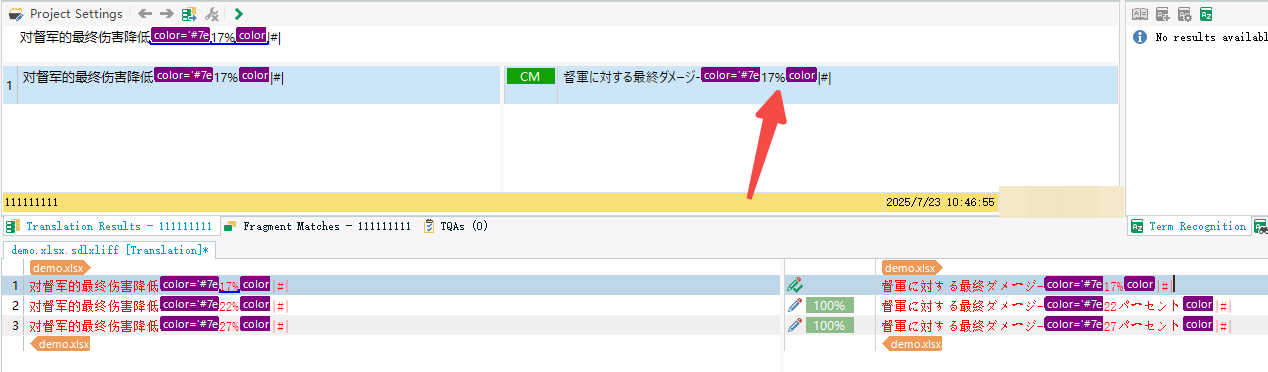
Screenshot showing Trados Studio with the first segment translated as 17% and highlighted in purple, with an arrow pointing to the 17% value.Screenshot showing Trados Studio with the second segment translated as 22% and highlighted in purple, with an arrow pointing to the 22% value.Screenshot showing the TM Filter in Trados Studio with a segment translated as 17% and highlighted in purple, with an arrow pointing to the 17% value.demo.xlsx


Generated Image Alt-Text
[edited by: RWS Community AI at 6:51 AM (GMT 1) on 23 Jul 2025]

emoji
Parents
  •  

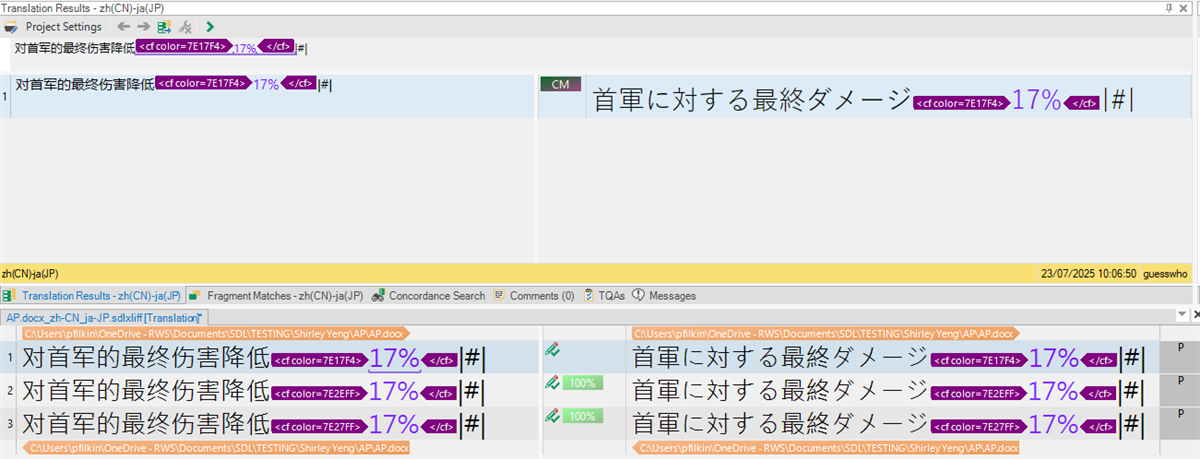
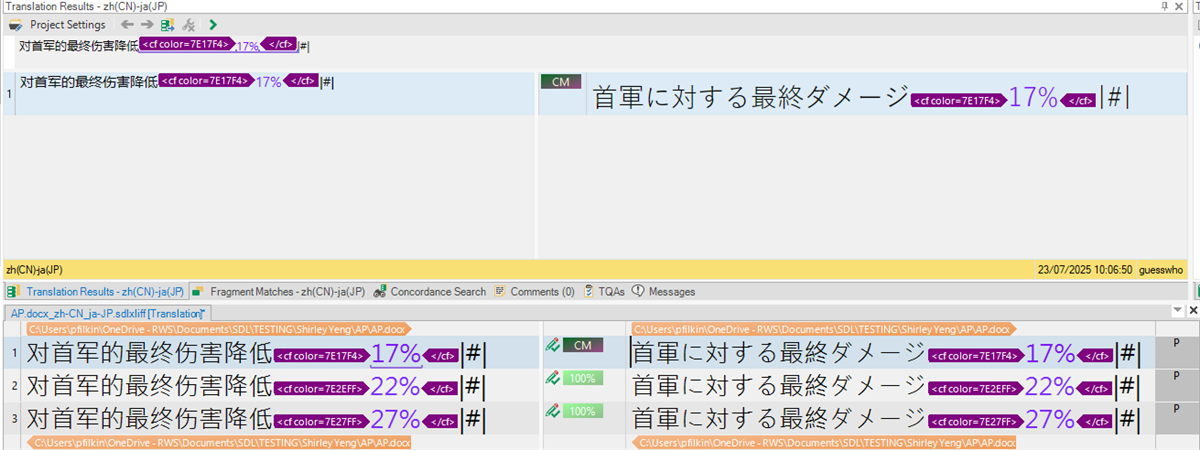
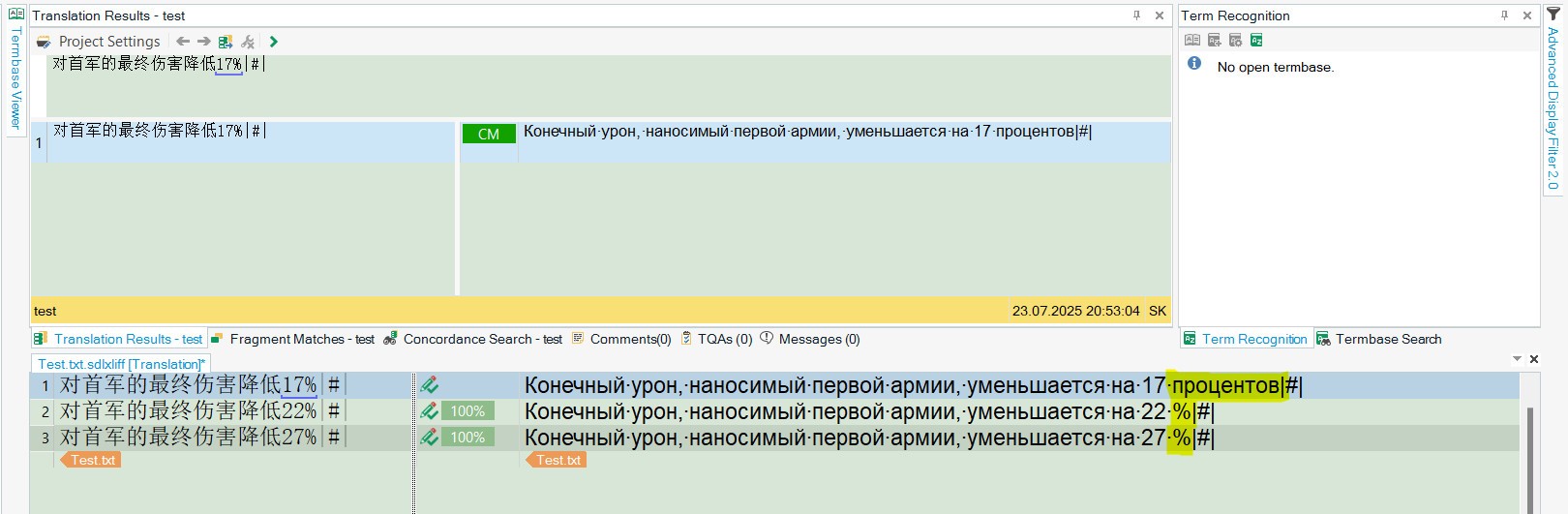
    I don't know if the AI helped or not as you left it marked as a verified answer... but nonetheless I tested this with a clean TM in 2024 and I get these results:

    Screenshot of Trados Studio showing translation results for zh(CN)-ja(JP) with highlighted text '17%' in purple and green, and a file path displayed at the bottom.

    Please confirm the following:

    1. what version of Trados Studio you are using?
    2. what other tools/plugins you are using that could be influencing what you see?  In fact, just what other tools/plugins are you using.

    Paul Filkin | RWS

    Design your own training!
    You've done the courses and still need to go a little further, or still not clear? 
    Tell us what you need in our Community Solutions Hub

    emoji


    Generated Image Alt-Text
    [edited by: RWS Community AI at 8:10 AM (GMT 1) on 23 Jul 2025]
Reply
  •  

    I don't know if the AI helped or not as you left it marked as a verified answer... but nonetheless I tested this with a clean TM in 2024 and I get these results:

    Screenshot of Trados Studio showing translation results for zh(CN)-ja(JP) with highlighted text '17%' in purple and green, and a file path displayed at the bottom.

    Please confirm the following:

    1. what version of Trados Studio you are using?
    2. what other tools/plugins you are using that could be influencing what you see?  In fact, just what other tools/plugins are you using.

    Paul Filkin | RWS

    Design your own training!
    You've done the courses and still need to go a little further, or still not clear? 
    Tell us what you need in our Community Solutions Hub

    emoji


    Generated Image Alt-Text
    [edited by: RWS Community AI at 8:10 AM (GMT 1) on 23 Jul 2025]
Children