Trados Studio 2021 cannot open a package (..xliff.wsxz file)

As I need to move from my old PC (Win10) to a new PC (Win11), I installed Trados Studio 2021 to the Win11 machine.

I deactivated Trados on the Win10 machine, and activated Trados on the Win11 machine.

 As far as I opened previous projects, I did not have any problem.

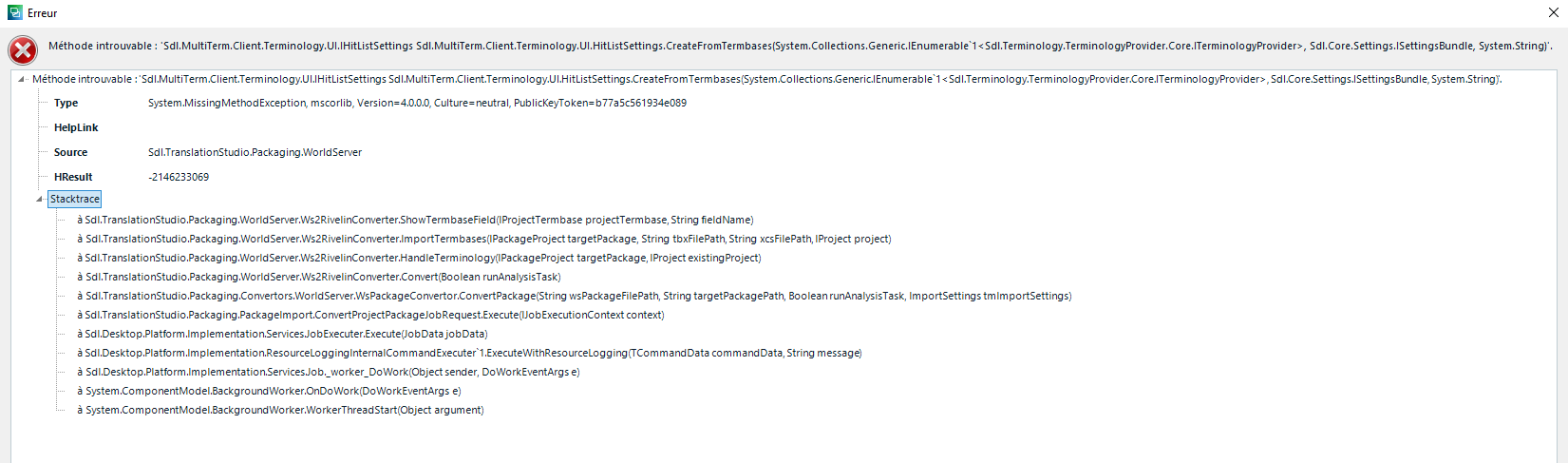
However, I could not open the package that I exported from World Server.

The downloaded package seems not to be linked to Trados Studio as seen with a blank icon (instead of Trados Studio icon) on top (see attached).

When I open the package so as to be associated with Trados Studio, Trados Studio opens but the project is not embedded.

Would you please let me know how I can fix this problem.

emoji
Parents Reply
  • Hi  ,

    Could you please confirm the exact version of Trados Studio 2021 you are using?

    You should be running Trados Studio 2021 SR2 – version 16.2.10.1984.
    If your version is different, please update it by going to Help → Check for Updates.

    After the update, verify that your version is Trados Studio 2021 SR2 (16.2.10.1984) and then proceed with the steps below:

    1. Close Trados Studio 2021.
    2. Go to the RWS AppStore:
      appstore.rws.com/.../103
    3. Click Download.
    4. Select version 16.10.1894 and download it.
      The downloaded file will be named:
      WorldServerComponents_Studio2021SR2CU10.zip
    5. Unzip the file.
    6. Double‑click WorldServerComponents.msi to install the component.
      The installation is silent and completes very quickly.
    7. Reopen Trados Studio 2021 and try opening the WSXZ package again.

    Caterina

    emoji
Children