Translate


Dear all,
I need your help with creating a segmentation rule.
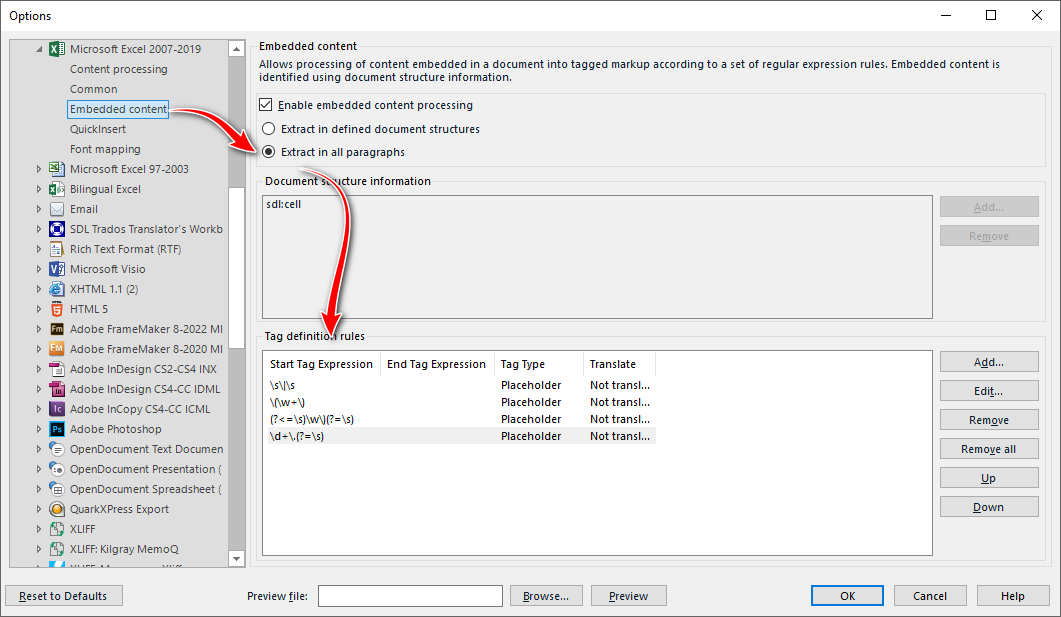
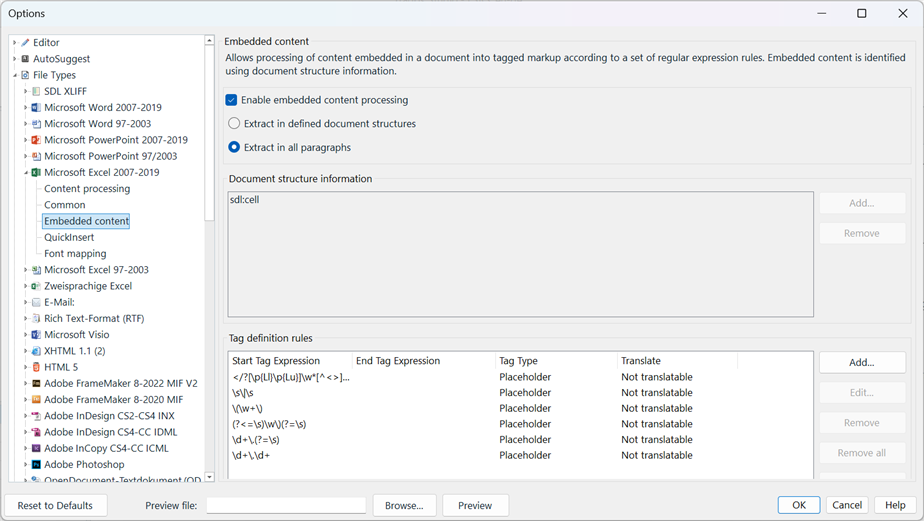
I'm using Trados Studio 2024 - 18.0.2.3255 and following this video https://youtu.be/mo7jgjTX30s?feature=shared to create a translation memory based on a bilingual Excel file that appears as follows: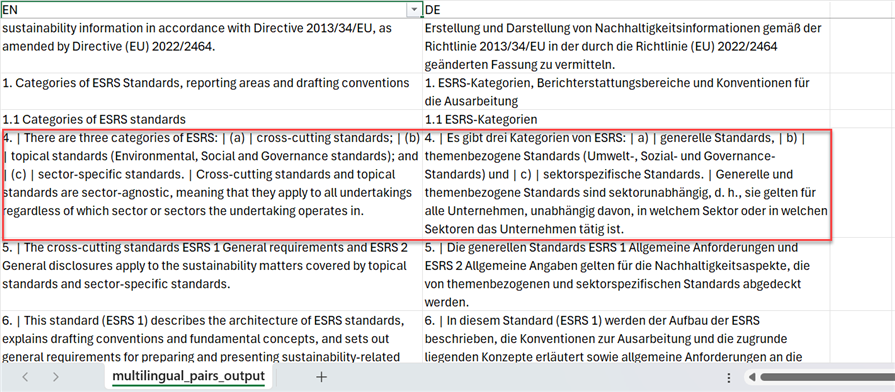
As displayed above, in the German text, unlike in English, there is no semicolon before the enumeration markers a), b), etc., which prevents the text from segmenting as expected:
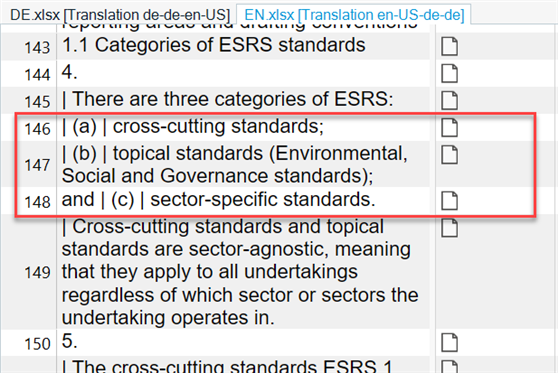
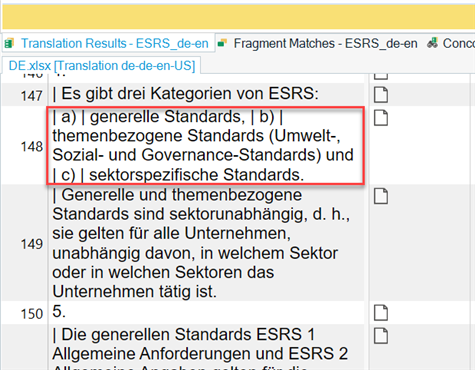
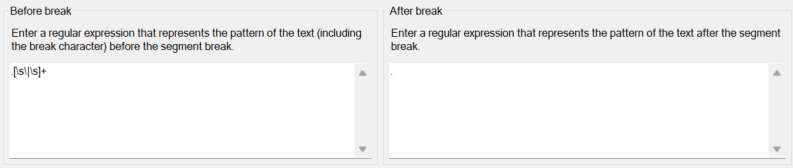
I attempted to create a few segmentation rules, such as using a space as a break character (as follows, as there is no consistent separator before the enumeration markers (a), (b), etc). I even tried to use \| [a-zA-Z]\) \|as break characters though I'm unsure if it's possible to set this as a break character.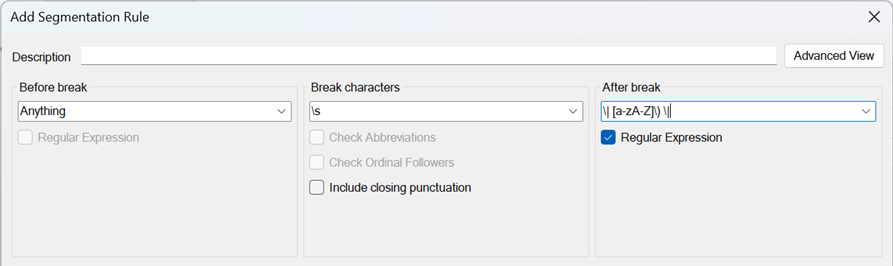
I feel like I'm reaching the limits of my knowledge on segmentation rules in Trados.
Could anyone please assist with this? The file is large, and manually separating the segments would be very time-consuming.
Thanks a lot in advance for any ideas!
Chengle
Generated Image Alt-Text
[edited by: RWS Community AI at 4:14 PM (GMT 1) on 9 Apr 2025]