TM matches found and inserted but the differences are not shown

As you can see on the photo, I have a match of 75%, but on the top, it's not shown what are the differences between the TM version and the new source. Before starting using the Language Weave, it worked but I'm not sure if it's the reason, maybe it's just a coincidance. In the Settings the Minimum Match Value is on 70%.
It's Trados Studio 2024 - 18.0.2.3255
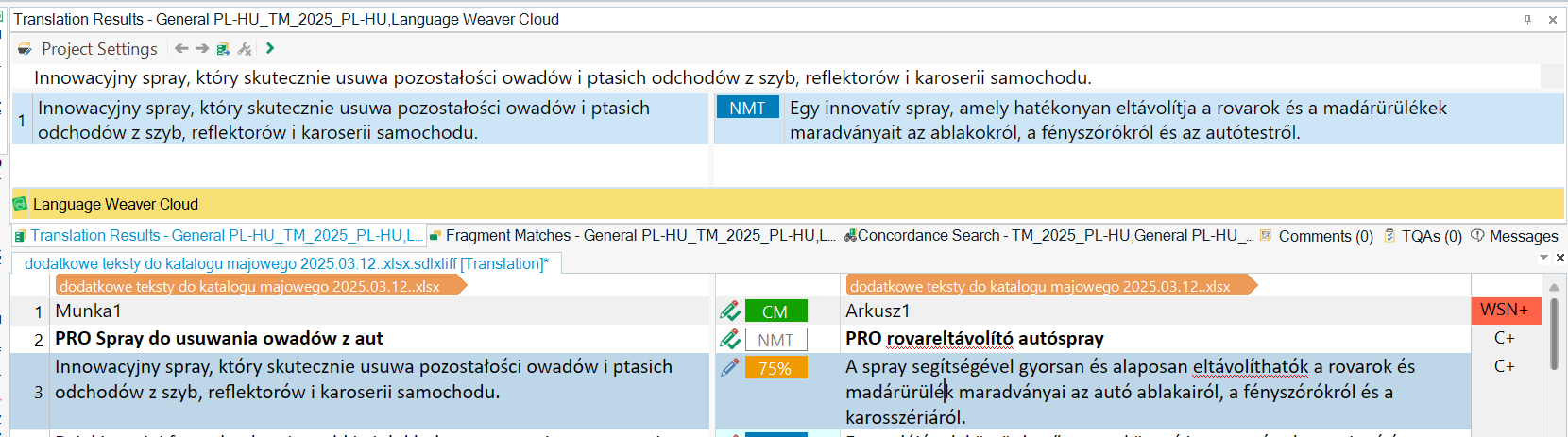
Screenshot of Trados Studio interface showing a 75% match in Translation Results pane with no visible differences highlighted between TM version and new source.


Generated Image Alt-Text
[edited by: RWS Community AI at 10:54 AM (GMT 0) on 12 Mar 2025]
emoji
  • "Probability score": 0.7

    "Question improvement suggestion": Please provide more information about any recent changes to your system or software, and any error messages you may have encountered. Also, it would be helpful if you could describe the steps you have already taken to try to resolve this issue.

    In the meantime, based on the information you have provided, here is a suggested answer to your question:

    Hello,

    From your description, it seems like you're having trouble viewing the differences between the TM version and the new source in Trados Studio 2024 - 18.0.2.3255. This could be due to a number of reasons, but let's try a few troubleshooting steps:

    Step 1: Check your display settings. Go to "Options" > "Editor" > "Automation". Make sure that "Automatically adjust to best match" is selected. This will ensure that Trados Studio automatically shows the differences between the TM version and the new source.

    Step 2: Ensure that your TM settings are correct. Go to "Project Settings" > "Language Pairs" > "All Language Pairs" > "Translation Memories and Automated Translation" > "Search". Make sure that the "Minimum match value" is set to a value that suits your needs. If it's set too high, Trados Studio might not show the differences for lower match values.

    Step 3: If you're using Language Weaver for machine translation, make sure that it's properly configured and that it's not interfering with your TM matches. You can try disabling it temporarily to see if that resolves the issue.

    If none of these steps resolve your issue, it might be a more complex problem that requires further investigation.

    I hope this answer addressed your question. If not, please reject the answer, add the question improvement suggestion information, and click the RWS Community AI checkbox on the right to try again.

    RWS Community AI

    emoji
  •  

    It doesn't look as though you have a TM attached to your project.  So at the top in the TM Results window we only see Language Weaver which is machine translation.  That will never show differences because it will always be the same... it translates whatever your source is.

    Paul Filkin | RWS

    Design your own training!
    You've done the courses and still need to go a little further, or still not clear? 
    Tell us what you need in our Community Solutions Hub

    emoji
  • Hello  and  

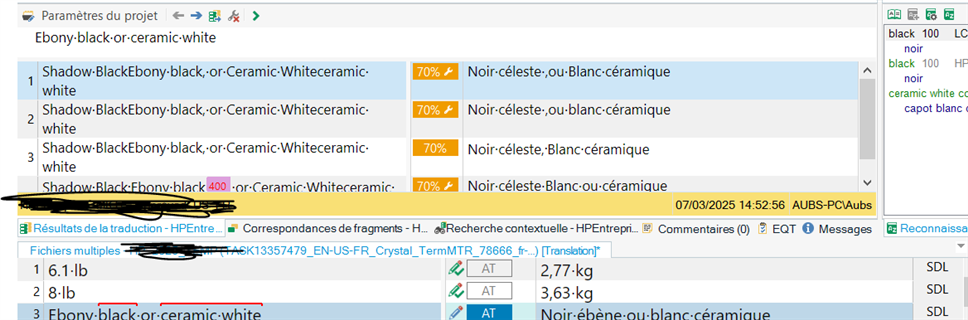
    I've been having the same issue for a few days. The source TU is not showing the differences but is somehow added text and this makes all very complicated to manage and extremely time consuming.

    See an example below.Screenshot of Trados Studio interface showing translation units with differences not highlighted, despite added text in the source column.

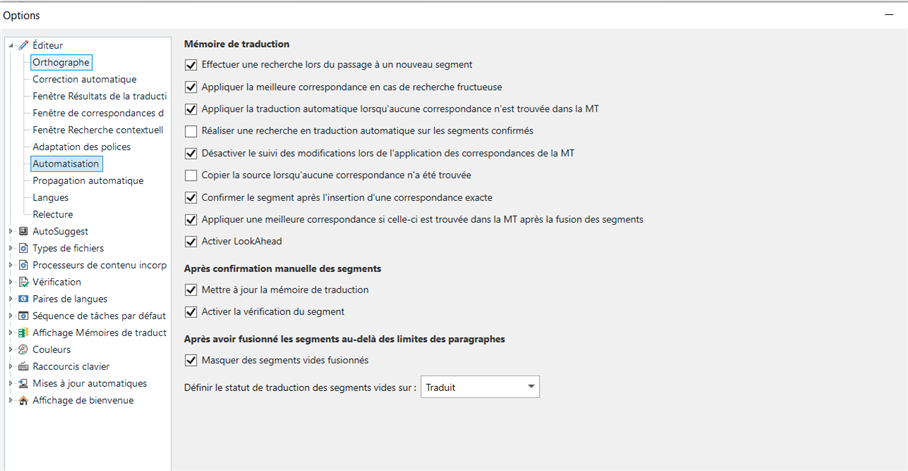
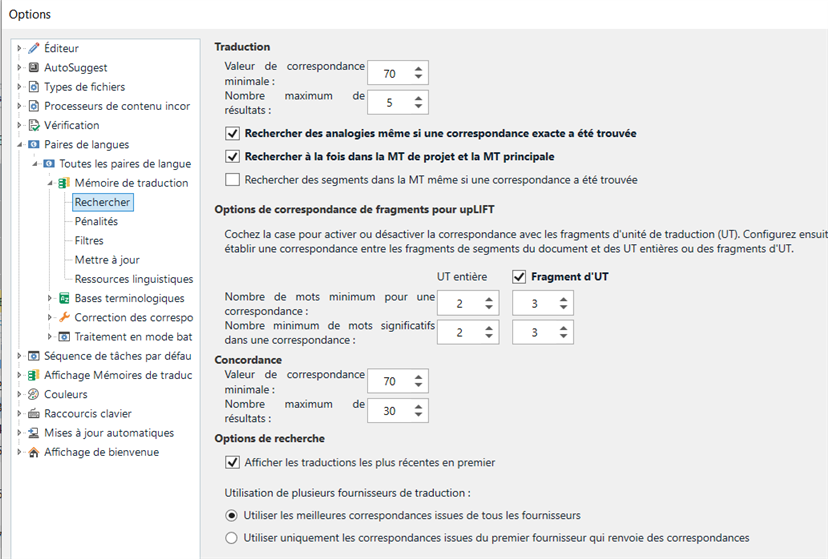
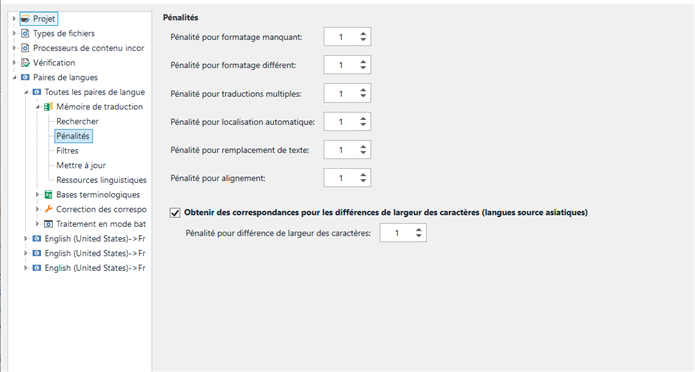
    I've checked my settings and all seems OK

    Screenshot of Trados Studio settings with options for translation memory and segment confirmation checked.

    Screenshot of Trados Studio translation settings with fragment matching and search options for translation memory.

    Screenshot of Trados Studio penalty settings for translation memory with options for character width differences.

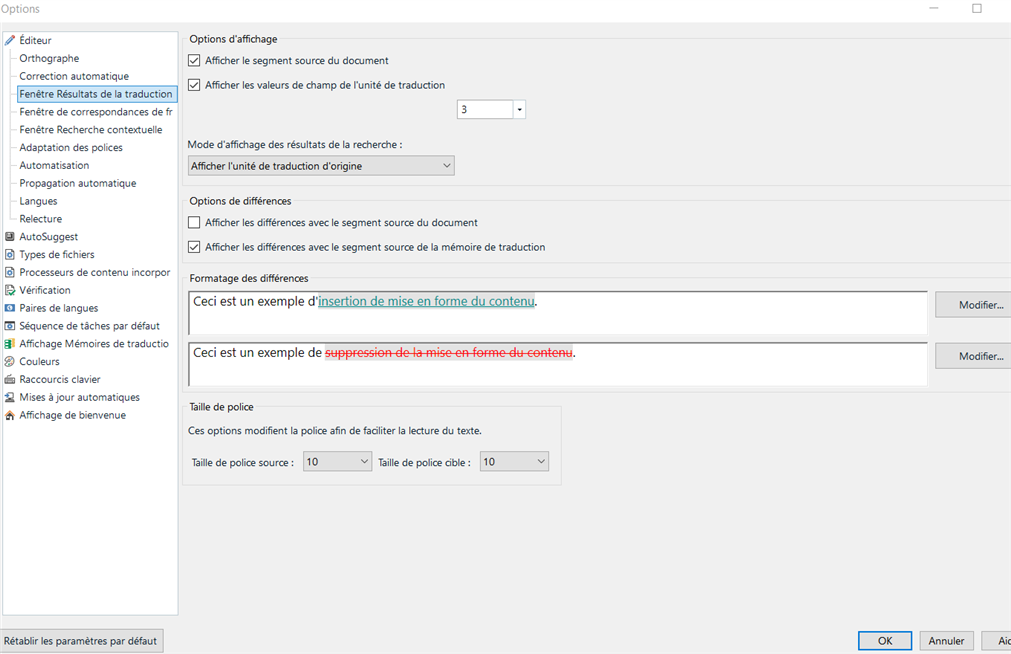
    Screenshot of Trados Studio options menu with Translation Results window settings. Text examples show formatting insertion and deletion.

    I've run out of ideas on how to solve this.

    I've updated my TM recently, but I doubt this has anything to do with it.

    Any ideas please?

    emoji


    Generated Image Alt-Text
    [edited by: RWS Community AI at 2:55 PM (GMT 0) on 19 Mar 2025]
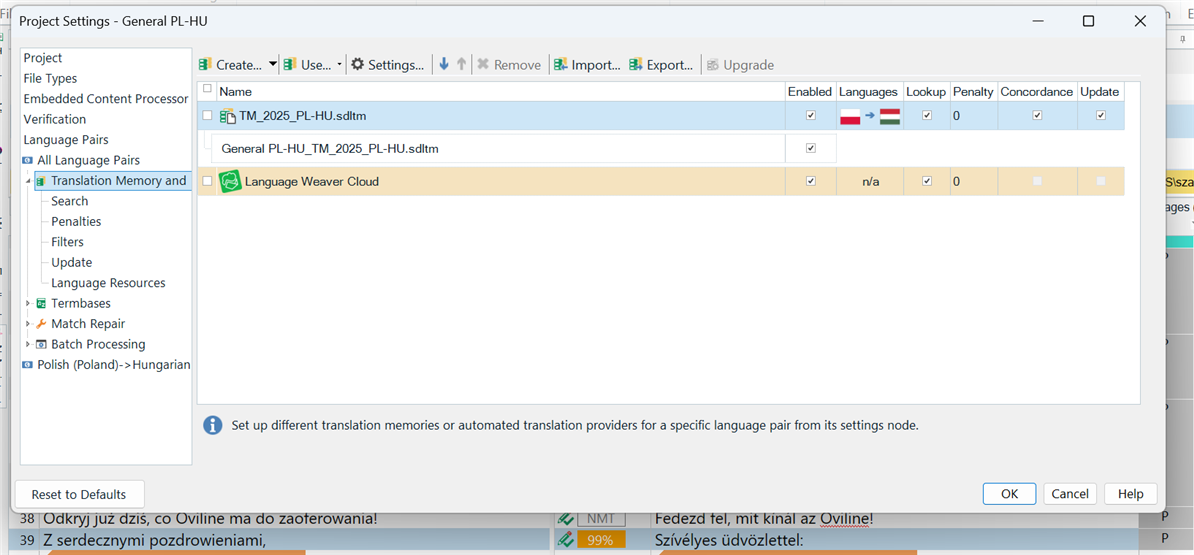
  • Paul, of course the TM is added, that's why that 75% with orange is shown. It's from my TM, and it appeared there automatically when I uploaded this file. I'm sure these orange ones are from my TM, because I remember them, I see it's my style of writing and they are perfect sentences. So unfortunately it's not the case. You can see also on this picture that the TM is added to this project from the beggining. With this orange 99% one, the problem is still the same. But you can see also the project settings where the TM is added.

    Screenshot of Trados Studio Project Settings showing Translation Memory and Automations with 'TM_2025_PL-HU.sdltm' added and enabled for Polish to Hungarian language pair.

    emoji


    Generated Image Alt-Text
    [edited by: RWS Community AI at 2:58 PM (GMT 0) on 19 Mar 2025]
  • Hello  

    I wonder: is this a recent issue on your side or has it always been not showing as tracked changes in the TM suggestions?

    For me, it is recent. All was working perfectly fine up until a few days ago.

    I'm trying to understand if this is linked to some settings or else.

    Thank you!

    emoji
  • Earlier I used Trados 2011, it worked fine. I just bought and installed the new Trados a couple of days ago, it worked in the really beginning and then it stopped.

    emoji
  • Ok, so it happened "suddenly". Same for me.

    I'm still trying to sort this out. I'll let you know should I manage to solve it.

    Anyhow, let's see if this helps  better understand where the issue could be.

    emoji
  •  

    Paul, of course the TM is added, that's why that 75% with orange is shown.

    Glad to hear it.  Your screenshot only shows a Language Weaver provider though which is why I said that.  It just shows an NMT result.  The 75% in the segment could have already been in the SDLXLIFF from a file you received for all I know.  Can you show a screenshot that shows the Translation Results window (like your first one) but with a TM showing the result (not in the editor... but in the TM Results window).  This new screenshot doesn't do that either.

    Anyway... if everything you have said is correct then it's worth a reset.  Often cures all kinds of unexplained behaviour.  To do this just close Trados Studio and then delete these folders:

    %appdata%\Trados\Trados Studio\Studio18\

    %appdata%\Trados\Trados Studio\18\

    You will lose your plugins, and also your settings, but your projects and other resources will remain untouched. Putting the plugins back is trivial via the integrated appstore.

    If you can't find these folders then you need to unhide your hidden files/folders:

    www.howtogeek.com/.../

    Then restart Trados Studio and see if that helped.

    Paul Filkin | RWS

    Design your own training!
    You've done the courses and still need to go a little further, or still not clear? 
    Tell us what you need in our Community Solutions Hub

    emoji
  •  

    Your screenshot is clear, thank you.  I don't know what causes that but I'd try a reset first and if it doesn't help we can log a case.  It would help if you created a new thread though if the reset doesn't fix it because the case creation is automated based on the original poster and that would be Szabolcs, not you.  So if we need to help you both then two threads would be helpful.

    Paul Filkin | RWS

    Design your own training!
    You've done the courses and still need to go a little further, or still not clear? 
    Tell us what you need in our Community Solutions Hub

    emoji
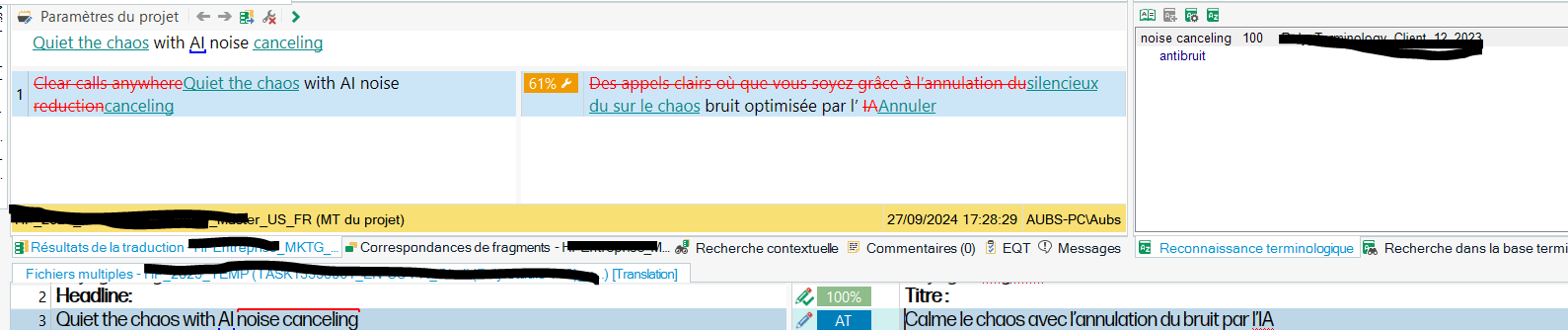
  •  You're a magician,  ! It worked!!

    Screenshot of Trados Studio software showing a translation project. The source text 'Quiet the chaos with AI noise canceling' is displayed with a 61% match from a translation memory. The target text is partially translated in French with a highlighted warning for 'AI noise canceling' not being translated.

    emoji


    Generated Image Alt-Text
    [edited by: RWS Community AI at 7:36 AM (GMT 0) on 20 Mar 2025]