How to auto-propagate content to already confirmed segment?

Hello everyone,

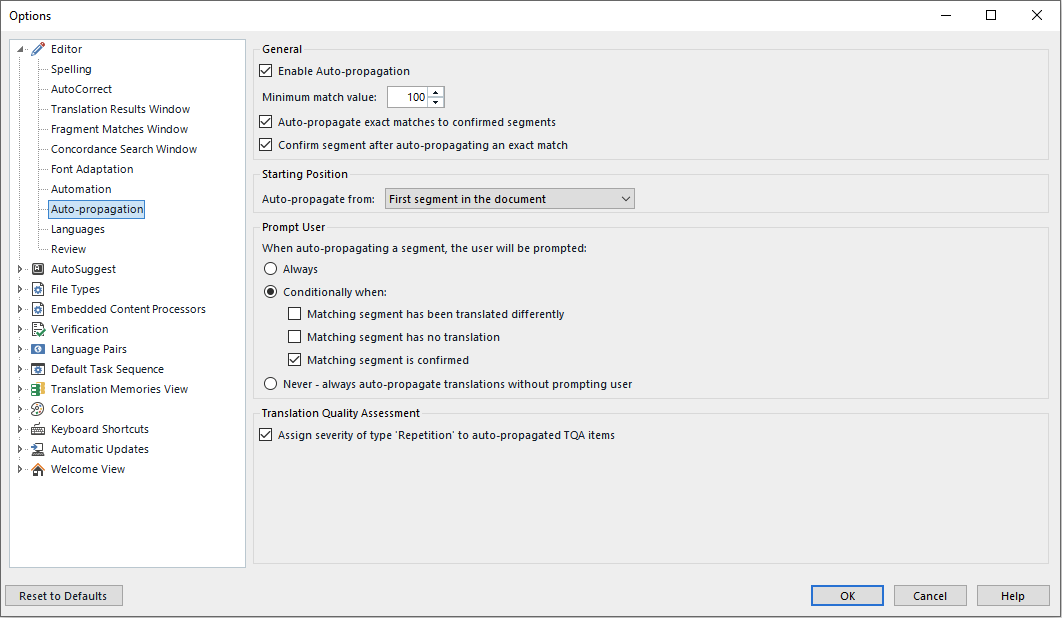
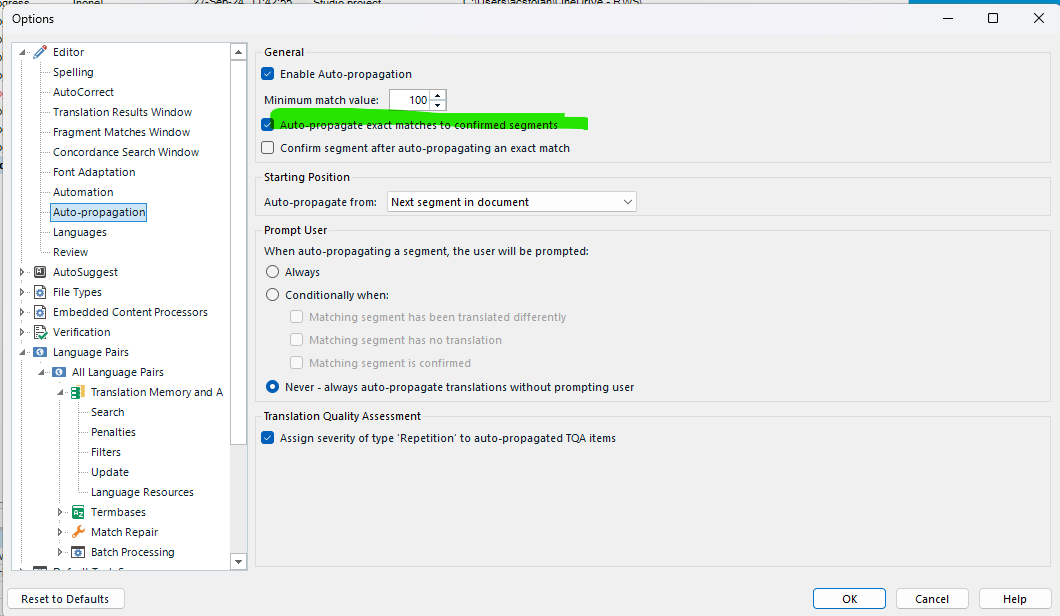
I am working on a big project with several files. I am already halfway through and the client just updated some of the terminology. I have now an updated TM but I was wondering if there is a way I can auto-propagate the new updated translations into the already confirmed segments?

I usually do this manually (Ctrl find and replace), but  here I have so many big files and doing it manually would take a lot of time. 

I would really appreciate if someone can help me with that. I am using Trados Studio 2022. 

Thank you

emoji
Parents Reply
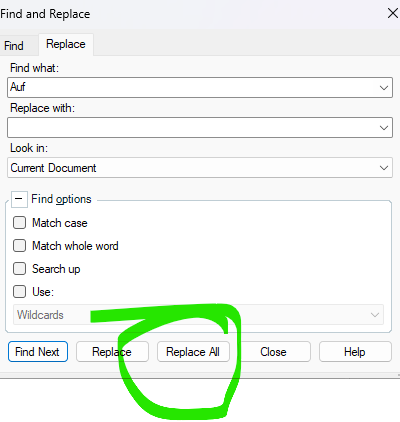
  • If you know exactly what you need to replace and are sure it may not cause issues with your translation, you can also use the Find and Replace and opt to Replace all - it works with one word of phases or an entire segment content even when a segment has been confirmed.

    Find and Replace dialog box in Trados Studio with 'Replace All' button highlighted in green.

    And even if Auto-Propagate's main role is different, it can be adjusted to fit other needs.

    As for how project managers set the projects or the packages for the translators, that again in something out of the software producer's control - be it Trados or any other one.

    A project manager can set various limitations for a project or a package depending on a software's capabilities and depending on what they want from the translator and how they want their text/content to be handled. For example, and  it is a well known situation, there are companies that want the translator to use only the TM or TB they send and limit the use of other resources, like MT or AI. That is something a translator knows when accepting a job.

    There are functions and features in a CAT tool designed to make things easier, but these functions cannot always go over the settings of the package itself if the package was created with certain limitations.

    Anca Stoian RWS Group

    emoji


    Generated Image Alt-Text
    [edited by: RWS Community AI at 2:15 PM (GMT 1) on 27 May 2026]
Children
No Data