 Translate


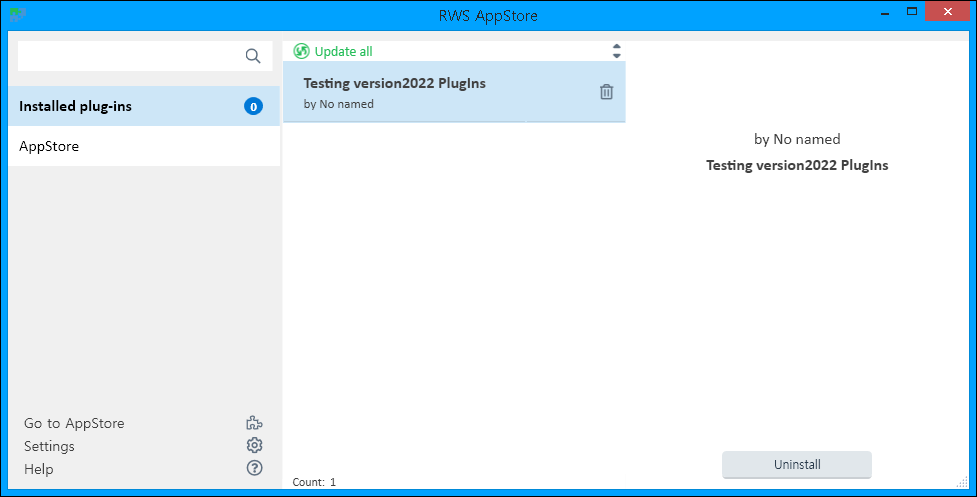
I guess, I have made it properly in terms of PlugIns itself.
But, I do not know How to use it in Trados Studio.
It doesn't have RWS signature yet.
Thanks
Generated Image Alt-Text
[edited by: Trados AI at 7:23 AM (GMT 0) on 29 Feb 2024]


I guess, I have made it properly in terms of PlugIns itself.
But, I do not know How to use it in Trados Studio.
It doesn't have RWS signature yet.
Thanks


Hi Kelly Edward
Indeed anyone who is inclined can create a plugin and as you pointed it should have a RWS signature.
Was this just a procedure test or do you have a plugin that you want us to sign?
Have a good day
Lyds
Oana Nagy | QA Engineer | RWS Group

Kelly Edward
Im in fear you have misunderstood me.
You dont need a signature to install a plugin and use it - as you quite rightfully mentioned users may need to run through bug-fixing cycles before they are happy.
After which we then recommend to get the RWS signature.
As your screen shot shows, you have a plugin.
How to use it in Trados Studio was your question and for that I cant answer you - as it depends on the intention/purpose of the app
Lyds
Oana Nagy | QA Engineer | RWS Group


As your screen shot shows, you have a plugin.
As you can see in above screenshot, I do have "0" (zero) PlugIn installed (Blue circled number) and in Real Trados Studio there is no "Action Icon" for my PlugIn.
Kelly Edward
No the blue 0 that you are referring to indicates if the plugin has since been updated or not, post install.
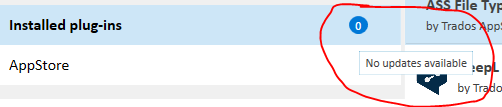
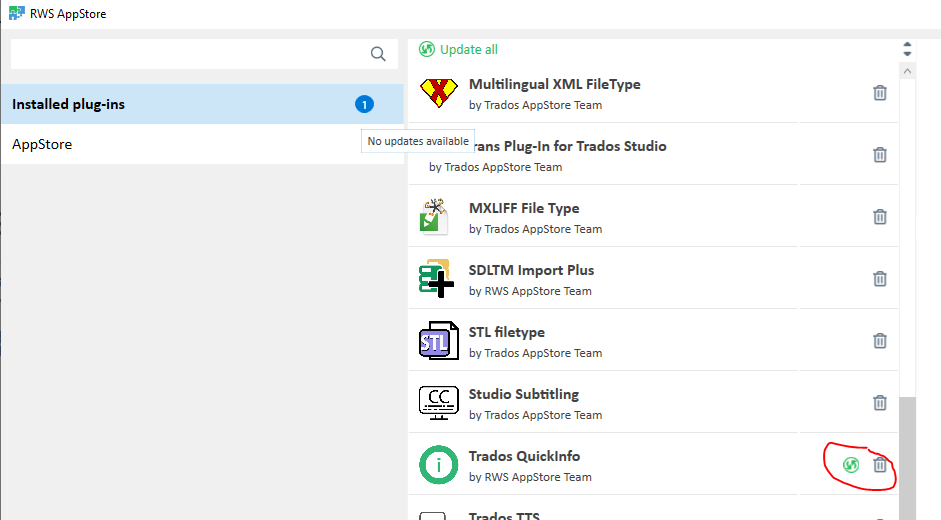
It is not an indicator of approved apps and therefore imposes restrictions.
If you have an app as you screen shot shows - then its ready to be used
Lyds
Oana Nagy | QA Engineer | RWS Group
Kelly Edward
No the blue 0 that you are referring to indicates if the plugin has since been updated or not, post install.
It is not an indicator of approved apps and therefore imposes restrictions.
If you have an app as you screen shot shows - then its ready to be used
Lyds
Oana Nagy | QA Engineer | RWS Group
What's your point ?
The PlugIn I have made does not work properly, So I have posted help but You do not understand the problem at all.
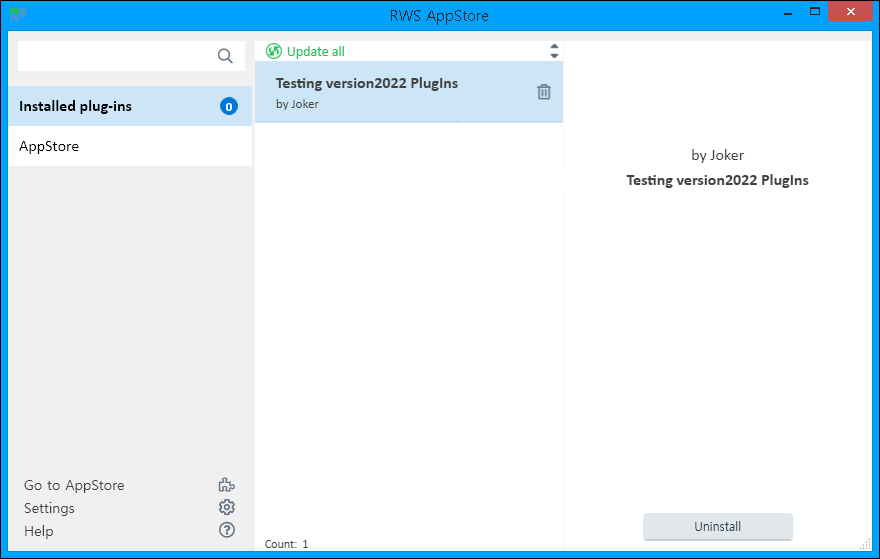
You insist that it is installed.
OK, Let's say you're right.
Then
Why it doesn't work ?
Where is my Icon ?
I am not testing a Mission to Mars.
I am testing tiny PlugIn, it displays an Icon and when you press it, it "Beep"s.
That's all,
For version2022, it is extremely hard to accomplish.
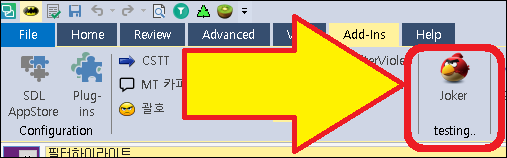
In version2022, it should present above Icon too - this screenshot is captured in version2017.
Kelly Edward given you have it working for 2017 and its not showing for 2022 you may find this resource helpful: https://developers.rws.com/studio-api-docs/articles/hints_tips/Update_Plugins/update_plugins_to_Studio2022.html
Oana Nagy | QA Engineer | RWS Group
You Do Not Understand it At All.
You Do Not have any (even basic) problem solving knwledge about version2022 PlugIns.
I have made it for version 2022 specifically.
I have made PluIns for version2017, almost thousand of them.
I have made PluIns for version2019, too.
I have made PluIns for version2021, also.
Now, I have made "a" PlugIns for version 2022. OK ?
Kelly Edward
We can bring all this information and documented resources to your attention, but if if it still does not work as you expect then we could possibly take a discretionary closer look
Oana Nagy | QA Engineer | RWS Group
OK ?
No Kelly Edward , it is not OK to be aggressive/divisive, if indeed that is what you are doing.
Nor is it OK to contradict yourself then accuse of not understanding. Lyds is an experienced expert who is being very professional in the way she is handling your interaction.
You Do Not Understand it At All.
The only way anyone could understand you is if they could read your mind. You do not provide a full, detailed description of what you require help with. This is essential to the understanding of RWS consultants when you start a thread requesting help.
You Do Not have any (even basic) problem solving knwledge about version2022 PlugIns.
Kelly, that is not true, and you have no evidence to base that statement upon. Lydia is doing an excellent job.
OK, Now.. can the other owner tell me what do I have to do ?
I am guessing that you know that he is on leave, and I suspect that is why you have increased your participation. If not, please calm down and allow him to enjoy his rest time as he works hard, beyond the call of duty and does an amazing job.
I congratulate Lyds for continuing to provide her expert support to you.
If you have a genuine request for help, describe it fully in the first post of your thread and be polite, please.
Daniel Brockmann I am including you to make you aware of this thread, in the absence of Paul.
All the best to all
Ali 
Thank you Alison Field as Kelly Edward has turned down our offer for us to take a discretionary closer look at the 2022 code but has been given the 2022 specific developer information to review and align - I will close this post down so the negative trend does not continue
Oana Nagy | QA Engineer | RWS Group
