Translate



Hello,
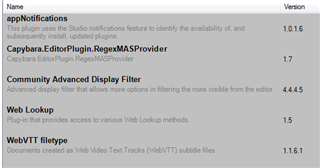
I've just installed the latest update of Studio 2019. After installing, I had 4 notifications of available plugin updates (by appNotifications).. Although it was quite strange, I updated the first plugin applyTM Template (I guess). Since then, the following error message appears after startup of Studio:
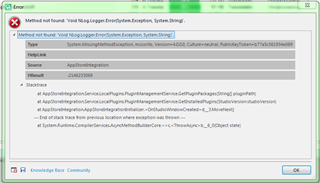
I've repaired the installation of Studio and uninstalled the applyTM Template plugin but the error message still appears on startup.
By the way, Studio seems to be working fine after confirming the error message.
Any idea is appreciated.
Sandor
Generated Image Alt-Text
[edited by: Trados AI at 9:49 PM (GMT 0) on 28 Feb 2024]