
 Translate



Hello,
I was offered to install SDL Trados Studio 2019 SR2 version 15.2.6.2831, which I tried to do.
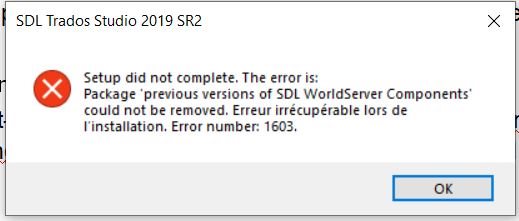
But after accepting the installation process, I received the following error message : Package previous version of SDL WorldServer Components could not be removed. Erreur irrécupérable lors de l'installation. Error number : 1603.
What do I need to do ? (I have inserted the jpg showing the error message)
Thank you very much in advance for your help.
 M.Anne
Generated Image Alt-Text
[edited by: Trados AI at 10:08 PM (GMT 0) on 28 Feb 2024]



