 Translate



Hi, we have the following warning appearing.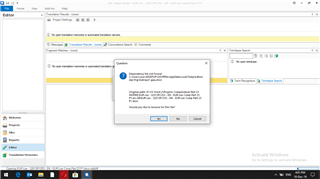
Generated Image Alt-Text
[edited by: Trados AI at 7:29 PM (GMT 0) on 28 Feb 2024]

You are currently working on UAT

Hi, we have the following warning appearing.
Click yes, navigate to the folder where the source file has been stored and open that one. You might need to change the name of the file in the search box - Studio is looking for a dump file with cryptical file name. Click the small triangle pointing down in the lower right corner of the search box to switch to proper file name or to all files (*.*.).
_________________________________________________________
When asking for help here, please be as accurate as possible. Please always remember to give the exact version of product used and all possible error messages received. The better you describe your problem, the better help you will get.
Want to learn more about Trados Studio? Visit the Community Hub. Have a good idea to make Trados Studio better? Publish it here.
