Translate



Dear all,
I cannot open a package - I get this error message, please see below:
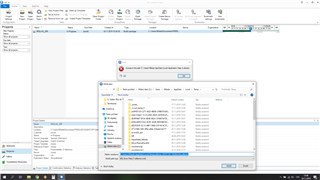
I got this message as before I received a package that contained a file with a long name, I could not change and had to opt for the "Append project name to project folder" option.
After having delivered this first package, I removed all the project files to the correct folder under the D disk.
How should I proceed to be able to open the package now and in the future?
Thank you in advance.
Kind regards,
Milada
Generated Image Alt-Text
[edited by: Trados AI at 7:14 PM (GMT 0) on 28 Feb 2024]