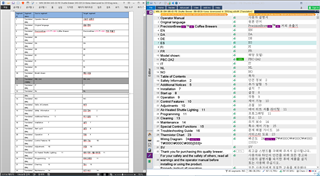
You are currently working on UAT 

[MS Word Spell Checker] data ?

Former Member
Former Member

I'd like to know the file which SDL refers for its "MS Word Spell Checker"
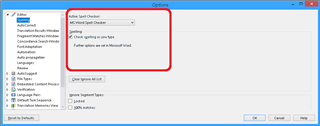
Screenshot of Trados Studio Editor Options window highlighting the 'MS Word Spell Checker' option under 'AutoCorrect' settings.

It is quite clear (from my side) that MS Word refers to this one;
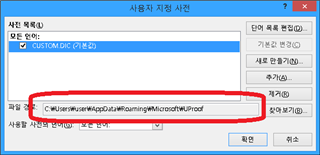
Screenshot of MS Word Options window showing the file path for the custom dictionary under 'Proofing' settings, with the path highlighted.

But, it is quite different from SDL's spell checking status.

OR

Is there any option(s) that SDL assumpts implicitly for this functionality ?

- SDL Trados Studio 2017
- MS Office 2013, 32Bit
- Win 8.1, 64Bit

Regards


Generated Image Alt-Text
[edited by: Trados AI at 7:01 PM (GMT 0) on 28 Feb 2024]

emoji
Parents Reply Children
  • Former Member
    0 Former Member in reply to Former Member

    basically, Result is Good
    But, some more to go

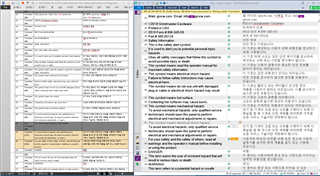
    Screenshot of Trados Studio interface showing a list of files with status and progress. Some files have 'Good' status, others are in progress. Two '.DiC' files mentioned in context are not visible.

    I have deleted two ".DiC" files from the following folder before start MS Word and SDL Trados Studio in order to start from the scratch and added to dictionary nothing afterward.

    - C:\Users\user\AppData\Roaming\Microsoft\Proof
    - C:\Users\user\AppData\Roaming\Microsoft\UProof

    I think there is no other options (hidden or default or language specific whatever) to consider.
    And should there is other options SDL have to reflect it properly. Right ?

    I think this is good enough.

    I did not post sdlxliff on purpose, but if you want (really want) it, let me know your EMail.

    Thanks for all the things.

    emoji


    Generated Image Alt-Text
    [edited by: Trados AI at 7:02 PM (GMT 0) on 28 Feb 2024]