You are currently working on UAT 

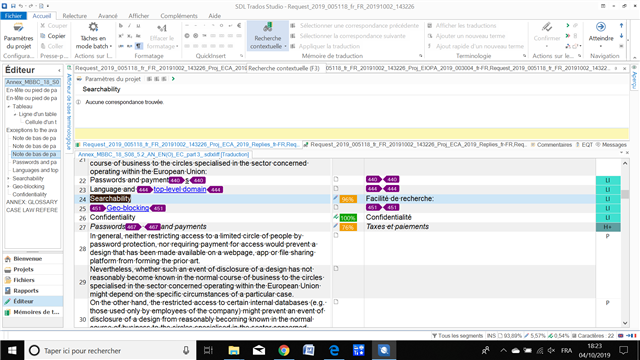
Packages in Studio 2015: Some segments with a match in the target but TM translation window is empty and says "no match"

Dear all,

I have the following problem with Studio 2015 when working on project packages:

For some source segments with a match in the target, the TM translation window is empty and says "no match".

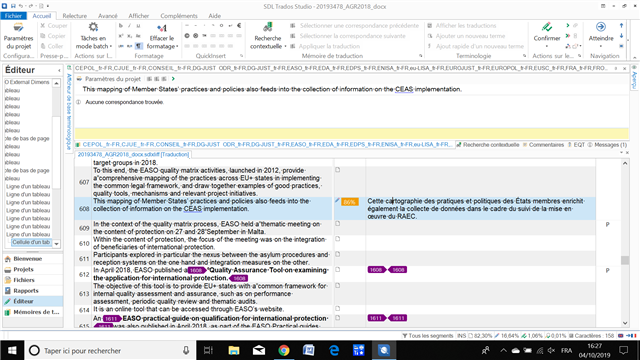
Here is an example (segment 608, 86% match):
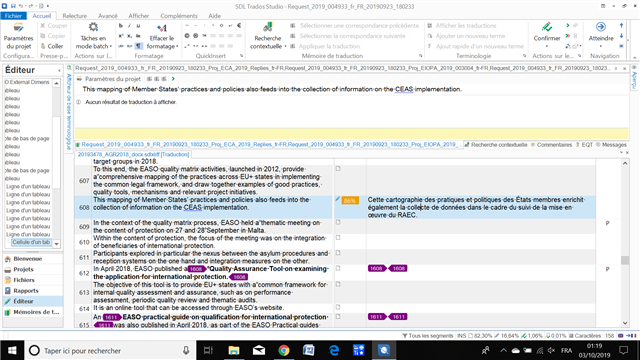
Trados Studio editor window showing segment 608 with an 86% match, but the TM translation window displays 'no match' despite the target segment being filled with text.

When I select the source segment in full or in part and make a contextual search, I get the same answer ("no match", though the target segment is full with text).

When I take the text as a single document (sdlxliff), at least I can see the results after making a contextual search (which is not normal either).

Anyways, when my client sends me a package, he awaits a package in return and nothing else. He tried to help me but couldn't understand and said all my project parameters look normal.

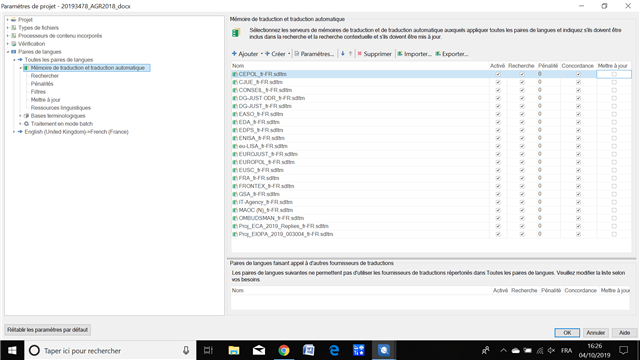
Here is one of the screen caps I sent him:
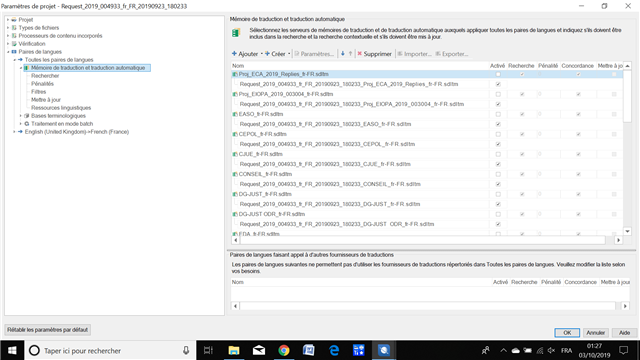
Trados Studio project settings window with a list of translation memory files, none of which appear to be active or selected for the current project.

I hope you can help because this problem means less assignements (I won't get anymore packages until the problem is solved).

Thanks a lot in advance!

Best regards,

Anne-Laure


Generated Image Alt-Text
[edited by: Trados AI at 6:38 PM (GMT 0) on 28 Feb 2024]

emoji
Parents
  • PS: my client is an agency working with many other translators and I am the only one encountering this problem.

  • Hello

    Here on the screenshot, in segment 608, could you please confirm where the match is coming from? 
    It is already there from somewhere, but if you could not find it in the TM as an automatic lookup match, where does it come from? Was the file pre-translated by the agency?

    Maybe the memories themselves do not contain these matches? If I understand correctly you do not receive neither automatic matches, nor concordance matches - could you please confirm?

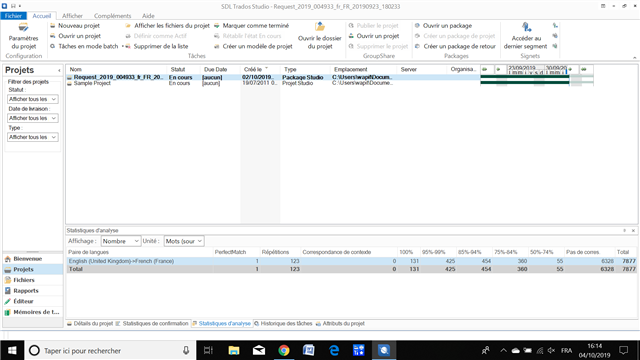
    Could you please run an analysis on the file and post here the results, similar to this?
    Trados Studio screenshot showing an analysis report with two projects listed. Both projects have 0% match rates and no automatic or concordance matches found.

    Also, do you know maybe what version of Studio is the agency using?

    Looking forward to hearing back from you.

    Best wishes,
    Greta

    emoji


    Generated Image Alt-Text
    [edited by: Trados AI at 6:38 PM (GMT 0) on 28 Feb 2024]
  • Dear Greta,

    Thank you very much for your answer!

    I am going to try to answer your questions.

    I don't know exactly from which of the many client's TMs in the package the match in segment 608 is coming from, but I know I can find it through a contextual search when working with a single file and with the client's TMs sent separately with their names not beginning with "Request_...", which you can see in my parameters screen cap (I forgot to say this). 

    So I would say the TMs with their names not beginning with "Request_..." do contain this matches. As for the ones beginning with "Request_", I don't know...

    Nor do I know if one may say the client pre-translated the file, but the fact is that when I open it, matches are already displayed in the right column, for example for this segment with a 86% match.

    I am not sure to understand the difference between automatic matches and concordance matches: if concordance matches mean what I get through a contextual search ("recherche contextuelle" in French), then I don't get anything when working from the package (only when working from a single file).

    If automatic matches mean the text displayed in the right column, then I get them, they are displayed before I click in the target segment.

    Here are the results of the analysis:

    Screenshot of Trados Studio interface showing a project named 'Noname1_2019_08_30_09.03.52' with status 'In Progress' and a Translation Memory (TM) analysis with various match percentages.

    As for the agency's Studio version, it is 2019. But the other translators of packages who have 2015 like me don't have this problem.

    I hope this helps you to understand?

    Kind regards,

    Anne-Laure

    emoji


    Generated Image Alt-Text
    [edited by: Trados AI at 6:39 PM (GMT 0) on 28 Feb 2024]
  • PS: Here a screen cap of my TM parameters when working with a single file and with the client's TMs sent separately with their names not beginning with "Request_...":

    Screenshot of Trados Studio showing TM parameters with a list of client's translation memories named without 'Request_' prefix.

    Here is what happens when clicking in target segment 608 (nothing):

    Screenshot of Trados Studio editor with target segment 608 selected, displaying no visible errors or warnings.

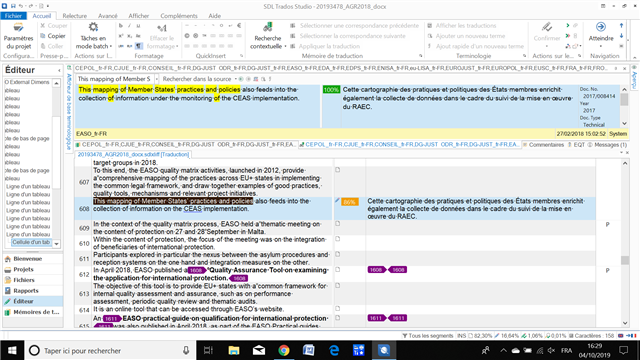
    And here is what happens when I make a contextual search on a part of the sentence:

    Screenshot of Trados Studio editor showing a contextual search performed on a sentence part with results displayed on the right side.

    All of these 3 caps are for working with the single fr-FR file without opening the package and with the client's TMs sent separately with their names not beginning with "Request_..."

    Best regards,

    Anne-Laure

    emoji


    Generated Image Alt-Text
    [edited by: Trados AI at 6:39 PM (GMT 0) on 28 Feb 2024]
Reply Children