You are currently working on UAT 

Unable to import tmx file or sdl aligned file into TM

Hi, 

I have created a tmx file with LF Aligner and I have tried to import in SDL Studio 2019 TM, but I have not succeeded. I have aligned the files within the SDL Trados Studio 2019 but still no result. The TM is already populated with more than 10000 entries, but the segments contain, mainly, entire paragraphs, not just words . The tmx file was a a glossary type ( I have split the entire text into separate words and then aligned them in LF aligner and afterwards in excel). I have created a new TM for testing the import of the tmx file and this time everything was ok, but this TM has less than 10000 entries and SDL Trados is unable to generate an Autosuggest dictionary.Therefore, I need to be able to import the TMX file into the initial TM.

I have tried to create the glossary and import it into the TM because I do not have Multiterm, in order to create a termbase and I do not intend to buy one in the near future.

One possibility would be to populate the new TM with enough text in order to achieve the 10000 entries treshhold but it is not a very straightforward solution.

Best regards,

Bogdan 

  • Hello ,

    I think there may be a little confusion here between TM (Translation Memory) and TB (Glossaries) and Dictionaries.

    First of all its important for you to know, that you DO have MultiTerm in your account- you received this free of charge when you purchased Freelance (or higher versions of Studio).

    The TM really should not be broken down into individual words or phrases and should be used to store whole (or partial) translated segments.

    If you want to create a Termbase (glossary) you will do this in Multiterm. 

    Once you have a TM and TB then you can create a dictionary-but u8nless you want a physical dictionary- there is no need to create one as this is a built in feature of Studio 2019.

    What you should be doing is create an empty TM in Studio- then import the TMX into this empty TM to create the actual TM.

    Alignment would be done on two separate files you have (source and target)- which you then align and import to a memory.

    Whereas a TM is always bilingual- a TB can contain as many languages as you want.

    If you need more information- why not try our live chat service-

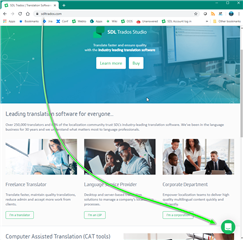
    Homepage of SDL Trados Studio website with navigation tabs, promotional images, and information about translation software features.

    Oana Nagy | QA Engineer | RWS Group

    emoji


    Generated Image Alt-Text
    [edited by: Trados AI at 5:53 PM (GMT 0) on 28 Feb 2024]