You are currently working on UAT 

Studio window position

Hi,

It seems that with almost every Trados update, things that had worked before, after the update they won't work.

This time it's the window position. Before the latest update, Studio remembered its position on my screen (lower left corner, to see the browser tabs above with my online dictionaries). Now, with every start (NOT of Windows, but Studio!) it opens in the UPPER left corner, which is a nuisance because I have to adjust the window position not only in the morning but also after every crash of Studio (which still happens pretty often)...

Anyone else noticed this? And do you have a solution?

Thanks,
Markus

Parents
  • Hello ,

    Would you be able to attach some screens shots please of what is happening please as I cannot replicate this.

    If I move the Windows around and dock them into position then this is remembered after restarting Studio.

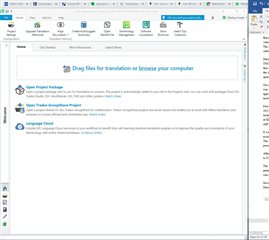
    Quick example here.


    Could you also confirm which Studio version you are running please.

    Oana Nagy | QA Engineer | RWS Group

Reply
  • Hello ,

    Would you be able to attach some screens shots please of what is happening please as I cannot replicate this.

    If I move the Windows around and dock them into position then this is remembered after restarting Studio.

    Quick example here.


    Could you also confirm which Studio version you are running please.

    Oana Nagy | QA Engineer | RWS Group

Children