
 Translate



Hello Everyone, I need some advice regarding SDL Trados 2017. After an accidental shutdown of my laptop a project file I had been working on disappeared from the project list in Trados. I tried to open the file from its folder and also by clicking on 'Open Project' in Trados and I received the following error message:
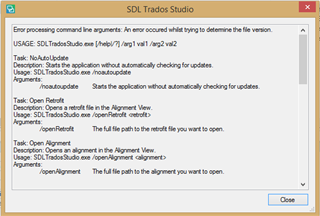
Could anyone please advise how I can resolve this error?
Thank you in advance.
Generated Image Alt-Text
[edited by: Trados AI at 5:42 PM (GMT 0) on 28 Feb 2024]


