 Translate



In cases like:
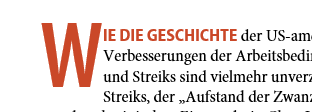
segmentation is as follows:
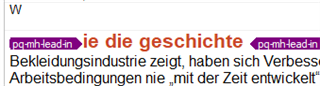
The drop cap is its own segment. (Studio 2019 SR1, Word 2016)
Is there a way to prevent this?
Daniel
Generated Image Alt-Text
[edited by: Trados AI at 5:33 PM (GMT 0) on 28 Feb 2024]

You are currently working on UAT

In cases like:
segmentation is as follows:
The drop cap is its own segment. (Studio 2019 SR1, Word 2016)
Is there a way to prevent this?
Daniel


Hello ,
This in an interesting one-I have to replicate this in Word but without success so far.
Would you be able to share the original source document, so I can try to figure out how this was originally authored.
Oana Nagy | QA Engineer | RWS Group
Hi
The file from which these screenshots stem has quite a history: InDesign document, exported to HTML, converted to docx, used for alignment. (Screenshots are from the aligner tool.)
But I recently produced a taggy file just straight from Word, and it does the same (Segment 2):

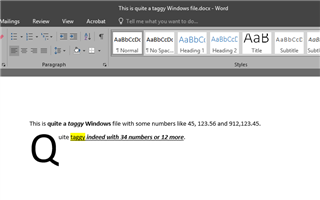
I already uploaded that file in a different context: https://community.sdl.com/product-groups/translationproductivity/f/openexchange_applications/26334/number-verifier-2-0-1-0-studio-2019-text-coloring
Daniel

I guess you can't.
Initial caps in Word are actually inserted via a text box. You can play with them in Word (Insert tab > Drop cap):
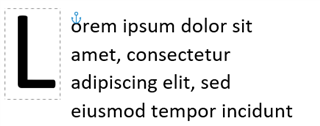
BTW: In HTML, initial caps are probably inserted inside a table cell, so they will be split from the remaining characters. I don't know about InDesign.
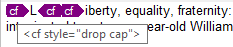
Thank you, Jesús Prieto. That answers my question. In InDesign this is no problem, drop caps are a style and they are a normal part of the text and displayed in Studio as such:
Daniel

Thank you, Jesús Prieto. That answers my question. In InDesign this is no problem, drop caps are a style and they are a normal part of the text and displayed in Studio as such:
Daniel
