[2019] - TM not updating

I am using the latest version of 2019 and I have been experiencing this issue for a few weeks now. My main medical TM is no longer updating. It is about 1.3 GB.

I am working with packages sent by my client, to which I append my own local TM. There is no other TM besides mine.

My issues are:

1) Newly translated segments are not being saved in the TM.

2) Segments are not leveraged correctly.

As for 1, I have checked the Update field is selected in the Project Settings. I have also tried to update the TM from Batch Tasks > Update TM (both Main TM and Project TM)

I get 0 errors but a tons of warnings due to 'an unspecified error' for each segment of my file.
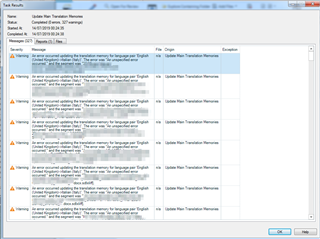
Screenshot of Trados Studio showing a Task Results window with multiple warnings about an unspecified error updating the translation memory for language pair English to Spanish.

I have also tried to use a language-specific TM. I have proof that the segments aren't saved in the TM because I open the TM in the TM Editor directly and it doesn't find the latest segments I have been translating.

I have tried to repair the TM using the TM repair tool and it was correctly 'repaired' and there is no error message whatsoever indicating something might be wrong.

As for 2, I don't understand why identical sentences are not recognized as such, like in the example below.

I am spending more time than due to translate because I have been working without TM. Basically, I filter segments and copy-paste the previous translation earlier in the same document. This is prehistoric! 
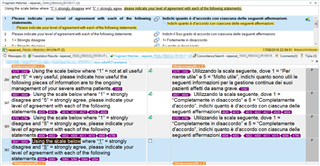
Screenshot of Trados Studio editor with a segment comparison, highlighting that identical sentences are not being recognized as matches, despite being the same.


Generated Image Alt-Text
[edited by: Trados AI at 5:22 PM (GMT 0) on 28 Feb 2024]

emoji
  • Can you turn off lookahead and try again?  Certainly the second problem seems to be related to this.  I can't comment on TUs not being saved at all yet, but please try disabling lookahead first and then see what happen.  It's under File->Options->Editor->Automation.

    Paul Filkin | RWS

    Design your own training!
    You've done the courses and still need to go a little further, or still not clear? 
    Tell us what you need in our Community Solutions Hub

  • You say "There is no other TM than mine". So for me it seems, like would have the customer configured the TM settings in your project NOT in "Language Pairs -> All Language Pairs", but in "Language Pairs -> Specific Language Pair". When you add a TM to "Language Pairs -> All Language Pairs" while the project is configured to use "Language Pairs -> Specific Language Pair", this TM (or these TMs) will be simply ignored by Studio.

    Here is the setting how it looks like:

    Trados Studio project settings window showing a warning message 'You have set up different translation memories or automated translation providers for certain language pairs.'

    Trados Studio project settings with 'All Language Pairs' selected, showing no translation memories or automated translation providers added.

    In such situation you should:

    • Either deactivate the TM settings under specific language pair OR
    • Add your own TM under specific language pair

    _________________________________________________________

    When asking for help here, please be as accurate as possible. Please always remember to give the exact version of product used and all possible error messages received. The better you describe your problem, the better help you will get.

    Want to learn more about Trados Studio? Visit the Community Hub. Have a good idea to make Trados Studio better? Publish it here.

    emoji


    Generated Image Alt-Text
    [edited by: Trados AI at 5:22 PM (GMT 0) on 28 Feb 2024]
  • I always doubted the purpose of Lookahead, it has no advantages at all... I would simply remove this completely from future releases or at least make it DEACTIVATED by default. After a fresh Studio installation this is the first option I switch off...

    _________________________________________________________

    When asking for help here, please be as accurate as possible. Please always remember to give the exact version of product used and all possible error messages received. The better you describe your problem, the better help you will get.

    Want to learn more about Trados Studio? Visit the Community Hub. Have a good idea to make Trados Studio better? Publish it here.

  • I always doubted the purpose of Lookahead, it has no advantages at all... I would simply remove this completely from future releases or at least make it DEACTIVATED by default.

    Hi Jerzy,

    I think I'd agree with you on the default.  The usecase, at least the usecase with the least problems to look out for, is when you work only with MT and no terminology or TM at all.  In this case the advantage of not having to wait for a response is tremendous.  But until we have instantly adaptiveMT and people don't wish to use their other resources anymore the usecase for that is probably small to non-existent!

    It can be quite useful, but we can see the number of problems people report that are based on not being able to retrieve results that have just been added, so it should certainly be an optional settings rather than the default... in my (and your) opion.

    Paul Filkin | RWS

    Design your own training!
    You've done the courses and still need to go a little further, or still not clear? 
    Tell us what you need in our Community Solutions Hub

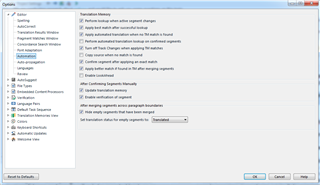
  • Done, and turning off Automation > Lookahead didn't change a thing.

    These are my current settings:

    Screenshot of Trados Studio settings window showing Automation options with Lookahead feature turned off.

    emoji


    Generated Image Alt-Text
    [edited by: Trados AI at 5:22 PM (GMT 0) on 28 Feb 2024]
  • OK, this might be I do not have such a wide perspective as you have. In my usecases, which seem to be very similar to many other people, there is ALWAYS a TM and mostly a TB (very often even several TMs and TBs) in the project configuration. And even in case I would have the best possible MT on earth, I would still keep at least one TM and some TBs in the project settings.

    To make this option useful, it must be configured that way, that in similar cases as here, when the subsequent segments to translate are similar and the next following segment would directly profit from the translation entered in just confirmed segment, the system recognizes this and makes a refresh in the search despite the prefetched results. If lookahead would already have worked that way, there wouldn't have been any compliants about it.

    _________________________________________________________

    When asking for help here, please be as accurate as possible. Please always remember to give the exact version of product used and all possible error messages received. The better you describe your problem, the better help you will get.

    Want to learn more about Trados Studio? Visit the Community Hub. Have a good idea to make Trados Studio better? Publish it here.

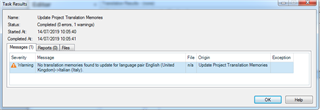
  • Thank you. I have removed the TM from All Language Pair and let it only in the specific English > Italian pair (previously, it was listed in both screens). I have tried to update the Project TM, and I get this error:

    Trados Studio error message stating 'No translation memories found to update for language pair English (United Kingdom) > Italian (Italy).'

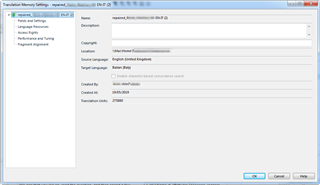
    However, I have checked my TM language pair and it matches English (UK) > Italian (Italy). What is wrong?

    These are also the same language variant of my project/package (hovering with the mouse on the little flags in the bottom right corner, it reads English UK > Italian Italy)

    Trados Studio Translation Memory Settings window showing the language pair English (United Kingdom) > Italian (Italy) with other TM details.

    emoji


    Generated Image Alt-Text
    [edited by: Trados AI at 5:22 PM (GMT 0) on 28 Feb 2024]
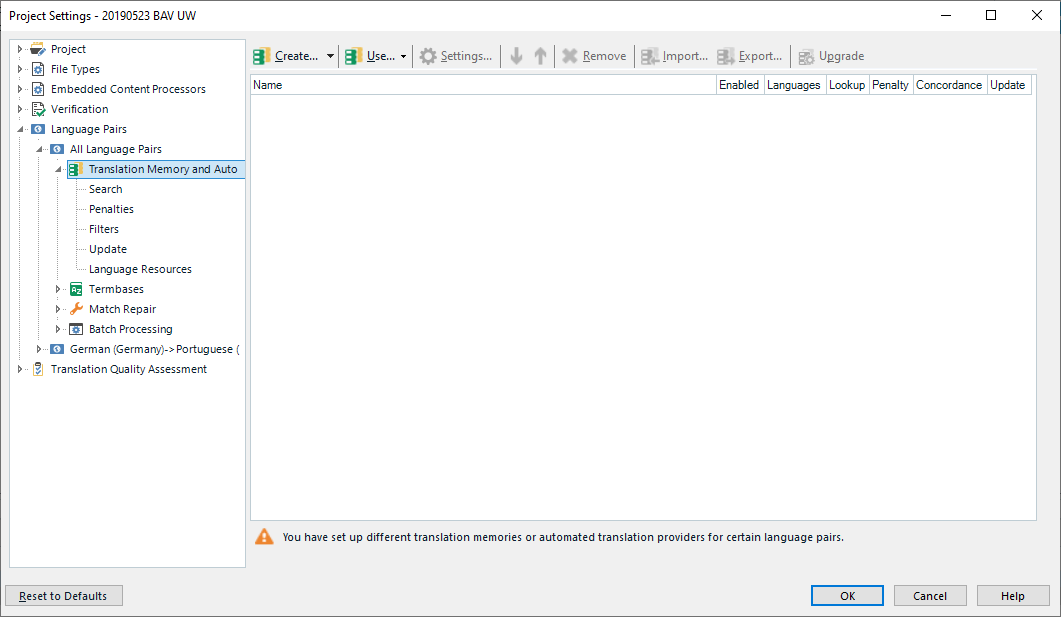
  • Please make a screenshot of the settings for TM in ALL Language Pairs AND in English to Italian and then post here. Thank you.

    _________________________________________________________

    When asking for help here, please be as accurate as possible. Please always remember to give the exact version of product used and all possible error messages received. The better you describe your problem, the better help you will get.

    Want to learn more about Trados Studio? Visit the Community Hub. Have a good idea to make Trados Studio better? Publish it here.

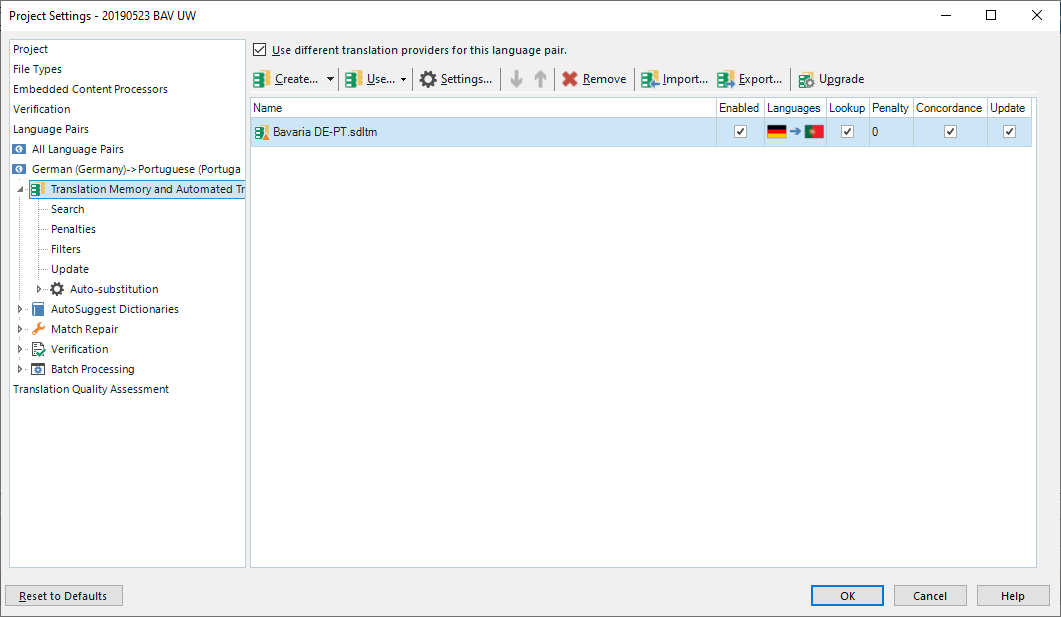
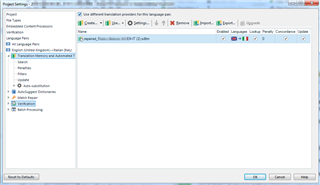
  • , here you are! Thanks for your interest and help! I really appreciate it!

    Trados Studio project settings window showing a warning message about different translation memories or automated translation providers for language pairs.

    Trados Studio project settings window with an error message indicating a required field 'Name' is left empty in the Language Pairs tab.

    emoji


    Generated Image Alt-Text
    [edited by: Trados AI at 5:23 PM (GMT 0) on 28 Feb 2024]
  • And even in case I would have the best possible MT on earth, I would still keep at least one TM and some TBs in the project settings.

    As I said... "But until we have instantly adaptiveMT and people don't wish to use their other resources anymore the usecase for that is probably small to non-existent!"

    We're in complete agreement.

    Paul Filkin | RWS

    Design your own training!
    You've done the courses and still need to go a little further, or still not clear? 
    Tell us what you need in our Community Solutions Hub