You are currently working on UAT 

Acquia XLF file and segmentation issue - fix needed

Hello

I am just starting to learn how Trados works as a new Project Coordinator.

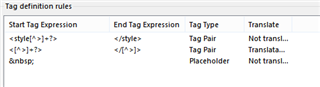
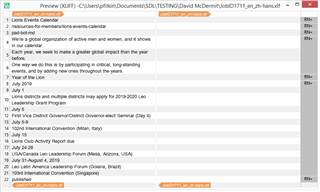
Presently, the organization I am at is using Acquia to create their webpages.  The issue with some of the files is that, I believe it is the &#13 code in the xlf file, how they design the file is creating giant segments instead of manageable segments. 

This is just one such segment:
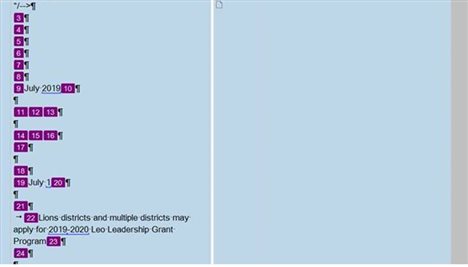
Giant Segment

I am trying to find a way to assist my translators in getting a more manageable file.   I was wondering if within the Segmentation Rules something could be created to break this down into segments of the areas that do not need to be translated and the actual text that does need translation.   If not within Rules would there be another way.

I am trying to determine how to do this for both our in-house translators and for any freelance we might use.

Any suggestions/workaround would be greatly appreciated.

Thanks

David

Parents Reply
  • The source/target change you said can be done in Studio.  Really? 

    Well, to get the source to target is trivial, and easily accomplished across all files in your project in one go if you install something like the SDL Trados Toolkit from the AppStore. Then all you do is save the target files and you'll have XLF files with the source copied to target which you can use for the approach Evzen suggested.  A bit of extra work but perhaps easier because you can use the HTML filetype as a means to handle the embedded content without having to create all the rules.

    But if your files don't get much more complicated than the example you provided then the embedded content filter in the XLIFF filetype may be the simplest approach as it won't require any workarounds.

    Paul Filkin | RWS

    Design your own training!
    You've done the courses and still need to go a little further, or still not clear? 
    Tell us what you need in our Community Solutions Hub

Children
No Data