Translate



Working out of the Trados Studio Getting Started Workbook
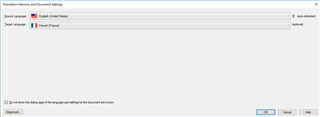
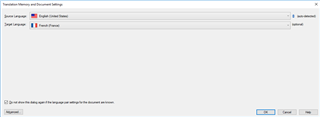
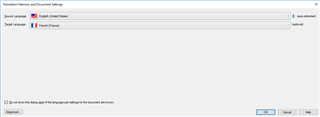
The problem I am having is with the Translation Memory and Document Settings window prohibiting me from continuing the setup. Specifically, I am on page 28 of 92 in the getting started workbook.
To reiterate, the only content that appears in my window is the two language pairs that I selected at the top of the window and the Advance, OK, Cancel, and Help buttons at the bottom.
Thanks, JG