You are currently working on UAT 

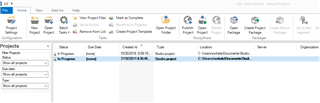
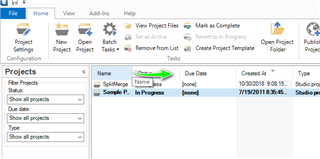
Name of the project doesn't display anymore in Projects tab

Hello,

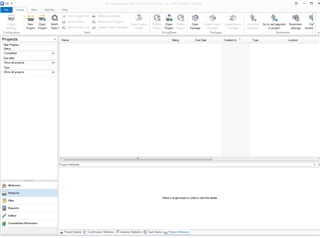
I'm using Studio 2015 SR3 and suddenly, the name of the project doesn't display in the Projects tab anymore.

The rest is OK, I can work but as I work on several batches of the same project, I absolutely need to have the name displayed.

Could someone help me solve this issue?

Thanks a lot.

Kind regards,

Nathalie

Parents Reply
  • Hello  ,

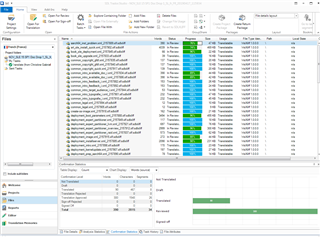
    As you can see the files- but not the projects- my first thoughts would be access permissions and that you are not running Studio as ADMIN.

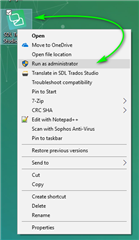
    Please close Studio and reboot your PC- Then right click Studio- and Run as Administrator

    Right-click context menu on Trados Studio icon with 'Run as Administrator' option highlighted by a green arrow.

    If this does not resolve the problem, then its possible Studio may have become corrupted somehow

    Simply navigate to this folder- c:\Users\[USERNAME]\AppData\Roaming\SDL\SDL Trados Studio\12.0.0.0 and then rename (add something like _old) and now restart Studio

    We also have an app you can use to reset Studio if you do not feel comfortable with the above-

    https://appstore.sdl.com/language/app/sdl-freshstart/876/

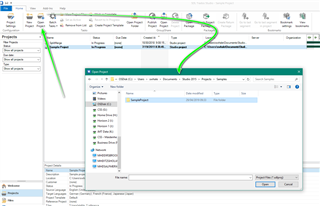
    Dont forget you can always access your projects from the project folder (default path if you have not changed where you save you folders)

     C:\Users\user name\Documents\Studio 2015\Projects

    Have you been able to resolve the problem?

    Oana Nagy | QA Engineer | RWS Group

    emoji


    Generated Image Alt-Text
    [edited by: Trados AI at 4:44 PM (GMT 0) on 28 Feb 2024]
Children