 Translate



Just that, no error messages, just a hidden window after the initial splash window.
Thanks.
Generated Image Alt-Text
[edited by: Trados AI at 6:53 PM (GMT 0) on 28 Feb 2024]

You are currently working on UAT

Just that, no error messages, just a hidden window after the initial splash window.
Thanks.
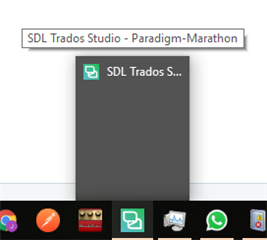
I believe Trados Studio is active with a project open name “Paradigm - Marathon”.
Can you see the Trados Studio miniature if you press ALT+TAB? If so, bring it back if you press SHIFT then right-click on the Studio thumbnail in the task bar and then select Move. Then use the arrow keys to bring Studio to your screen.
PS: Maybe the reason is that you disconnected a screen monitor where Trados Studio was running in a previous session.
Good luck!

Thank you, Jesus.
ALT+TAB didn't work. Selecting the "move" action on the right-click Studio thumbnail didn't work too but put me on the clue: selecting the "Maximize" action opened the window as usual.... or maybe the combination of both actions, anyway a very strange issue.
Problably you are right, opening the application with the secondary screen monitor disconected (where the application was run last time) could have caused the issue.
Thank you again.
Had the same problem and Maximise was the way back in. Thank you Juan (Jesus had nothing to do it).
