

You are currently working on UAT 

Search misses some occurrences

Dear Paul,

Translating into French, I very often have to run a general search and replace for apostrophes just before delivery to comply with the instructions: curly or straight.

Lately, I was told that in one of my projects wrong apostrophes were found, and I naturally assumed that I had made a mistake (like making edits after the apostrophe check or something else).

So I was a bit shocked by what I discovered by chance in a project yesterday :

  • After a replace of straight quotes with curly quotes, SDL reported that it found nothing. A search backwards reported the same. All looked fine and ready to be delivered with only curly quotes.
  • But then I saw a segment which still contained one straight quote. I rerun the search, it still found nothing.
  • Thinking that it might be a different character than the straight quote Alt 39 and the curly quote Alt 0146, I even copy-pasted the d' into the search field. It still did not find it! The search did not find the character(s) that I just grabbed from the text itself !

I am wondering how this can happen, and how I can be sure to deliver a file with only curly quotes when the search cannot detect all of them. This happened in Studio 2017 SR1 14.1.10015.44945 (the latest).
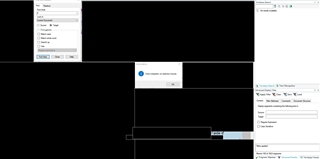
Screenshot of Trados Studio showing a 'Find and Replace' dialog box with the message 'The search item was not found.'

To help you analyze the issue, I have three screen captures demonstrating the unsuccessful search, as well the bilingual file in which the issue occurred. Unfortunately I cannot upload them here since that would make them public to everyone, but I will gladly provide these files. I uploaded one of the 3 screen captures but hid all the content.


Generated Image Alt-Text
[edited by: Trados AI at 4:58 PM (GMT 0) on 28 Feb 2024]

emoji
Parents Reply
  • Hi Jesus,

    I reopened the project in which I experienced this problem and could narrow it down to a very specific situation:

    The straight apostrophe is not found in the following text:
    Screenshot showing Trados Studio text with a straight apostrophe not found error, highlighted with a purple 'mrk' tag.

    The straight apostrophe is found in the following text (e.g. I just added a space, put the cursor back before the text and searched again):
    Screenshot showing Trados Studio text with a straight apostrophe found after adding a space, highlighted with an orange 'mrk' tag.

    Does it help reproduce the error ? I am not sure how the locked text was done since the project was sent to me that way. If needed, I will gladly let you open a remote session.

    Also, note that this time I used the latest 2019 version of Studio.

    Philippe

    emoji


    Generated Image Alt-Text
    [edited by: Trados AI at 4:59 PM (GMT 0) on 28 Feb 2024]
Children
  • Hi Philip,

    I can repro your issue in Studio 2019.

    It doesn't found this apostrophe:

    Screenshot of Trados Studio showing text 'Dans l'aide d' with a highlighted 'component' tag.

    But it does this one:

    Screenshot of Trados Studio with an error highlighting a missing apostrophe in 'Dans l'aide d' before the 'component' tag.

    I attach a sample XML for SDL to fix the what-I-think-is-a-bug.

    <?xml version="1.0" encoding="UTF-8"?>
    <letter>
    <salutation limit="40">Dear Daniel,</salutation>
    <text>We especially like the Dans l’aide d'<component translate="yes">XML Parser rules</component>
    options in the <component translate="no">XML</component> filter.
    We especially like the Dans l’aide d' <component translate="yes">XML Parser rules</component>
    options in the <component translate="no">XML</component> filter.
    </text>
    </letter>
    

    PS.: In the XML I needed to declare the element component as not-translatable (with locks in the Editor), because otherwise, everything works fine.


    Generated Image Alt-Text
    [edited by: Trados AI at 4:59 PM (GMT 0) on 28 Feb 2024]




