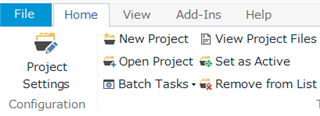
Since the last update, my translations made in Trados are no longer listed in the tab Projects. To open a translation, I have to use the Windows Explorer. Anyone any idea on how to solve this problem?
You are currently working on UAT

Since the last update, my translations made in Trados are no longer listed in the tab Projects. To open a translation, I have to use the Windows Explorer. Anyone any idea on how to solve this problem?
Hi Xavier Coutant,
Please close Trados Studio and delete projects.xml in the following folders.
(for Studio 2017) C:\Users\[USER NAME]\Documents\Studio 2017\Projects
(for Studio 2019) C:\Users\[USER NAME]\Documents\Studio 2019\Projects
The start Trados Studio again and open project file (.sdlproj) from the menu "Open Project".

The projects you recently opened will be shown on the list.
Hi Xavier Coutant,
Please close Trados Studio and delete projects.xml in the following folders.
(for Studio 2017) C:\Users\[USER NAME]\Documents\Studio 2017\Projects
(for Studio 2019) C:\Users\[USER NAME]\Documents\Studio 2019\Projects
The start Trados Studio again and open project file (.sdlproj) from the menu "Open Project".

The projects you recently opened will be shown on the list.