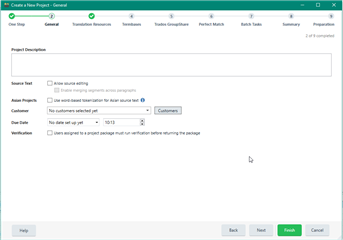
The due date offered is the day I installed SR1. Is it possible to have the date default to today's date? I never used to use Studio for due dates but I adopted it as part of my process and would love to not have to scrol through months, over time.
You are currently working on UAT

The due date offered is the day I installed SR1. Is it possible to have the date default to today's date? I never used to use Studio for due dates but I adopted it as part of my process and would love to not have to scrol through months, over time.
Hello @Karen Tkaczyk,
Can you please tell me if you use a Template for your projects?
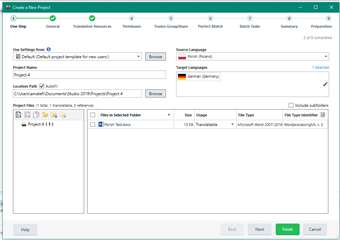
I tested from my side using the default template and for the due date I have nothing set:


Let me know if this works for you.
Ana-Maria Matefi | RWS Group
_____
Design your own training!
You've done the courses and still need to go a little further, or still not clear?
Tell us what you need in our Community Solutions Hub
Hello @Karen Tkaczyk,
Can you please tell me if you use a Template for your projects?
I tested from my side using the default template and for the due date I have nothing set:


Let me know if this works for you.
Ana-Maria Matefi | RWS Group
_____
Design your own training!
You've done the courses and still need to go a little further, or still not clear?
Tell us what you need in our Community Solutions Hub
Hello. Thank you. I use either templates to create projects or I open packages.
With packages the date defaults to today's date. No problem there.
I just created a new project using my "other" less-used template this morning and it has given me a different date, March 29, instead of February 11, which I've been seeing since February 11 on my "main" template. If there is a setting for this, I'd love to know.
I did notice the "today" option at the bottom of the calendar pop-up for the first time though, so that will improve things if there's no setting.