
 Translate



Hello all,
for some reason, I prefer to work on my projects in the mode "Single file project". I guess because it's faster to set up.
What I find frustrating though is the fact that I'm not able to run "Analyze files" prior to translating the document. Is this a default behaviour that can't be changed or are my Settings set badly?
I also don't see any numbers in the statistics window when being in the project menu. Instead of number of words, characters and so forth, there's only n/a: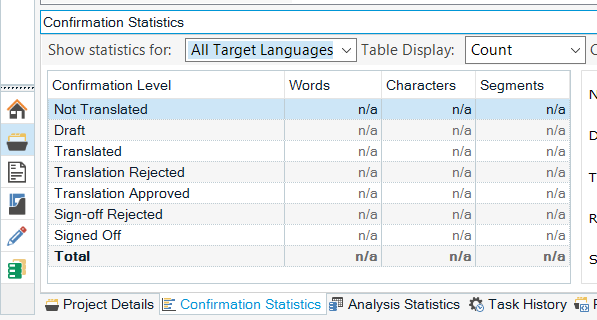
Will appreciate any help.
Thank you
Vaclav
Generated Image Alt-Text
[edited by: Trados AI at 4:00 PM (GMT 0) on 28 Feb 2024]

