
 Translate



Hi all,
I was translating a document in Spanish. The sentences was:
"Jose has a ≥ 5 chance to win".
The document was saved as .DOC, not .DOCX.
When this is translated into Spanish and the target is saved, all the words are correctly marked as SPANISH (SPAIN), but the symbol "≥" was marked as ARABIC (SAUDI ARABIA):
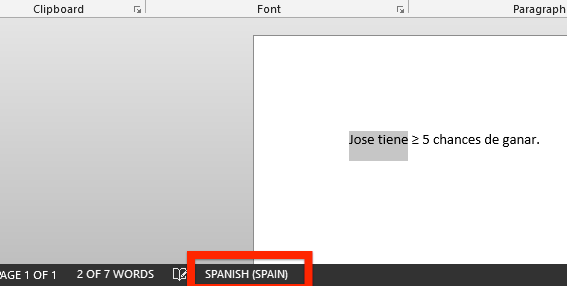
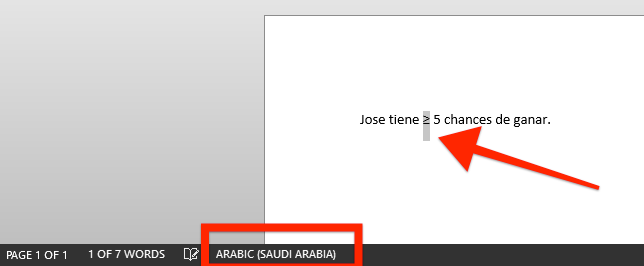
Furthermore, and the real issue, when you print this as a PDF, the symbol will be filpped, as Acrobat thinks it is an Arabic (RTL) symbol:
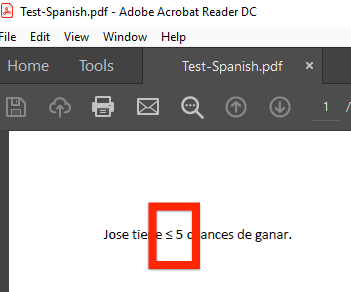
Any clues on how to avoid this? Any reason why Trados marks this as Arabic?
Thanks all!
Generated Image Alt-Text
[edited by: Trados AI at 3:34 PM (GMT 0) on 28 Feb 2024]

