
 Translate



Hi,
We've received an XML file from our client, and when adding it to Studio, then the segmentation is not correct.
It is important to mention, that each XML row ends with <CR><LF>
XML file in Notepad++

In the Studio Editor
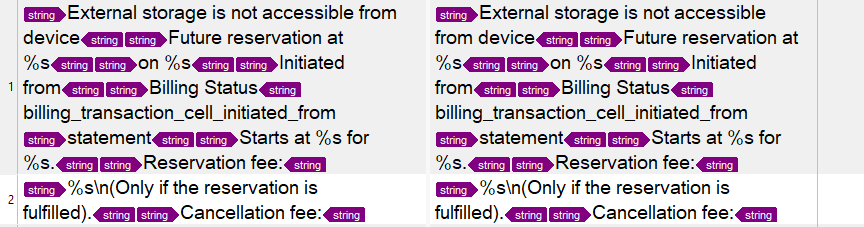
How to fix that in order to each string (between the <string> tags) will appear in a separate segment?
Thanks
Fouad
Generated Image Alt-Text
[edited by: Trados AI at 3:26 PM (GMT 0) on 28 Feb 2024]

