You are currently working on UAT 

When opening a file with 2017 or 2019 for the first time, TM dialogue box takes forever to load, when opening a second file it does not take as long. By forever, I mean 5-10 minutes. Makes it very tempting not to close Studio at end of day.

I've been having issues with starting Studio 2017 or 2019. I receive an .xlf file from client and a TM in .tmx format that I'm supposed to use. When I open Studio, I end up waiting anywhere from 5 - 10 minutes or so before the dialogue screen for the TMs appears, allowing me either to choose one or add one. Once I've done the first job, it doesn't usually take as long, but often it's still 2-4 minutes for the same TM screen to appear. Is it possible this is happening because Studio is having to locate all the TMs and they are spread throughout my computer (with their associated jobs)? If so, how can I correct this? I've now put all TB in one folder on my computer, but have not done that for TMs. Or is there another reason for this problem, and if so, how can I solve it? It wastes so much time!

  • Hello  ,


    I think it would help if you clarify exactly what process(es) you are following.

    When you say-

    Unknown said:
    When I open Studio, I end up waiting anywhere from 5 - 10 minutes or so before the dialogue screen for the TMs appears,

    Is this happening when you simply open Studio?  when you are creating a project? or do you mean the Translation results window?


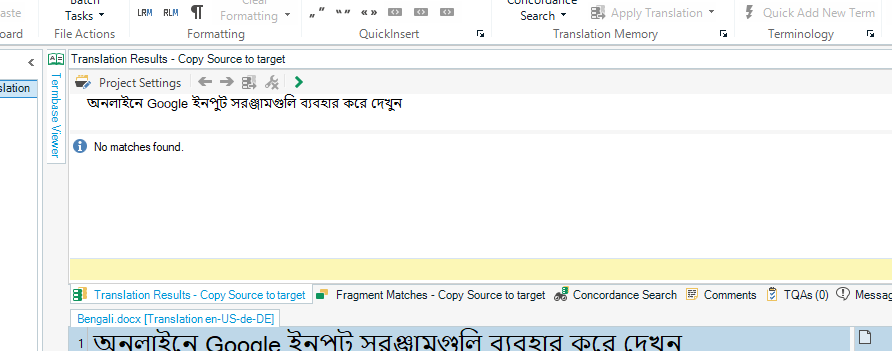
    Trados Studio screenshot showing the Translation Results window with a message 'No matches found' and a project Google logo highlighted in yellow.

    Although I think its a good idea to keep your resources in one place (create a folder for your TM's/TB's and back these up at least once every week or so) I cannot imagine that it would cause such delays.

    A more likely cause for the delays is your AntiVirus (AV)software, that is scanning the TM's before you can use them.

    To prevent this you will need to add Studio/MultiTerm you your AV white list- you should also be able to white list certain folders (containing yout TM's etc).


    Oana Nagy | QA Engineer | RWS Group

    emoji


    Generated Image Alt-Text
    [edited by: Trados AI at 3:17 PM (GMT 0) on 28 Feb 2024]
  • Thanks, Steven! What I mean is when I start Studio and then try to open one file for translation, not a package, where I have to determine the TM and Termbase. That TM window takes forever to populate with the available TMs. I've now taken some drastic action, and those TMs no longer display at all, because I moved many of them to one folder. So now I am starting anew with my TMs (since Studio doesn't let you search for them, but not totally horrible as I get one with each job, other than my master, and it would seem even though I cannot see my master, it is being accessed as I did not move it). Your idea about the AV software is something I need to look more carefully at. That was suggested as a possible solution earlier when updating my TMs with new segments, which can also take a half hour or more, depending on how large the new and the old TM are that are to be merged. I've even tried turning off my AV while doing such processes (but did not notice a real difference), but obviously that is not the ideal solution. Thanks for your suggestion! I'll let you know if it works for me.