You are currently working on UAT 

DeepL plug-in not working – error message: [segment already translated...source not re-sent]

Dear all,

I've installed the test version of DeepL Pro for my SDL Trados 2019 instance today. The set-up worked fine, only I get the above error message for my test file (English-German). Only figures are inserted (see screenshot).


Screenshot showing Trados Studio with DeepL Translate provider setup, displaying flags for English and German languages.

Screenshot of Trados Studio error message stating 'DeepL: Error during translation: Not found'.

Does anyone know the cause of this and how the issue can be fixed?

Thank you & best,

Daniela


Generated Image Alt-Text
[edited by: Trados AI at 3:15 PM (GMT 0) on 28 Feb 2024]

emoji
Parents Reply
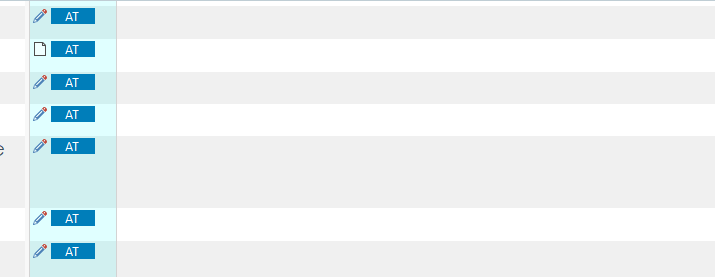
  • Hello Steve & Paul, Thank you for your replies. There seems to have been a misunderstanding regarding the type of issue, based on the screenshot I used. I receive blank target segments for the entire document I pre-translate using DeepL (s. new screenshot). For confidentiality reasons, only the right column is visible here. This issue occurs both when I use our TM combined with DeepL (then with the above error message for all the segments), but also when using DeepL only (then the error message does NOT show, however). I'm on the 30-days test period of the DeepL Pro subscription, however, I don't think this could be the root cause.

    Thanks in advance for your support and kind regards, Daniela

    Screenshot of Trados Studio showing blank target segments in the right column with 'AT' icons indicating the use of AutoSuggest from Translation Memory.

    emoji


    Generated Image Alt-Text
    [edited by: Trados AI at 3:15 PM (GMT 0) on 28 Feb 2024]
Children