You are currently working on UAT 

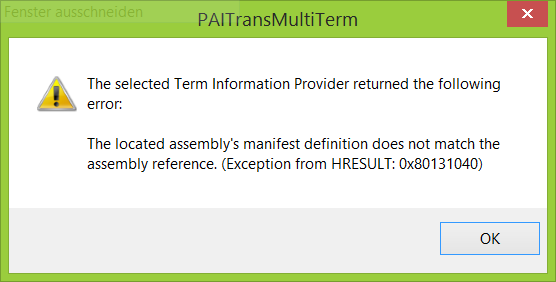
No integration with Multiterm 2015 after installing and deinstalling Multiterm 2017

Dear experts,
after the installation of MultiTerm 2017 I'm having problems with termbase integration in SDL Studio 2017 and Passolo 2018. What I've already done and it did not help: deinstall MultiTerm 2017, repair MultiTerm 2015, deinstall and install MultiTerm 2015, repair Studio 2017, system recovery.
The current problems are:
- I can't integrate any termbase in Passolo. When I click on "Browse" to define the termbase location, I get the following error message:
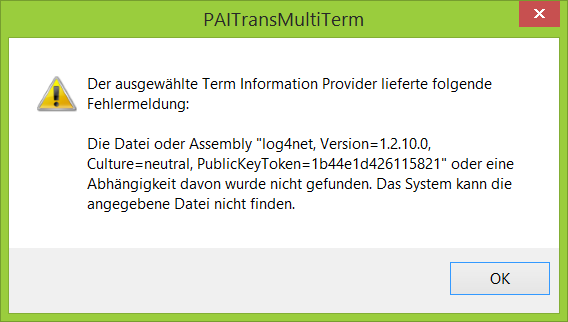
Error message in PAITransMultiTerm stating 'The selected Term Information Provider delivered the following error message: The file or assembly 'Tokenet, Version=1.2.0.0, Culture=neutral, PublicKeyToken=b44e...' or a dependency was not found. The system cannot find the specified file.'
- In Studio, the term recognition does work, but when I click on "Show term in the termbase", I get the following error message:
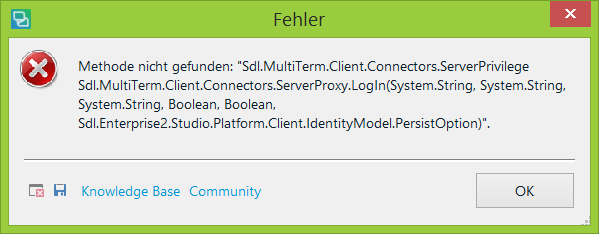
Error message box titled 'Fehler' indicating 'Method not found: 'Sdl.MultiTerm.Client.Connectors.ServerPrivilege Sdl.MultiTerm.Client.Connectors.ServerProxy.Login(System.String, System.String, System.String, Boolean, Boolean, Sdl.Enterprise2.Studio.Platform.ClientIdentityModel.PersistOption)'.
TIA, any help appreciated!
I guess I need to change some settings in the registry, but I don't know where to look for them and what to change.

Best regards,

Olga


Generated Image Alt-Text
[edited by: Trados AI at 3:06 PM (GMT 0) on 28 Feb 2024]

emoji
Parents Reply
  • Hello Steven,

    I've reinstalled Multiterm 2017 now, but the problems remain.

    I've tried your suggestion from another thread:

    As you are unable to use the AutoUpdate feature in MultiTerm, please navigate to the following folder-

    C:\ProgramData\SDL\SDL MultiTerm\MultiTerm14\Updates and double-click MultiTermUpdateClient.exe and follow the instructions.

    but I don't have the folder "Updates" there. I still can open Multiterm 2017 and work with termbases, but nothing happens, when I click on "Check for updates".

    Current version of Multiterm 2017: SR1 - 14.2.7.43908

    Current version of SDL Studio 2017 Professional: SR1 - 14.1.6413.8

Children