
 Translate



Hello,
I have installed Trados 2007 (freelance) and SDLX on a win10 device. The installation went fine without a hiccup. I made sure to install with "run as admin..".
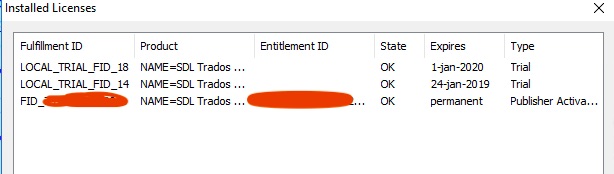
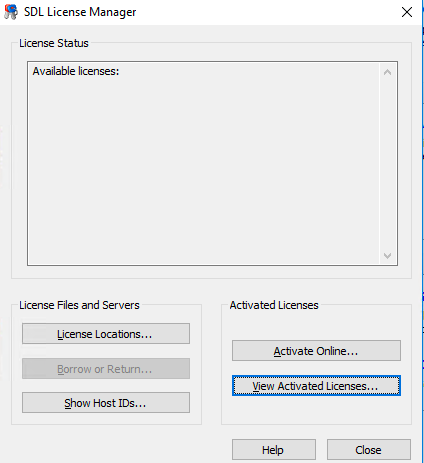
After installing I've verified the product with a valid license (online) and I got an "all ok" popup. If I go into the SDL License manager and click "View Activated Licenses" I see 3 licenses: LOCAL_TRIAL_FID_14 and LOCAL_TRIAL_FID_18 and my license (State: OK, permanent).
However, in the License Manager's "license status" / Available licenses panel, I see nothing.
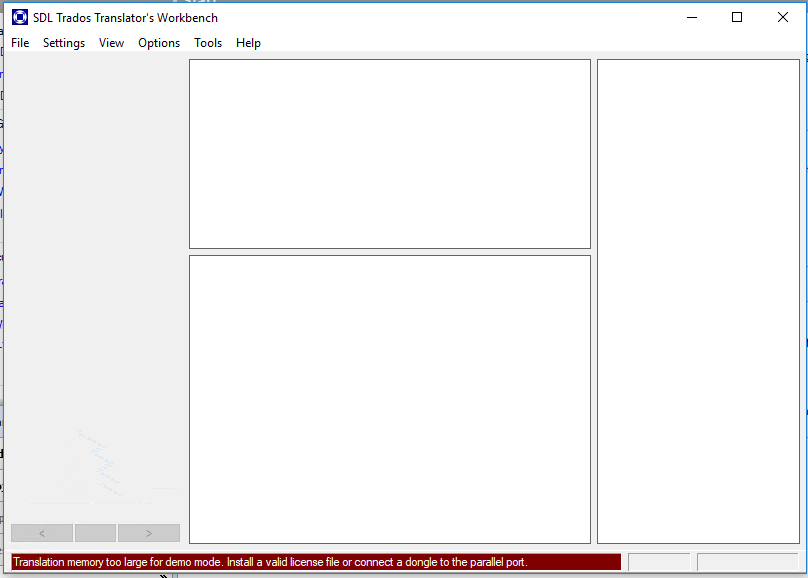
The issue is that when I try to open a translation memory, it asks me for the license again, I enter it and all ok, but when program brings me to the "SDL Trados Translator's Workbench" everything is empty and I read below a read message saying: translation memory too large for demo mode. install a valid license file or connect a dongle to the parallel port.
What's going on? How can I troubleshoot or fix?
Thanks a lot!
Generated Image Alt-Text
[edited by: Trados AI at 3:32 PM (GMT 0) on 28 Feb 2024]



