Translate



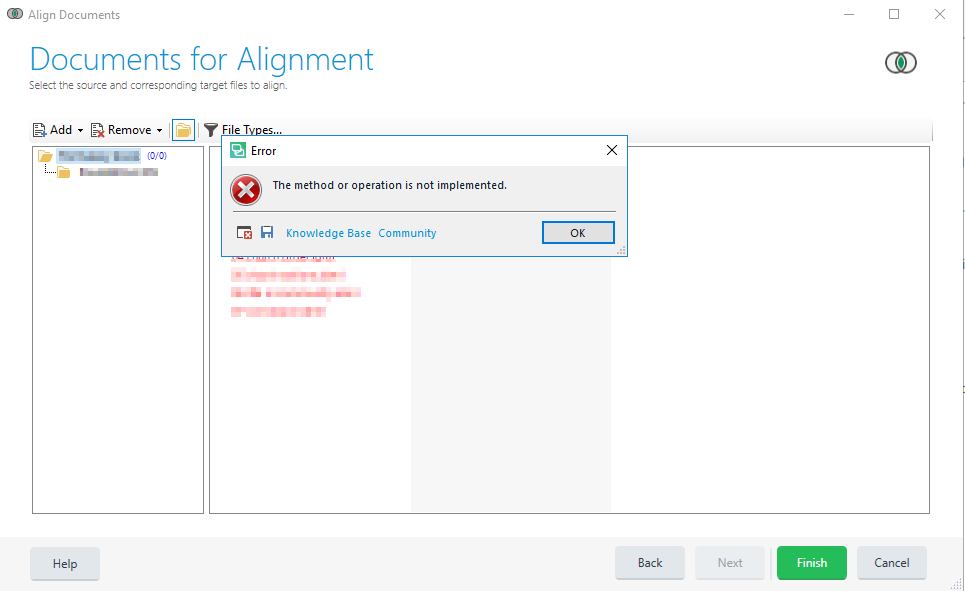
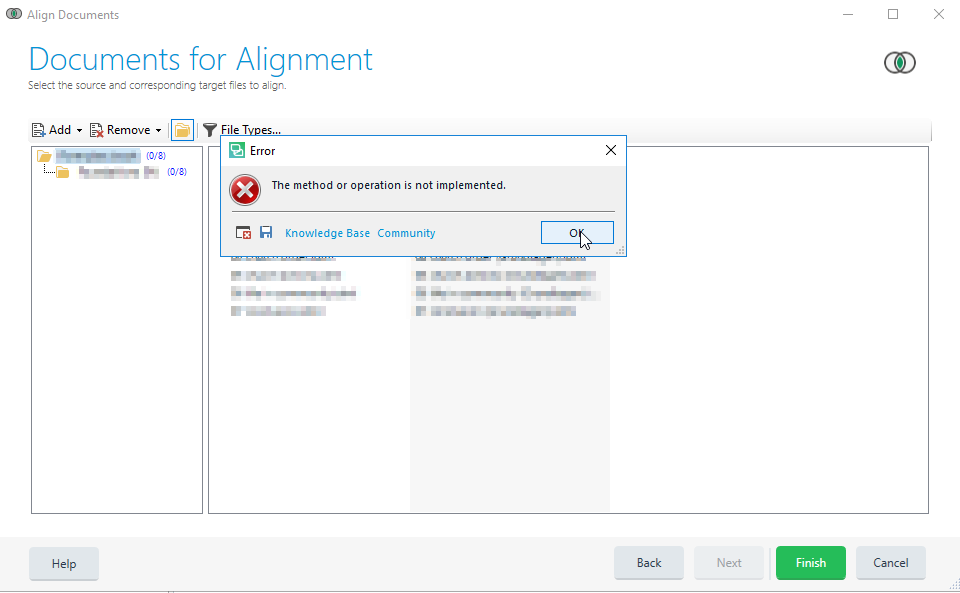
Hello! I tried to add files with the original texts in order to align them, but I got the following error message:
This process is not implemented.
<SDLErrorDetails time="10.12.2018 15:45:42">
  <ErrorMessage>Die Methode oder der Vorgang ist nicht implementiert.</ErrorMessage>
  <Exception>
    <Type>System.NotImplementedException, mscorlib, Version=4.0.0.0, Culture=neutral, PublicKeyToken=b77a5c561934e089</Type>
    <HelpLink />
    <Source>Sdl.TranslationStudio.Common</Source>
    <HResult>-2147467263</HResult>
    <StackTrace><![CDATA[   bei Sdl.TranslationStudio.Common.Files.AlignmentFile.get_Project()
   bei Sdl.TranslationStudio.Common.Files.FileListControl.<UpdatePhaseColumnsCaptions>d__211.MoveNext()
--- Ende der Stapelüberwachung vom vorhergehenden Ort, an dem die Ausnahme ausgelöst wurde ---
   bei System.Runtime.CompilerServices.AsyncMethodBuilderCore.<>c.<ThrowAsync>b__6_0(Object state)
   bei System.Windows.Threading.ExceptionWrapper.InternalRealCall(Delegate callback, Object args, Int32 numArgs)
   bei System.Windows.Threading.ExceptionWrapper.TryCatchWhen(Object source, Delegate callback, Object args, Int32 numArgs, Delegate catchHandler)
   bei System.Windows.Threading.DispatcherOperation.InvokeImpl()
   bei System.Windows.Threading.DispatcherOperation.InvokeInSecurityContext(Object state)
   bei MS.Internal.CulturePreservingExecutionContext.CallbackWrapper(Object obj)
   bei System.Threading.ExecutionContext.RunInternal(ExecutionContext executionContext, ContextCallback callback, Object state, Boolean preserveSyncCtx)
   bei System.Threading.ExecutionContext.Run(ExecutionContext executionContext, ContextCallback callback, Object state, Boolean preserveSyncCtx)
   bei System.Threading.ExecutionContext.Run(ExecutionContext executionContext, ContextCallback callback, Object state)
   bei MS.Internal.CulturePreservingExecutionContext.Run(CulturePreservingExecutionContext executionContext, ContextCallback callback, Object state)
   bei System.Windows.Threading.DispatcherOperation.Invoke()
   bei System.Windows.Threading.Dispatcher.ProcessQueue()
   bei System.Windows.Threading.Dispatcher.WndProcHook(IntPtr hwnd, Int32 msg, IntPtr wParam, IntPtr lParam, Boolean& handled)
   bei MS.Win32.HwndWrapper.WndProc(IntPtr hwnd, Int32 msg, IntPtr wParam, IntPtr lParam, Boolean& handled)
   bei MS.Win32.HwndSubclass.DispatcherCallbackOperation(Object o)
   bei System.Windows.Threading.ExceptionWrapper.InternalRealCall(Delegate callback, Object args, Int32 numArgs)
   bei System.Windows.Threading.ExceptionWrapper.TryCatchWhen(Object source, Delegate callback, Object args, Int32 numArgs, Delegate catchHandler)
   bei System.Windows.Threading.Dispatcher.LegacyInvokeImpl(DispatcherPriority priority, TimeSpan timeout, Delegate method, Object args, Int32 numArgs)
   bei MS.Win32.HwndSubclass.SubclassWndProc(IntPtr hwnd, Int32 msg, IntPtr wParam, IntPtr lParam)
   bei System.Windows.Forms.UnsafeNativeMethods.DispatchMessageW(MSG& msg)
   bei System.Windows.Forms.Application.ComponentManager.System.Windows.Forms.UnsafeNativeMethods.IMsoComponentManager.FPushMessageLoop(IntPtr dwComponentID, Int32 reason, Int32 pvLoopData)
   bei System.Windows.Forms.Application.ThreadContext.RunMessageLoopInner(Int32 reason, ApplicationContext context)
   bei System.Windows.Forms.Application.ThreadContext.RunMessageLoop(Int32 reason, ApplicationContext context)
   bei System.Windows.Forms.Application.RunDialog(Form form)
   bei System.Windows.Forms.Form.ShowDialog(IWin32Window owner)
   bei Sdl.TranslationStudio.TranslationMemoryManager.AlignmentWizard.AlignmentFileDataController.AddFiles(Folder parentFolder, ICollection`1 paths, Boolean isTarget)]]></StackTrace>
  </Exception>
  <Environment>
    <ProductName>SDL Trados Studio</ProductName>
    <ProductVersion>15.0.0.0</ProductVersion>
    <EntryAssemblyFileVersion>15.1.0.44109</EntryAssemblyFileVersion>
    <OperatingSystem>Microsoft Windows 10 Home</OperatingSystem>
    <ServicePack>NULL</ServicePack>
    <OperatingSystemLanguage>1031</OperatingSystemLanguage>
    <CodePage>1252</CodePage>
    <LoggedOnUser>LAPTOP-4AV5U3AF\SMS</LoggedOnUser>
    <DotNetFrameWork>4.0.30319.42000</DotNetFrameWork>
    <ComputerName>LAPTOP-4AV5U3AF</ComputerName>
    <ConnectedToNetwork>True</ConnectedToNetwork>
    <PhysicalMemory>8261220 MB</PhysicalMemory>
  </Environment>
</SDLErrorDetails>
Can you help me?
Thanks a lot!!!