You are currently working on UAT 

Term recognition is wide/fuzzy - can I define exceptions?

Hello,

my Termbase contains the term "counter" (as in "He went to the counter to pay for the drinks"). In a sentence like "He learns to count the number of items.", "count" is identified as matching a Termbase term and I am being told that I did not use the translation suggested by the TB.

I don't want to clutter up the TB with meaningless word pairs like "count" - "zählen" in this case. 

I would like to know how other users deal with this situation. A second "fabric softener" Termbase with terms that don't really need defining but that are needed to add some softness to Studio's approach in specific cases?

Daniel

Parents
  • Hi Daniel Hug

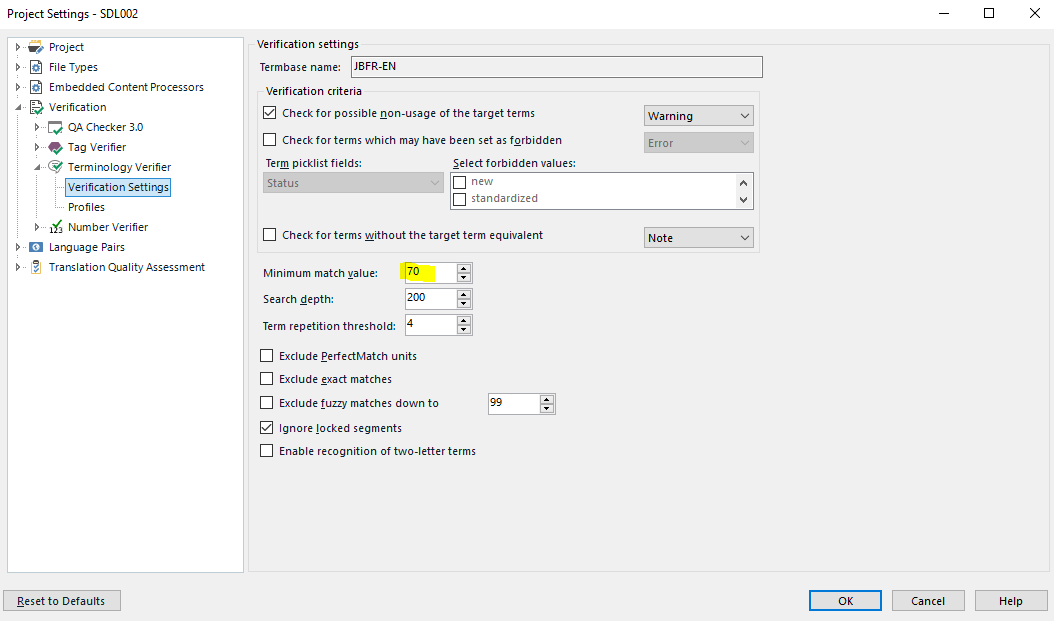
    You can tighten up the verification percentage, here via Project settings (e.g. if you're working with clients' unpackaged projects or your own client-specific projects):

     Trados Studio Project Settings window showing Verification settings with a minimum match value of 70%.

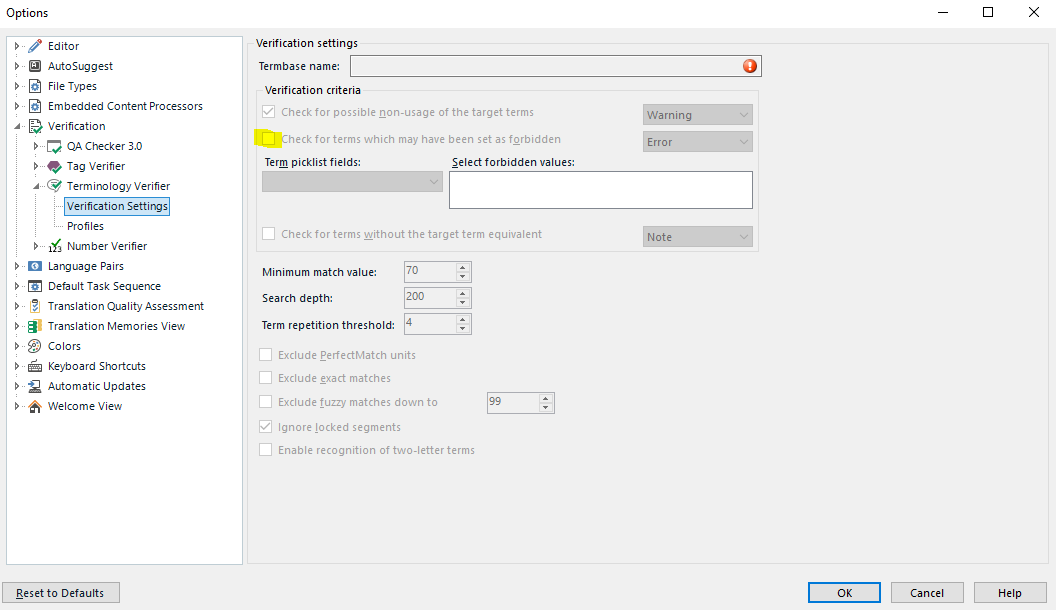
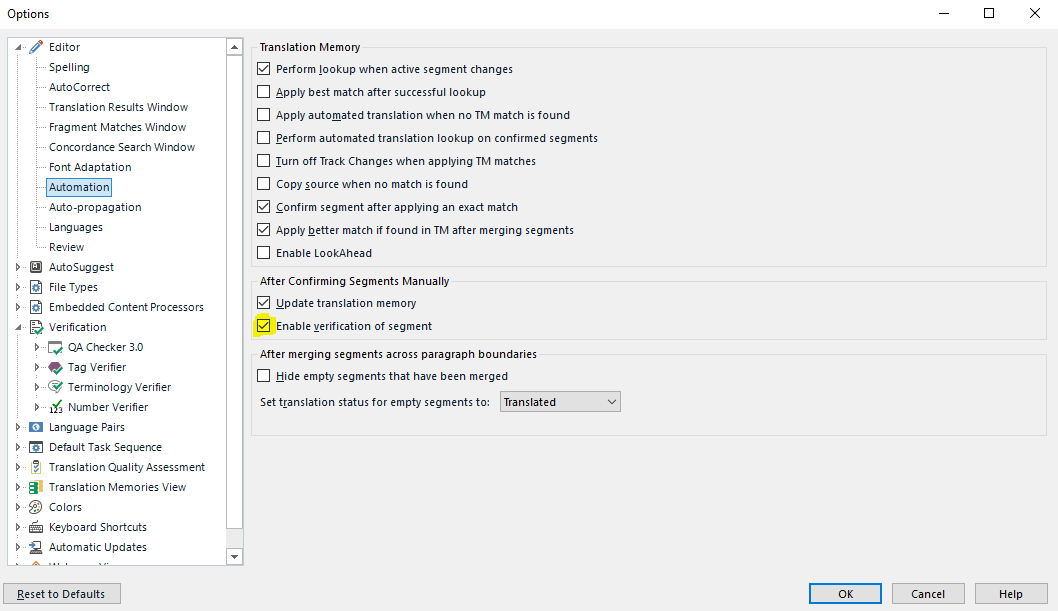
    ...or here via File>Options if you work via 'Translate single document' or always create your own projects from scratch:

    Trados Studio Options window with a warning icon indicating an issue in Verification settings.

    I don't have a termbase added to my profile because I have several termbases for different clients so my settings are made at the project level.

    The default percentage is 70% but you can take it up to 100% if you want total accuracy. This won't, however, see plurals or differing verb endings.

    Play with the percentage till you find the level of accuracy you prefer.

    I should also add that the percentage refers to the SOURCE rather than the target.

    Hope this helps,

    All the best,

    Alison

    emoji


    Generated Image Alt-Text
    [edited by: Trados AI at 2:43 PM (GMT 0) on 28 Feb 2024]
Reply
  • Hi Daniel Hug

    You can tighten up the verification percentage, here via Project settings (e.g. if you're working with clients' unpackaged projects or your own client-specific projects):

     Trados Studio Project Settings window showing Verification settings with a minimum match value of 70%.

    ...or here via File>Options if you work via 'Translate single document' or always create your own projects from scratch:

    Trados Studio Options window with a warning icon indicating an issue in Verification settings.

    I don't have a termbase added to my profile because I have several termbases for different clients so my settings are made at the project level.

    The default percentage is 70% but you can take it up to 100% if you want total accuracy. This won't, however, see plurals or differing verb endings.

    Play with the percentage till you find the level of accuracy you prefer.

    I should also add that the percentage refers to the SOURCE rather than the target.

    Hope this helps,

    All the best,

    Alison

    emoji


    Generated Image Alt-Text
    [edited by: Trados AI at 2:43 PM (GMT 0) on 28 Feb 2024]
Children