Translate



Good evening, dear community...
on Sundays I always get bad surprises with Trados, and this Sunday held a couple of bad issues for me, the first of which is named above, and described in details below.
I got a notification about the above mentioned new version of Trados Studio 2017 SR1, so I clicked on the green "Download and Installation" button and followed the instructions (by the way - please, forgive me if the sentences do not exactly correspond to standard notifications - I'm translating part of them from Italian into English).
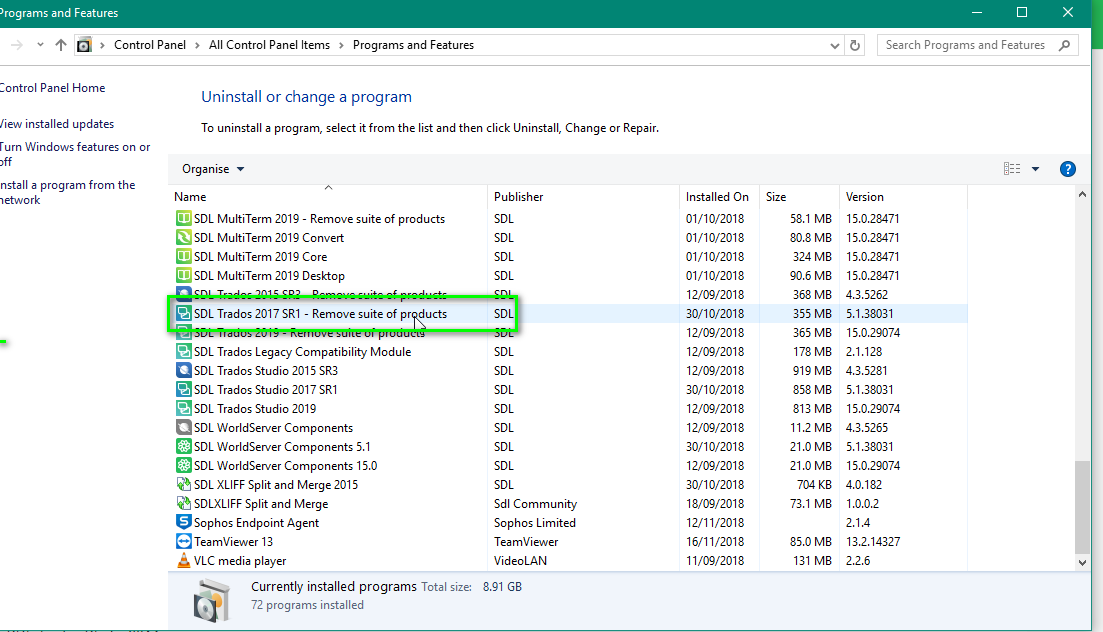
Everything went well, until I got stuck on the step "Removing SDL Trados Studio 2017 SR1", while a pop-up window "Windows Installer" explained following:
"The desired characteristics is on a network resource that is unavailable.
Click on OK in order to try again, or specify in the box below the path of a folder which contains the installation package "TranslationStudio5.msi".
Use origin: > C:\ProgramData\Package Cache\SDL\SDLTradosStudio2017_SR1\modules\ "
Following this path, I actually found a package named "TranslationStudio5.msi" in the folder \modules\, but this path is non recognised as valid.
On the other hand, if I click on OK, nothing happens, while, if I click on Cancel, the installation procedures is closed and I get the following notification:
"Setup did not complete. The error is: Package 'SDL Trados Studio 2017 SR1 CU13' could not be removed." And after that, in Italian (I'll translate):
Origin of the product's installation is not available. Please verify the the origin exists and that it can be accessed. Error number: 1612."
Any suggestions how to fix this problem?
I warmly thank you in advance for any help!
[my second, and actually much worse, problem is that one of my TMs is corrupt and I don't know how to rescue it - but I'm going to open a new thread about it).
Thank you again
Chiara