You are currently working on UAT 

Adding files to a project in 2019 disables all existing files

Former Member
Former Member

I have an ongoing project to which I have to add files as I receive them.


With the project open, I clicked on "Add Files" and inserted the file I wanted. This disabled all the files in the project and I can no longer open them. Why!?
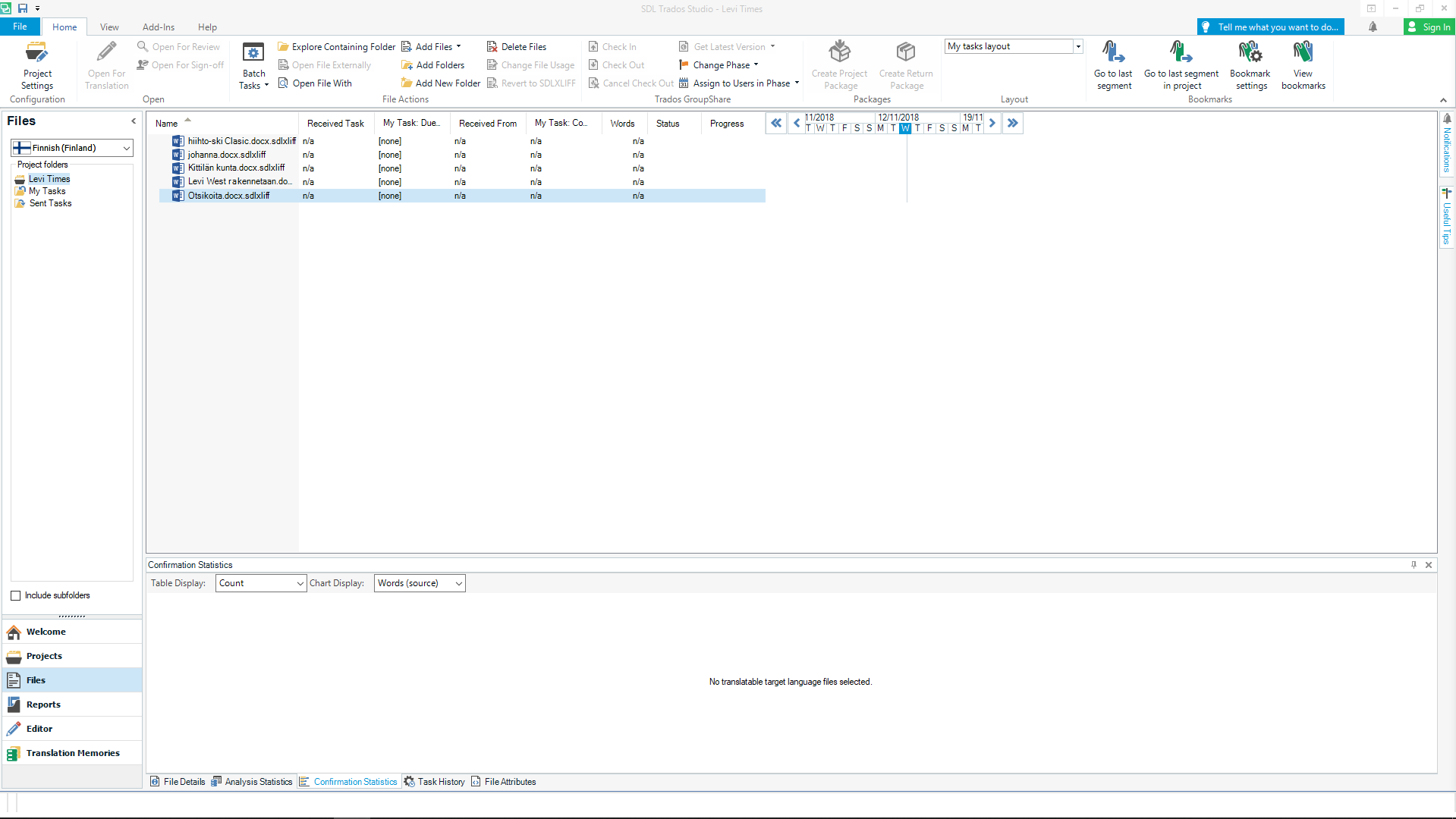
 

Trados Studio screenshot showing the project view with files listed. The 'Add Files' button is highlighted, and all files in the list appear disabled and unclickable.


Generated Image Alt-Text
[edited by: Trados AI at 2:35 PM (GMT 0) on 28 Feb 2024]

emoji
Parents
  • Hi 

    I'm one of the longest-standing participants on the SDL Community and I love being a part of it. I'm not employed by SDL, I just like helping other people with their problems when I have the time, and learning from other users too. Give it a chance, get to know what it includes here:

    https://community.sdl.com/

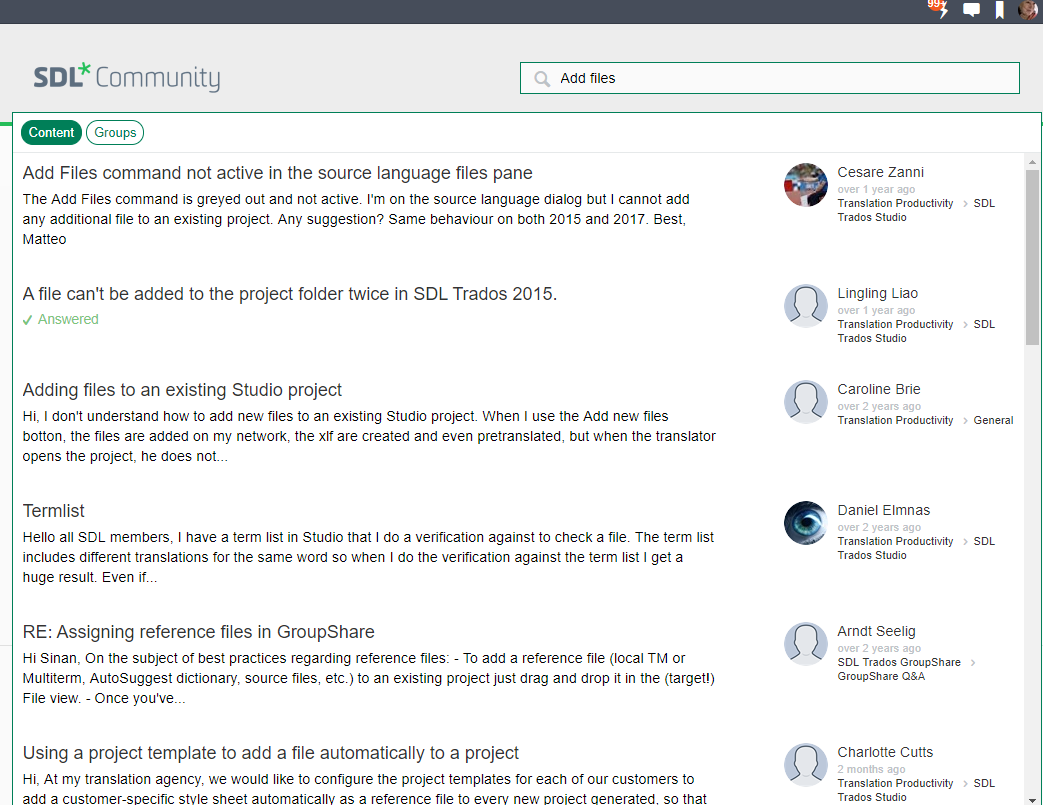
    Once you find you can make it work for you, I'm sure you'll be glad you made the effort. Also, at the top of any Community page, including Home above, there is a Search line, where you can type keywords that will look for solutions for you. If someone else has experience the issue, that should find it if you have it set correctly. So, for example, I typed 'Add files' and clicked the Content button which immediately brings up a long list of threads that I can scroll through to see if there's already a solution to be found:

    Screenshot of SDL Community forum with various threads discussing issues related to Trados Studio, such as adding files to a project.


    I do get what you mean about the Labyrinth, though. There is so very much available it's confusing. Once one gets used to it, like driving around a new city, it gets considerably easier.

    I expect you have seen the page where all SDL-generated online content is accessible from, here:

    https://gateway.sdl.com/CommunityHome

    As well as lots of links it has 4 main buttons at the top. Each button takes you to a page with further links/buttons. Each button is a door to (some or) all of the same huge information resources available, but from the perspective the button infers.

    The Support button takes you to a Support ticket button above many further 'doors' to the various aspects of help available.

    The Technical Docs button enables you to read the manual for any SDL product. It takes you to a further page with a list of all the products, each with a dropdown arrow menu where you can select the manual for the version(year) you want to read about. This brings up a huge, searchable manual that explains simply what is possible, full of links to further info within the manual.

    The Knowledge button takes you to a page that pulls together information from the huge 'Knowledgebase' database and lists the most recent articles, through which you can click if you want to.

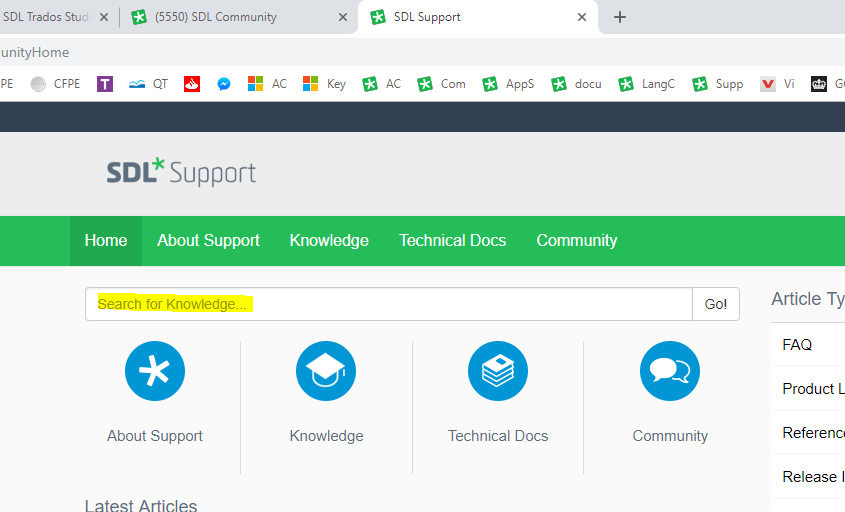
    Probably more useful, if you just want to search detailed SDL-written instructions on how to deal with a specific issue then you can just type that into the Search bar at the top of either the Home page or the Knowledge page:

    Screenshot of SDL Support page with navigation tabs for Home, About Support, Knowledge, Technical Docs, and Community, and a search bar for knowledge base.

    This will search the Knowledge Base, which leads to further ways of accessing info that, once you know how to use it, is extremely useful. Articles have been written and saved there with solutions for many, many issues (not necessarily faults) that can occur.

    We who help others on the Community often will find a solution in the Knowledgebase and include a link to it in our posts to those seeking help.

     The Community button leads to the Community Home page which I gave you the link to at the top of this post. You can join groups that interest you specifically and subscribe to receive email notifications, so you can learn passively by reading others' contributions/Q&A/etc and you can add your own threads to share or obtain information.

    All of the above is optional but I find it all extremely useful and I wouldn't be such an expert user without it. It all adds up to be the most comprehensive "drivers' manual" you could need.

    I hope the above helps you navigate the Labyrinth a little easier...

    All the best!

    Alison :)

    emoji


    Generated Image Alt-Text
    [edited by: Trados AI at 2:36 PM (GMT 0) on 28 Feb 2024]
  • Former Member
    0 Former Member in reply to Alison Field

    Thank you, that's very kind! I solved my previous problem by rapidly clicking the file about 25 times. If it doesn't work, then kick it! :D

Reply Children
No Data