 Translate



Hi! For some reason I can't get the "Finalise Project" keyboard shortcut to work. It seems from previous posts that this might simply be a bug in Studio. Any news on if these shortcuts problems will be resolved in the next update?
Regards
Dan Radice
You are currently working on UAT

Hi! For some reason I can't get the "Finalise Project" keyboard shortcut to work. It seems from previous posts that this might simply be a bug in Studio. Any news on if these shortcuts problems will be resolved in the next update?
Regards
Dan Radice

Daniel Radice said:In addition, the Ctrl F12 shortcut for saving a new term also doesn't seem to work (though the other shortcuts in the termbase viewer seem to work fine. There is a "Save Term" option in the shortcuts list in Options, but when I assigned a shortcut to this and tried it out, it didn't seem to do anything.
Just checking... but this shortcut is only used if you are not working with the new default layout for your termbase viewer. the new one just adds terms automatically, so it's faster. The old one added the terms and placed you in edit mode so you still had to save the term (Ctrl+F12) in order to add the term to your termbase. Perhaps make sure you are using the right thing.
If you just want to add a new term after selecting the source and target in the editor then you can use Ctrl+F2 and this weems to work for me anyway.
Paul Filkin | RWS
Design your own training!
You've done the courses and still need to go a little further, or still not clear?
Tell us what you need in our Community Solutions Hub

What version of Studio are you using? I still can't find this. I sorted all the shortcuts and ther are none beginning with "F":
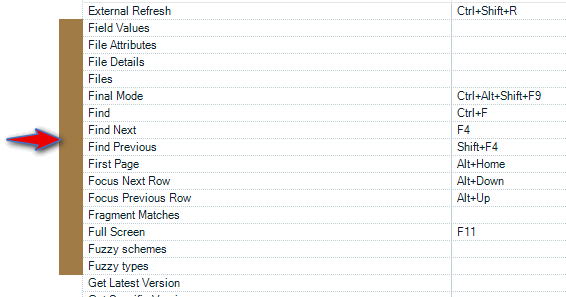
I also copied them all into Excel and searched them in there and cannot find anything related to this. Can you show me what you assigned the keyboard shortcut to?
Paul Filkin | RWS
Design your own training!
You've done the courses and still need to go a little further, or still not clear?
Tell us what you need in our Community Solutions Hub

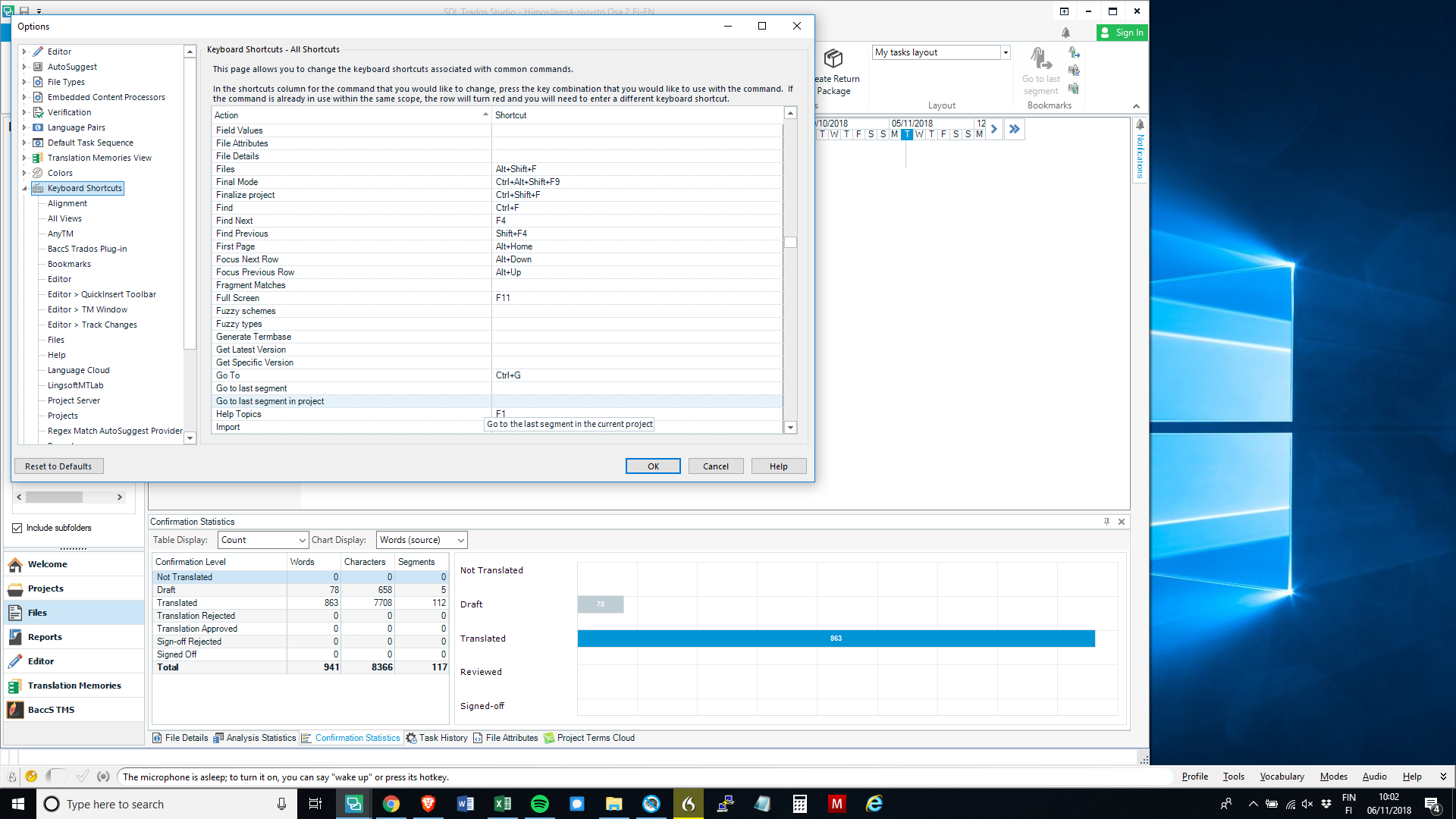
Here it is, if this displays large enough. I'm using Studio 2017 and this is in the full list of Keyboard Shortcuts

Here it is, if this displays large enough. I'm using Studio 2017 and this is in the full list of Keyboard Shortcuts