

You are currently working on UAT 

Importing sdlxliff files is not working and 'show errors' button too

Studio 2019.

I am using a TM and realize it hasn't been updated with my recent works. So I try to import recent translations by selecting *.sdlxliff files of the most recent jobs.

However, not a single segment is imported and the 'show error' button won't tell me why. 
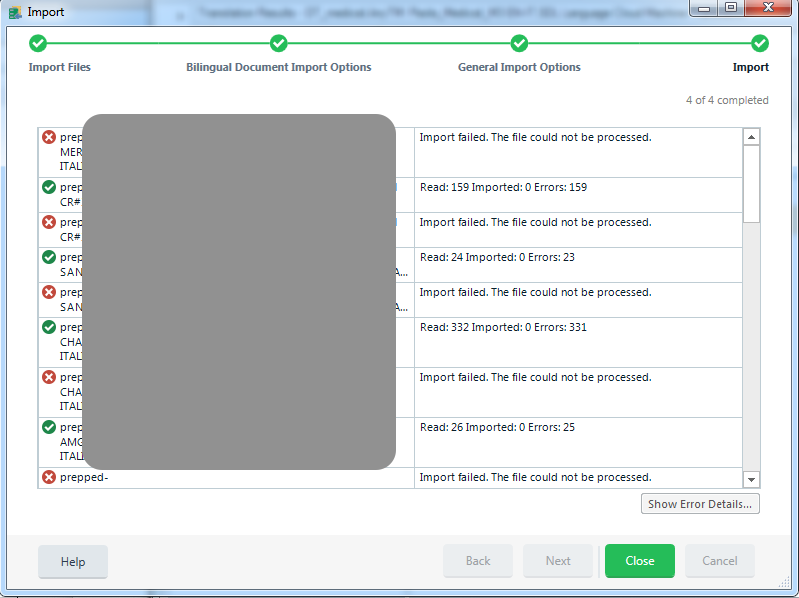
 

Trados Studio import error showing multiple 'Import failed. The file could not be processed' messages for selected .sdlxliff files with a greyed out 'Show Error Details' button.


Generated Image Alt-Text
[edited by: Trados AI at 2:28 PM (GMT 0) on 28 Feb 2024]

emoji
Parents Reply
  • The question somehow doesn't make sense... there is nothing like "target folder", SDLXLIFF is a bilingual file, i.e. contains both the source and target strings.

    But since all your files cause some errors, I suspect that they are somehow corrupted or something. Please explain where they come from, how (by which application) were they created. Are these really SDLXLIFFs? Couldn't it be that it's actually a completely different format? I've seen people doing various weird things, including manually changing file extensions in a belief that this makes the files a different format...

Children