You are currently working on UAT 

Import project dialog does not offer Browse button to save project in Studio 2019

Hi all, I recently updated from Studio 2015 to Studio 2019. I'm trying to save a new project, but am surprised to find Studio doesn't offer me the option of saving the project in a different location than the previous package. The project is from the same client. At first I wondered if it might be because the project file names are similar - not identical, but to see if this was the problem (which shouldn't be a problem anyway, because Studio should never assume where I want to save the project), I changed the file name completely, but Studio still doesn't offer me a Browse button. Why is this?
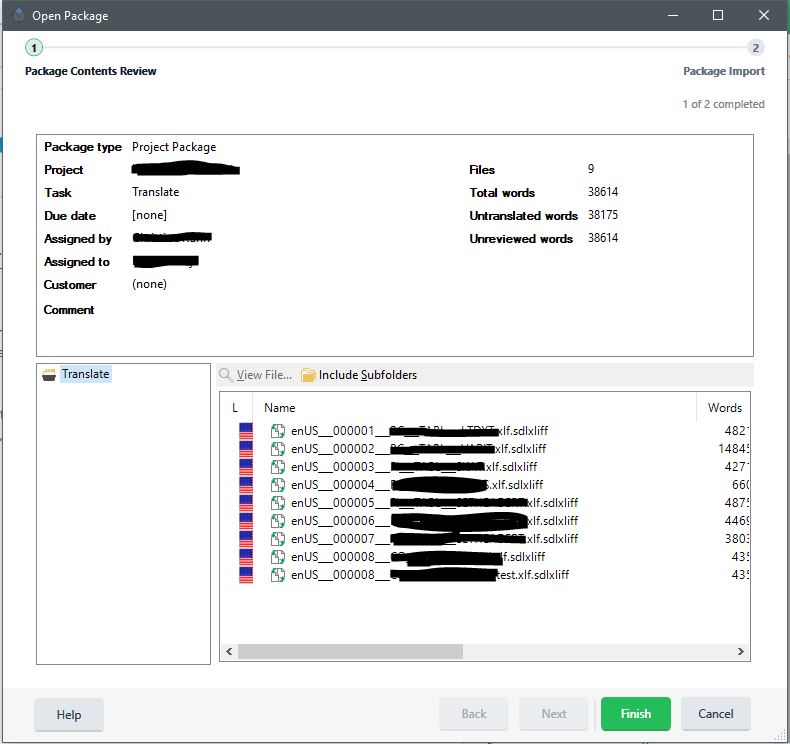
 

Trados Studio Open Package window showing Project Package details with file names partially obscured and no visible Browse button for saving in a different location.


Generated Image Alt-Text
[edited by: Trados AI at 2:21 PM (GMT 0) on 28 Feb 2024]

emoji
Parents
  • Hi 

    Are you absolutely sure you haven't already opened this package before?

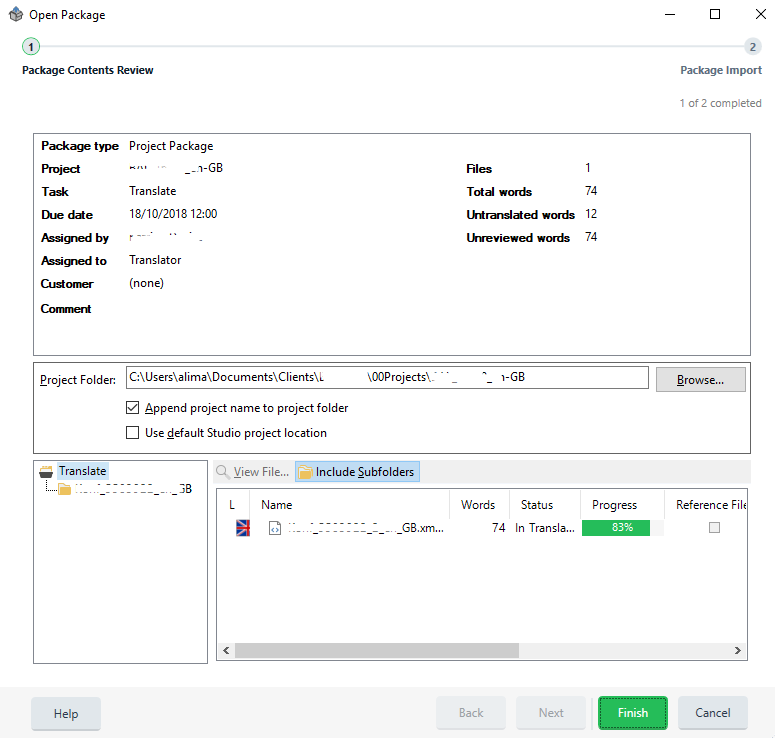
    Here's my Open Package first page on a project I haven't opened before:

    Trados Studio Open Package window showing an unopened project with the Browse button active and the project path pre-filled.

    As you'll see above, although the path is already filled (it's following the project path that I always take for this client), the Browse.. button is visible and active.

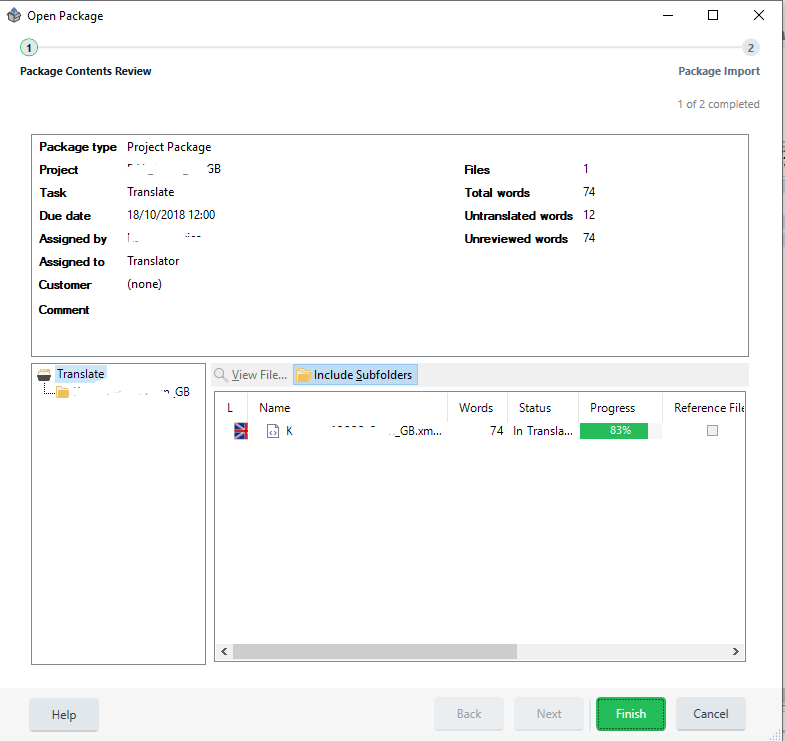
    Once I've opened the package and created the project, if I try to re-open the package, here's how it looks:

    Trados Studio Open Package window after the package has been opened, with the Browse button now inactive and a message indicating the package has already been opened.

    If I click 'Finish' a message appears indicating I've already opened this package and asking if I am sure I want to open it again.

    I think if you click on Finish you'll see the same message...

    If not, this is some form of glitch because you should always be able to indicate where you wish to save a project...

    All the best,

    Ali

    emoji


    Generated Image Alt-Text
    [edited by: Trados AI at 2:22 PM (GMT 0) on 28 Feb 2024]
Reply
  • Hi 

    Are you absolutely sure you haven't already opened this package before?

    Here's my Open Package first page on a project I haven't opened before:

    Trados Studio Open Package window showing an unopened project with the Browse button active and the project path pre-filled.

    As you'll see above, although the path is already filled (it's following the project path that I always take for this client), the Browse.. button is visible and active.

    Once I've opened the package and created the project, if I try to re-open the package, here's how it looks:

    Trados Studio Open Package window after the package has been opened, with the Browse button now inactive and a message indicating the package has already been opened.

    If I click 'Finish' a message appears indicating I've already opened this package and asking if I am sure I want to open it again.

    I think if you click on Finish you'll see the same message...

    If not, this is some form of glitch because you should always be able to indicate where you wish to save a project...

    All the best,

    Ali

    emoji


    Generated Image Alt-Text
    [edited by: Trados AI at 2:22 PM (GMT 0) on 28 Feb 2024]
Children
No Data