
 Translate



If I want to create a project, the project is created with Dutch as the default language. As long as I don't change the source language, I'm able to go through the steps and create a project. If I change the default language to another of my source languages (German or French), then the message "The project must include at least one translatable file" pops up and I can't do any more preparation of the project. This only happens with Trados on my desktop. It works fine on my laptop. I uninstalled Trados on the 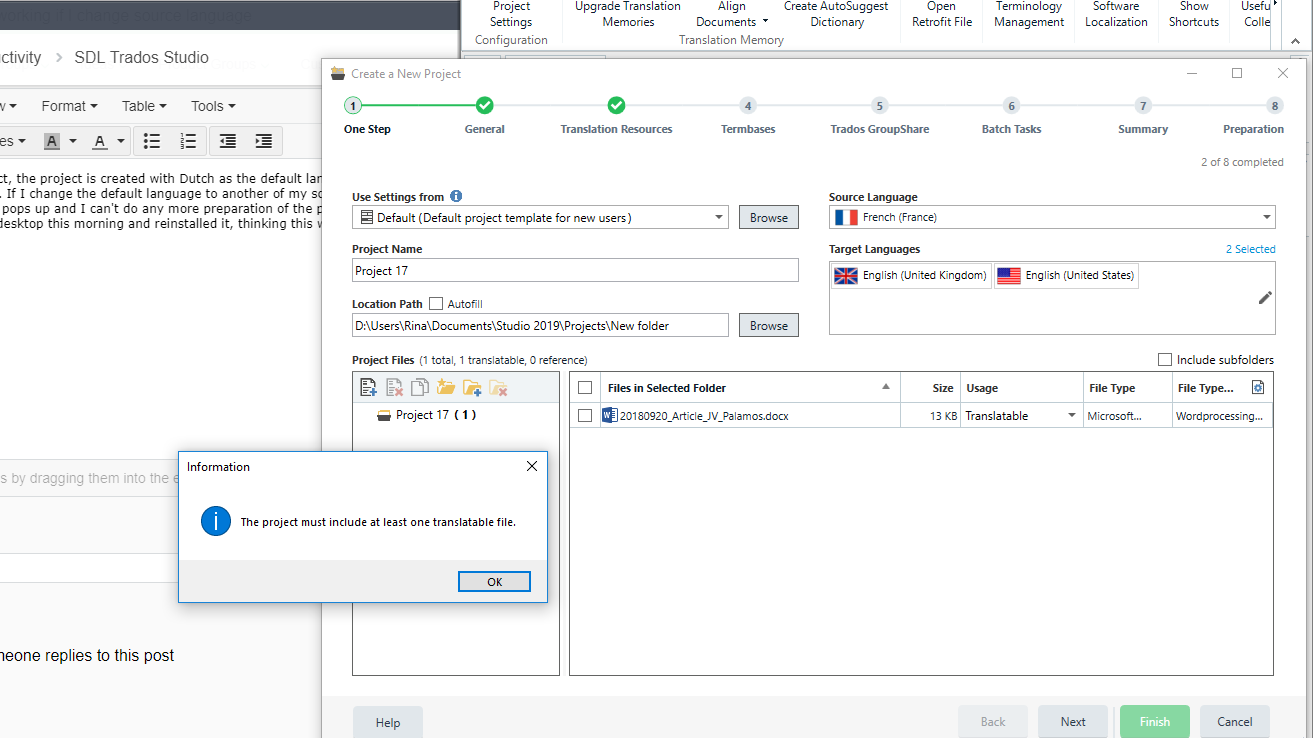 desktop this morning and reinstalled it, thinking this would fix the problem, but it is still occurring.
Generated Image Alt-Text
[edited by: Trados AI at 2:16 PM (GMT 0) on 28 Feb 2024]


