I am a freelance translator, when I create a project it creates OK but I can't open the document to translate it. It appears in the list but no way of opening it, I can only see the files in the project. What can I do to fix it?
You are currently working on UAT

I am a freelance translator, when I create a project it creates OK but I can't open the document to translate it. It appears in the list but no way of opening it, I can only see the files in the project. What can I do to fix it?
Oana Nagy | QA Engineer | RWS Group
Hello Eileen Brophy (EileenBrophy) ,
I am not sure what you mean by 'no software'-
Could you maybe post a screen shot please so i can get a better idea of what you are seeing (or not).
Oana Nagy | QA Engineer | RWS Group
Paul Filkin | RWS
Design your own training!
You've done the courses and still need to go a little further, or still not clear?
Tell us what you need in our Community Solutions Hub
Paul Filkin | RWS
Design your own training!
You've done the courses and still need to go a little further, or still not clear?
Tell us what you need in our Community Solutions Hub
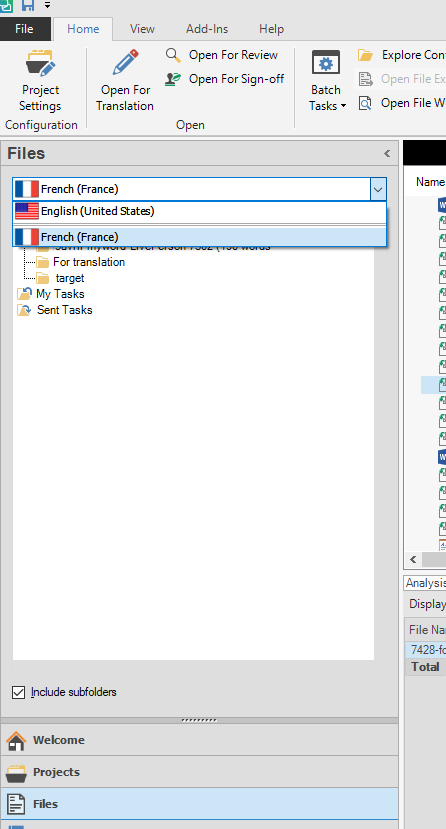
Hi Eileen, when you try and open your document in Files in your project, are you sure that you are clicking on the File when switched to Target language?
If you click on the document in the source menu, you will not be able to open it for translation. You would have to click on the document in your target language.
Could be as simple as that :)