 Translate



Hello,
the programm closed suddenly and I didn't save the changes. I started it again and opened a project I'm working on. I noticed there is no TM I uploaded before. How can I find my updated TM?
Thank you in advance for your reply.
You are currently working on UAT

Hello,
the programm closed suddenly and I didn't save the changes. I started it again and opened a project I'm working on. I noticed there is no TM I uploaded before. How can I find my updated TM?
Thank you in advance for your reply.
Hi Anna
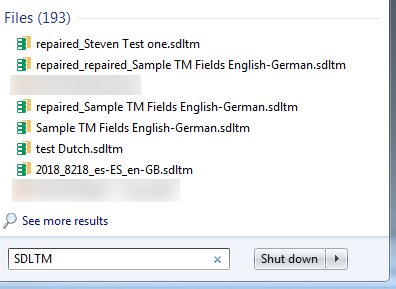
If you have created a TM/or received one from a client and saved it on your machine, then the easiest way to find the TM would be to simply type in SDLTM into Windows Explorer- which will show a list of saved TM's- Right clicking the TM- will then reveal where you saved the TM
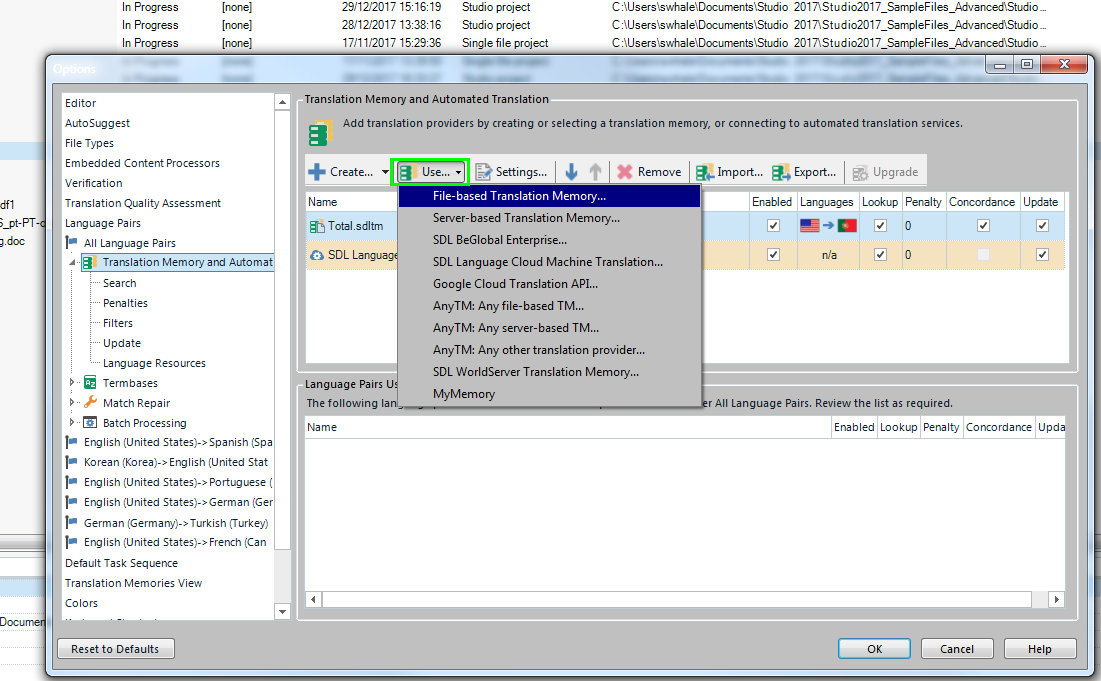
Alternatively- just go to the Project settings in Studio and select USE- File Based translation memory
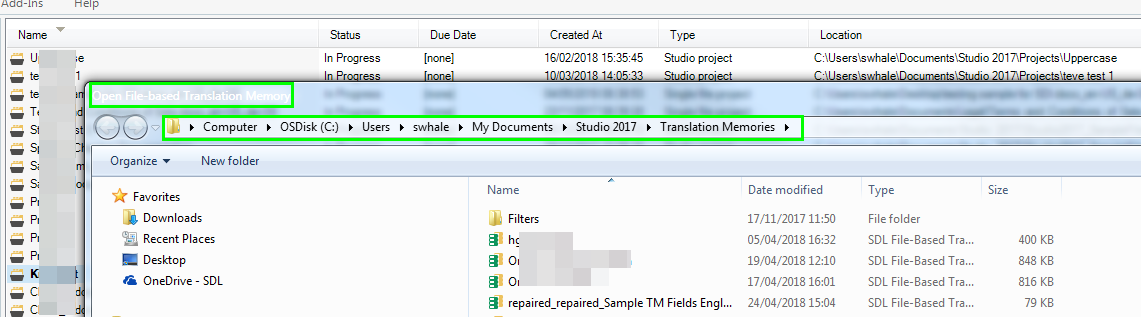
which will then take you to the folder location (something similar as follows-)
Let me know if this helps.
Oana Nagy | QA Engineer | RWS Group
Hi Anna
If you have created a TM/or received one from a client and saved it on your machine, then the easiest way to find the TM would be to simply type in SDLTM into Windows Explorer- which will show a list of saved TM's- Right clicking the TM- will then reveal where you saved the TM
Alternatively- just go to the Project settings in Studio and select USE- File Based translation memory
which will then take you to the folder location (something similar as follows-)
Let me know if this helps.
Oana Nagy | QA Engineer | RWS Group
