You are currently working on UAT 

SDLXLIFF Converter Tool for Microsoft Word - "Document Layout Cannot Be Identified" Error

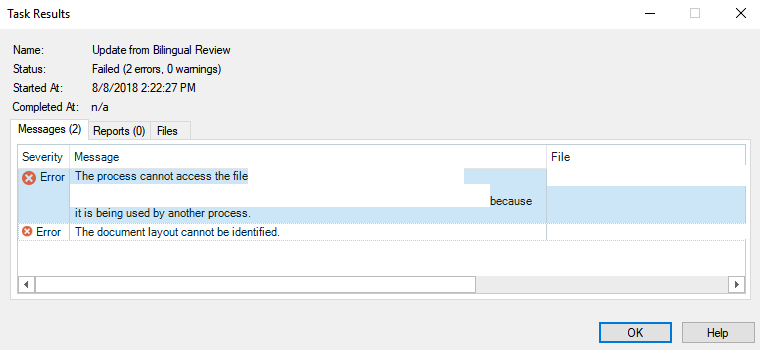
There is an error that pops up sometimes when I attempt to import changes from a bilingual word table into an SDLXLIFF. This error message reads, "The document layout cannot be identified."

I was wondering if anybody knew where this error stems from. I know that there are a few ways to fix this error, such as copying the target column from the corrupted file into the source table to overwrite the text or to re-export the Word file, but it would be ideal if this step was not necessary to complete every time that this error occurs.

Thank you! Your thoughts are appreciated.

Parents Reply
  • Hi!
    Same error today. And I can assure you we have been very careful with the structure of the DOCX file.

    Pavel, depending on your files, you don't have to copy-paste the translations in the editor. It's too late now, but there is a workaround in this happens again:
    - Convert the DOCX containing the reviewed translations to TMX.
    - Import the TMX to Studio in a new TM
    - Retranslate the file using that new TM.
    This worked well, because there were not too many tags. Because tags in DOCX have this format <134>, so you want to be careful and replace them with the real tag in the editor. Luckily, Studio repaired some of these segments. Nice!

    However, this is a workaround, not a fix. It would be nice to know what has caused this error in the first place.


    Regards,
    Christophe
Children
No Data