 Translate



I can't seem to find an option or a line or something that could let me toggle the box as always checked. Is there a way to do this ?
You are currently working on UAT

RWS Community
You are currently working on UAT
I can't seem to find an option or a line or something that could let me toggle the box as always checked. Is there a way to do this ?
Hello Reseller Support (ResellerSupport) ,
In order to see the "Include sub-folders" checkbox you need to be in the Home Tab > Files (from the Navigation Pane). There you will have that checkbox and if you tick it that remain ticked (please see in the print screen below --> I just test it and if you close Studio and re-open it the checkbox remain ticked)
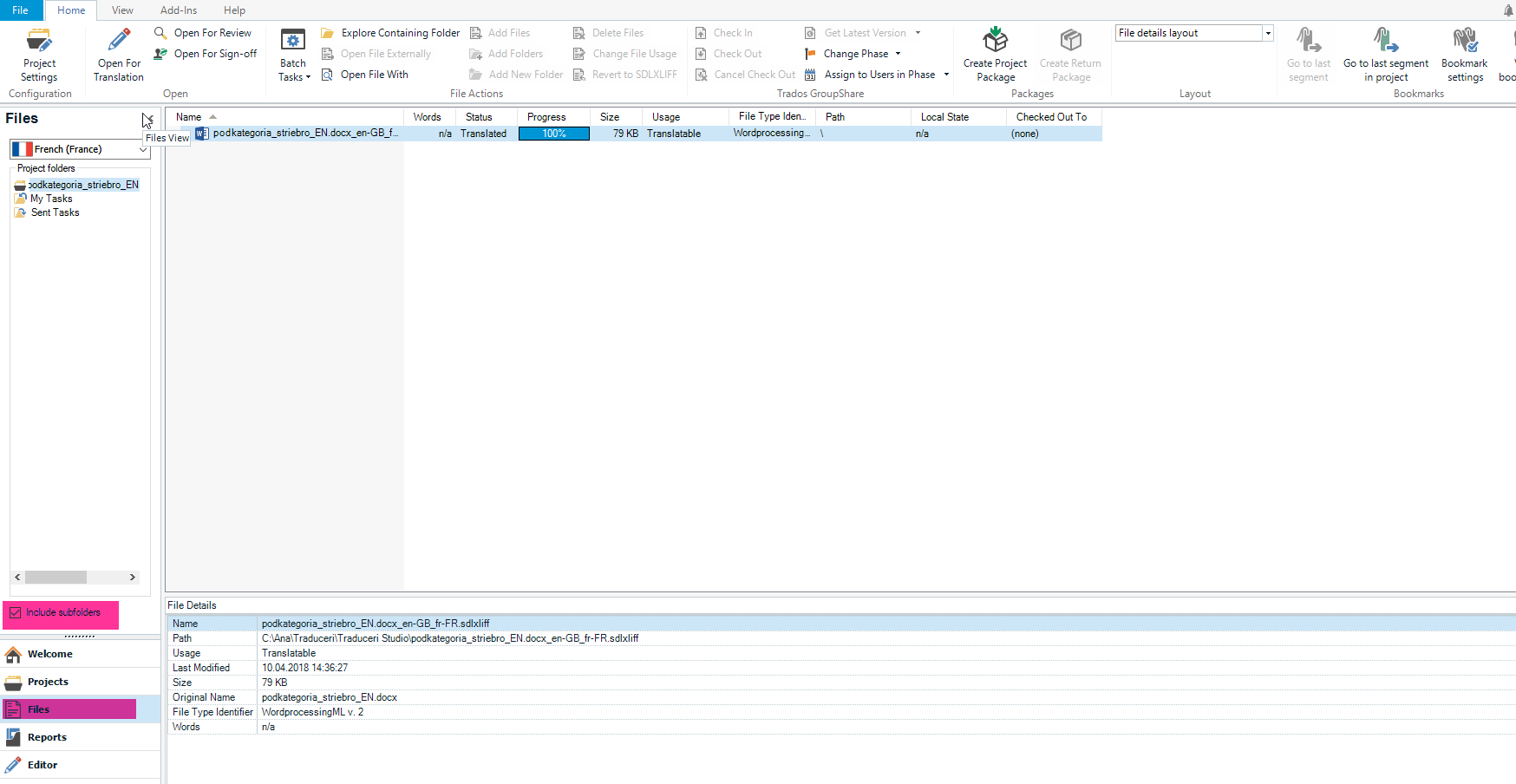
Wish you a great evening.
Best regards,
Ana-Maria Matefi
Ana-Maria Matefi | RWS Group
_____
Design your own training!
You've done the courses and still need to go a little further, or still not clear?
Tell us what you need in our Community Solutions Hub
Hello Reseller Support (ResellerSupport) ,
In order to see the "Include sub-folders" checkbox you need to be in the Home Tab > Files (from the Navigation Pane). There you will have that checkbox and if you tick it that remain ticked (please see in the print screen below --> I just test it and if you close Studio and re-open it the checkbox remain ticked)
Wish you a great evening.
Best regards,
Ana-Maria Matefi
Ana-Maria Matefi | RWS Group
_____
Design your own training!
You've done the courses and still need to go a little further, or still not clear?
Tell us what you need in our Community Solutions Hub


Paul Filkin | RWS
Design your own training!
You've done the courses and still need to go a little further, or still not clear?
Tell us what you need in our Community Solutions Hub
