

You are currently working on UAT 

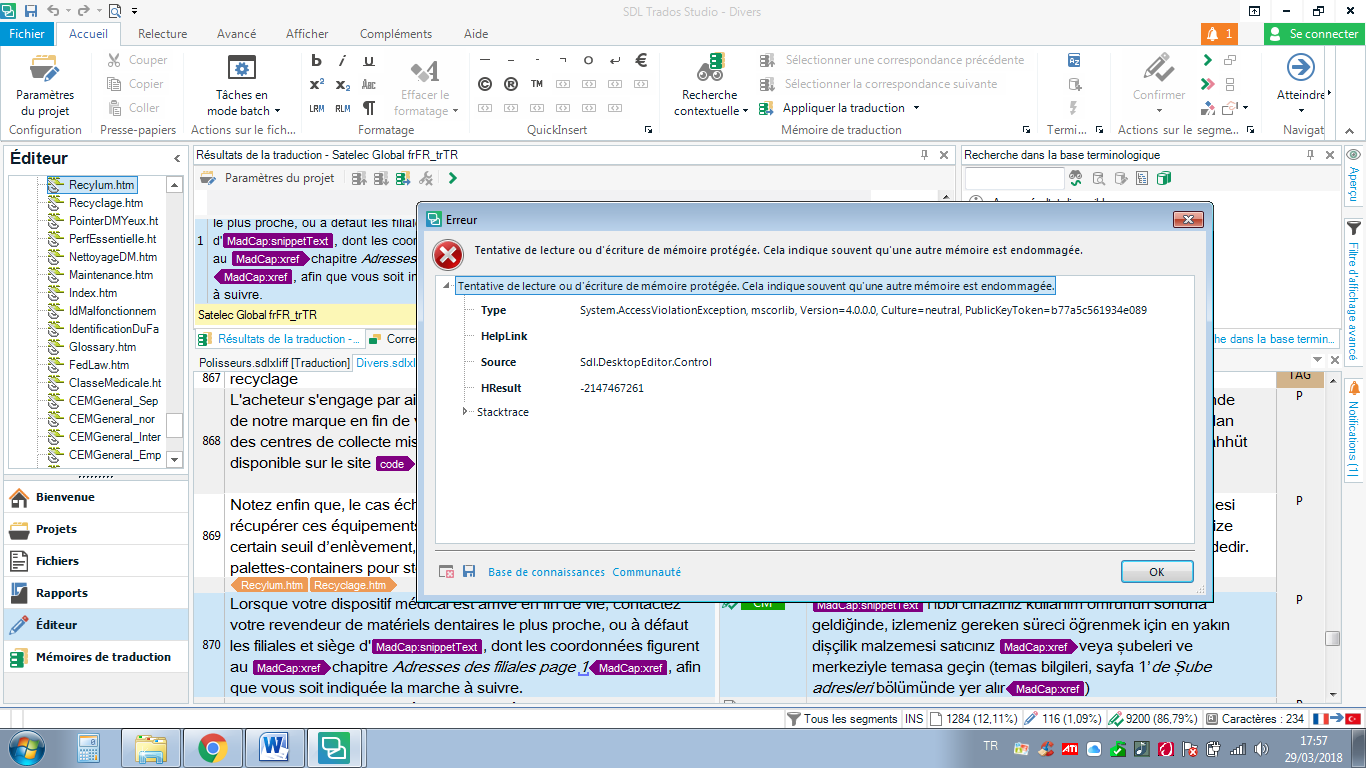
Tentative de lecture ou d'écriture de mémoire protégée. Cela indique souvent qu'une autre mémoire est endommagée.

Hello,

Here is the error message I just got. I'd been working happily for the past several hours. I have Studio 2017 running on Windows 10. I'd close everything and re-start, but I don't know when it last saved...

Thank you in advance for your help.

All the best,

Bashak
Parents
  • Well, gals and pals, maybe this solution could help you.

    I faced the same error message on a very simple project (1 memory, 1 termbase, but 220 pages).
    First of all, i'd suggest you to switch your Trados interface in English, because the knowledge base recognizes mainly the English error messages, not French ones. Then, the solution found, switch back to your own language.

    Then, check this KB article : 000005559
    'Hope the link will be recongnized: https://gateway.rws.com/csm?id=kb_article_view&sysparm_article=KB0030311

    In fact, in my case, the error message was not accurate. The issue didn't come from the memory, but from the termbase.
    And the way it's displayed in the termbase pane : "default layout".
    You have a little dropdown list box at the top left of the termbase pane (not the TB recognition pane, but the detailed one) allowing to choose different layouts. What is that used for? I don't know.
    But switching to "Flags layout" instead of "default layout" works and solves immediately the issue.
    No need to restart, no need to repair the suite, nor to "scramble" the settings files. I hate doing that!

    The only trouble is that, when cold-restarting Trados Studio, the setting is forgotten, and if you don't remember to change it again, the error message reappears, soon or later. So try this before doing anything else.

    'Hope this'll help.

    Best regards,

    William

    (Trados Freelance 2019, last update installed.)

Reply
  • Well, gals and pals, maybe this solution could help you.

    I faced the same error message on a very simple project (1 memory, 1 termbase, but 220 pages).
    First of all, i'd suggest you to switch your Trados interface in English, because the knowledge base recognizes mainly the English error messages, not French ones. Then, the solution found, switch back to your own language.

    Then, check this KB article : 000005559
    'Hope the link will be recongnized: https://gateway.rws.com/csm?id=kb_article_view&sysparm_article=KB0030311

    In fact, in my case, the error message was not accurate. The issue didn't come from the memory, but from the termbase.
    And the way it's displayed in the termbase pane : "default layout".
    You have a little dropdown list box at the top left of the termbase pane (not the TB recognition pane, but the detailed one) allowing to choose different layouts. What is that used for? I don't know.
    But switching to "Flags layout" instead of "default layout" works and solves immediately the issue.
    No need to restart, no need to repair the suite, nor to "scramble" the settings files. I hate doing that!

    The only trouble is that, when cold-restarting Trados Studio, the setting is forgotten, and if you don't remember to change it again, the error message reappears, soon or later. So try this before doing anything else.

    'Hope this'll help.

    Best regards,

    William

    (Trados Freelance 2019, last update installed.)

Children
No Data