

You are currently working on UAT 

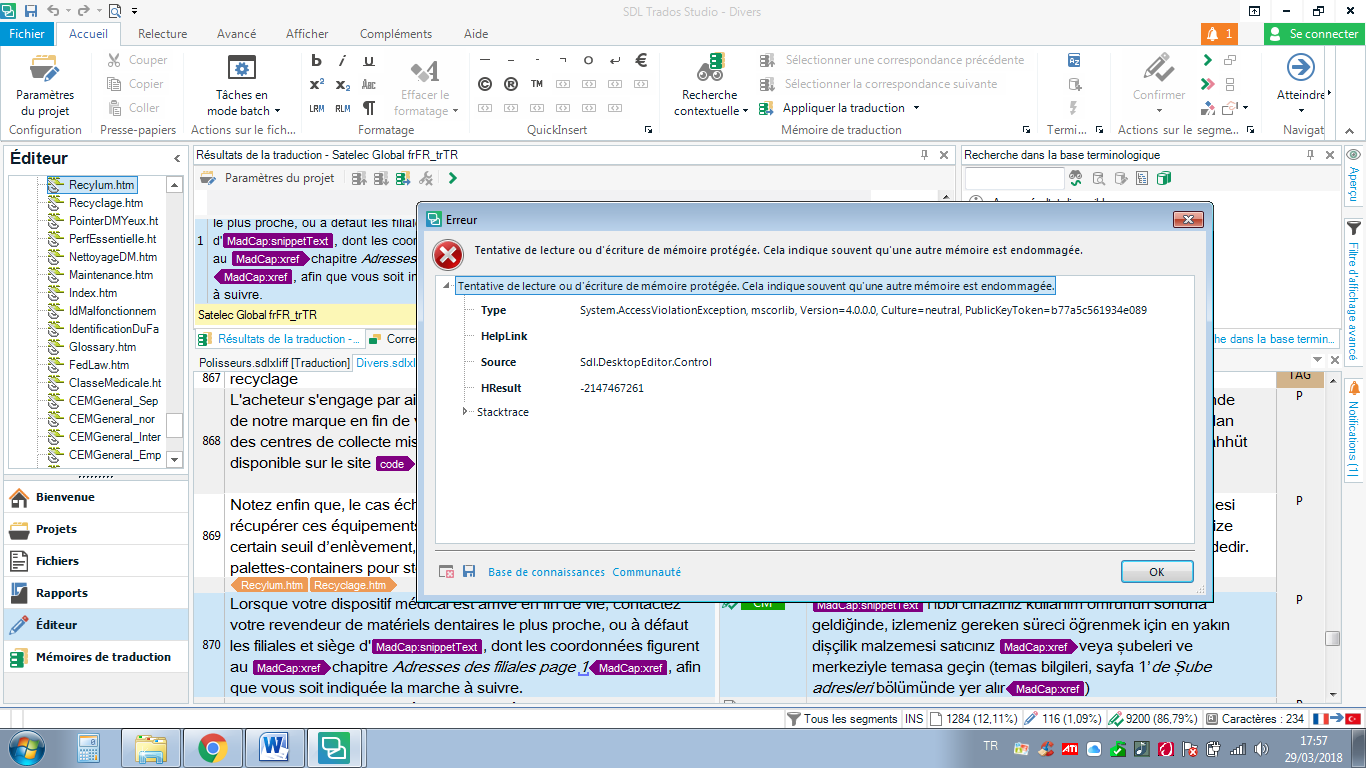
Tentative de lecture ou d'écriture de mémoire protégée. Cela indique souvent qu'une autre mémoire est endommagée.

Hello,

Here is the error message I just got. I'd been working happily for the past several hours. I have Studio 2017 running on Windows 10. I'd close everything and re-start, but I don't know when it last saved...

Thank you in advance for your help.

All the best,

Bashak
Parents Reply
  • Hi ,

    I'd try a reset... you could use this app and this will also explain what you will lose by carrying out a reset before you do it:

    appstore.sdl.com/.../

    But if you'd rather do this manually then rename this folder (just add _old to the end or something, it's not important what you rename it to) and restart Studio:

    c:\Users\[USERNAME]\AppData\Roaming\SDL\SDL Trados Studio\14.0.0.0

    So the path would become this:

    c:\Users\[USERNAME]\AppData\Roaming\SDL\SDL Trados Studio\14.0.0.0_old

    If you can't find this folder then you need to unhide your hidden files/folders:

    www.howtogeek.com/.../

    If none of that helps then best to log a case. For licensing or installation issues that prevent you from working we have a route for all customers to get help. This can be achieved really quickly using this link:

    gateway.sdl.com/liveagentlicensing

    You have two options:

    1. Submit a case using a webform
    2. Use live chat to get a licence reset

    You want to use the first option and make sure that you refer to this thread so the teams can see what you have tried already.

    Regards

    Paul

    Paul Filkin | RWS

    Design your own training!
    You've done the courses and still need to go a little further, or still not clear? 
    Tell us what you need in our Community Solutions Hub

Children
No Data