
 Translate



There's a problem I've experienced with both Trados 2015 and Trados 2017. When you open a document in a project whose Termbase has notes, and then switch to another project with notes, the notes in the second project will not display.
When you open the Termbase hitlist settings and go to the Select Fields window, you will see that the termbase displayed is for the project you originally opened, and not the project you are currently working in. As a result, any time you want to switch between Trados projects, you must reopen Trados or the notes for the subsequent project termbases will not display.
This appears to occur only when switching between specific groups of projects; some of my projects have no issues. As you can see in the screenshot below, the project that's open is looking for notes for the wrong Termbase. As a result, no notes display.
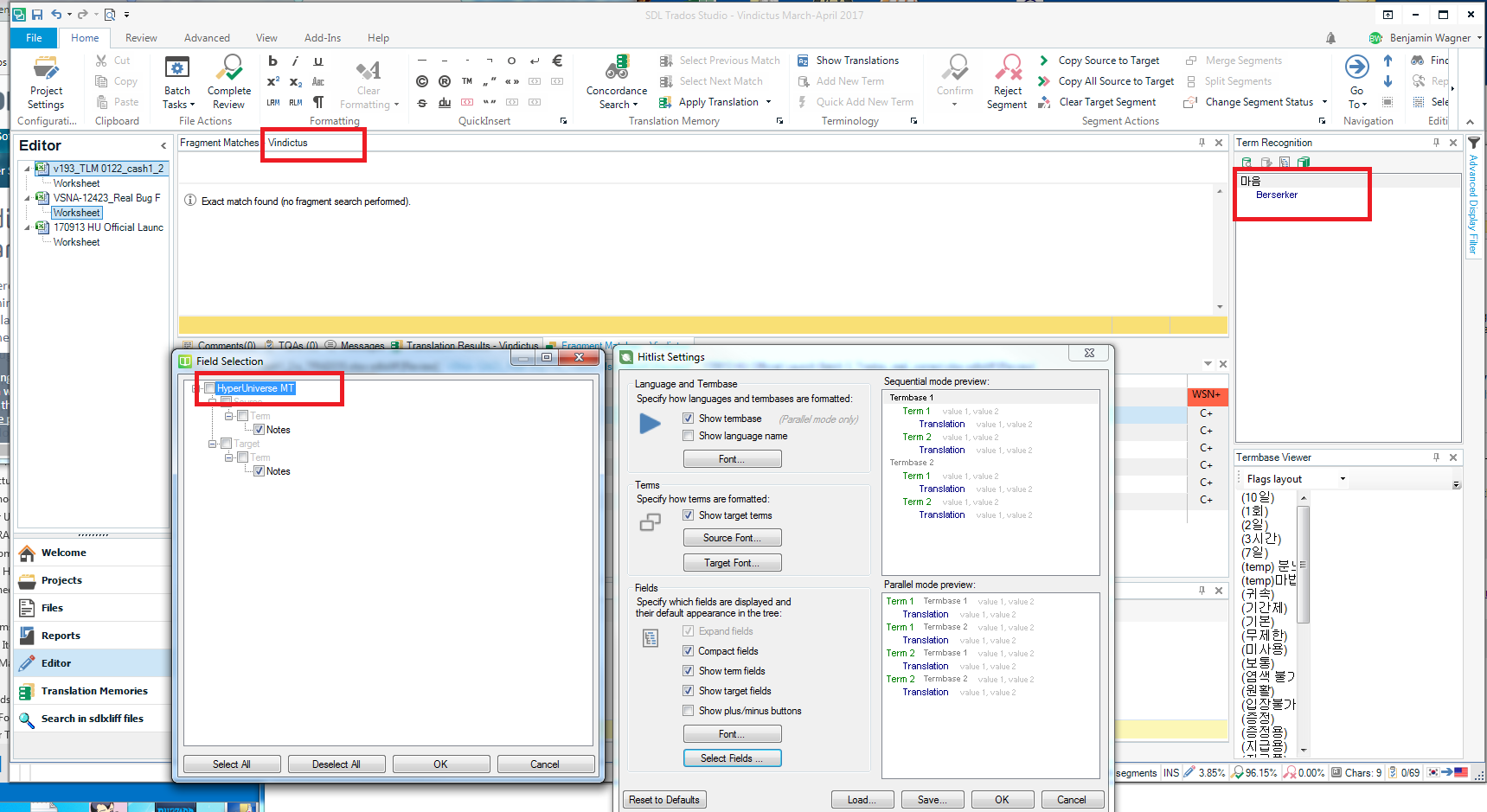
Note however, that when I open that project first, there are no issues displaying the correct termbase notes.
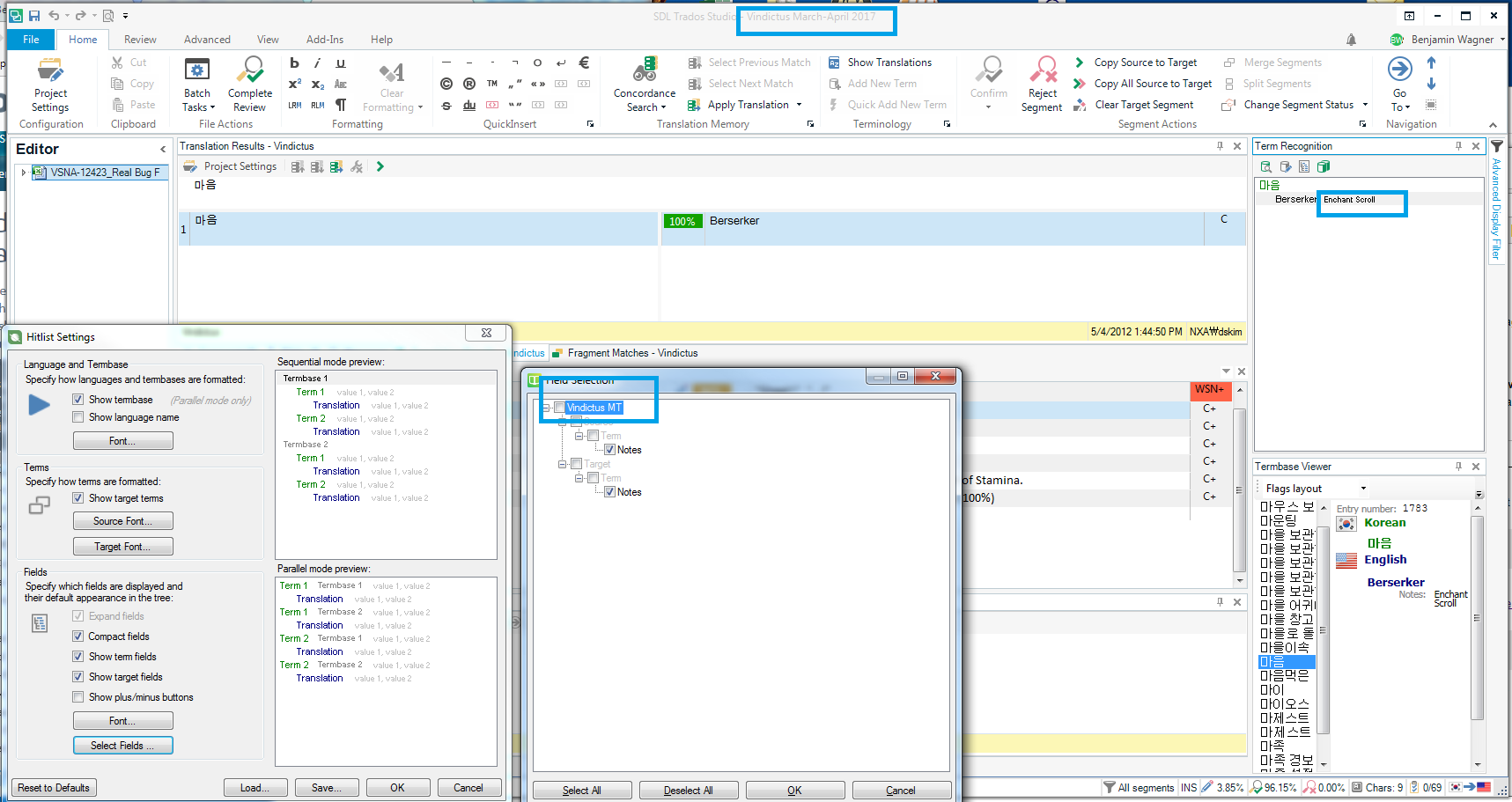
But now that I've opened that project, if I go back to the other project I'll have the same issue.
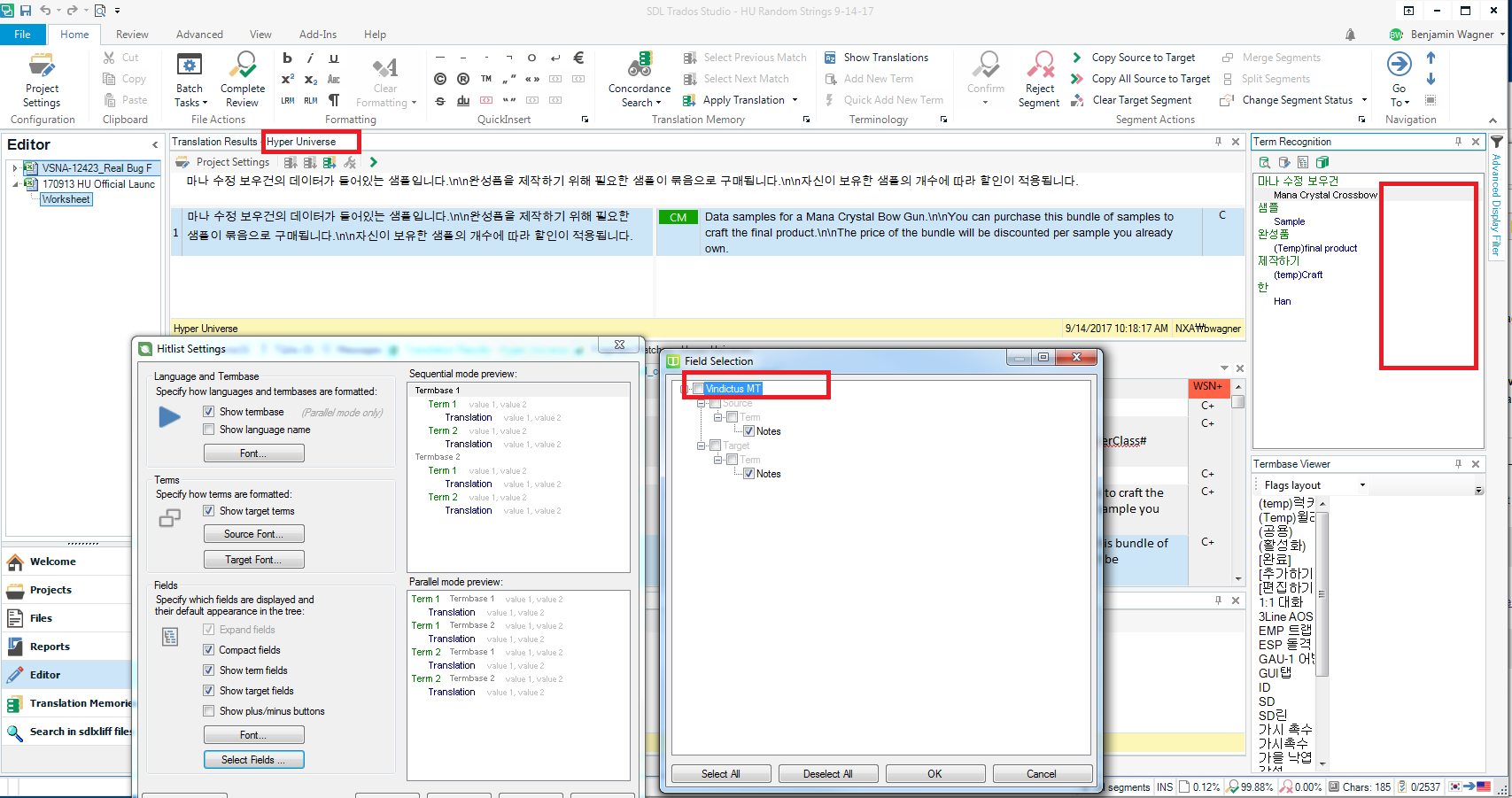
The reason this is all especially problematic for my team is that neither the translators or the copyeditors can be expected to know which terms should or should not have notes associated with them. So individuals who frequently switch projects may miss important notes while translating, and make mistakes as a result.


