 Translate



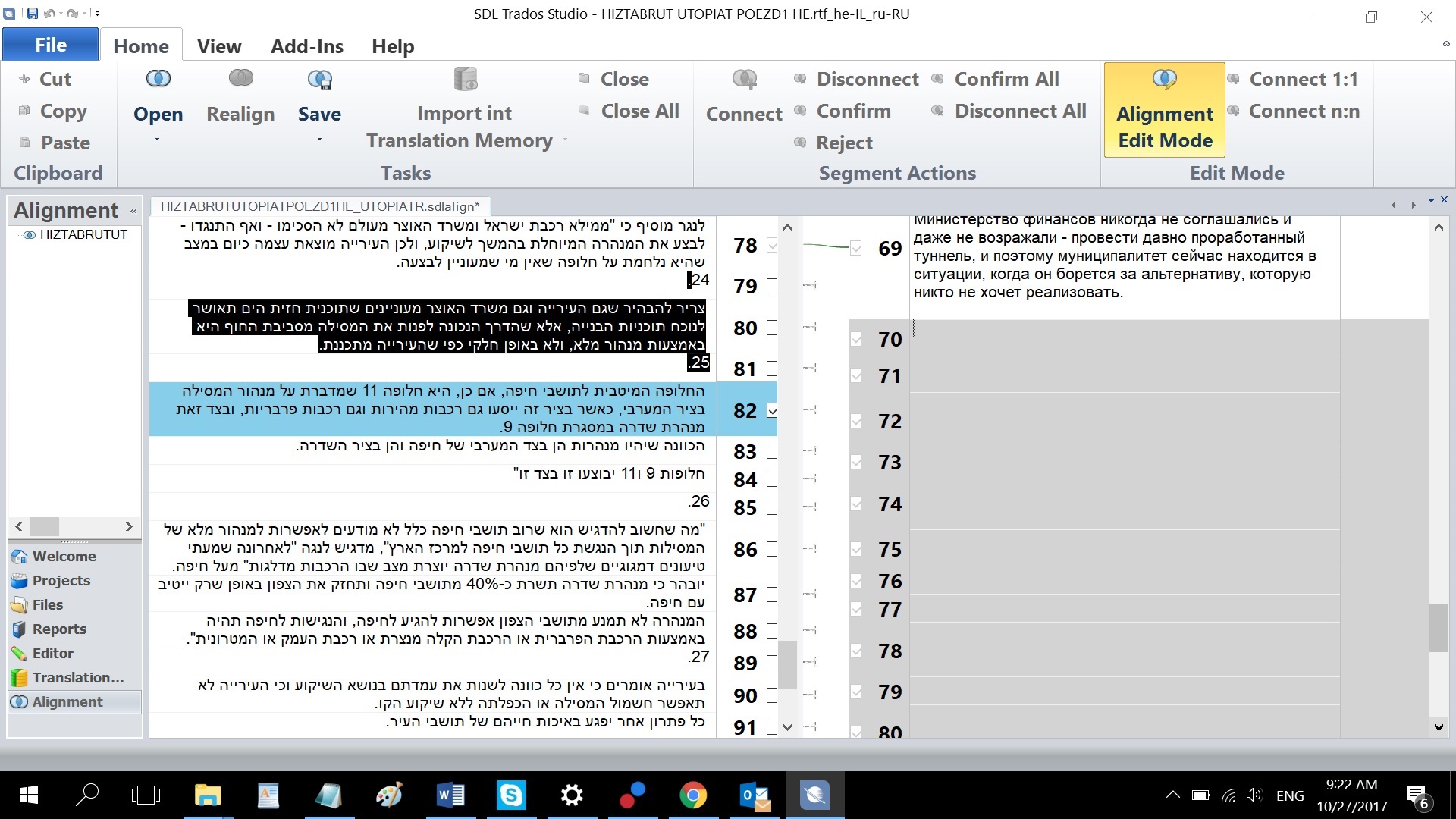
may be it was mistake during alignment. And now some translated sentences are missing. Coul I activate some inactive segments in target alignment mode which are in gray color?
You are currently working on UAT

may be it was mistake during alignment. And now some translated sentences are missing. Coul I activate some inactive segments in target alignment mode which are in gray color?


Paul Filkin | RWS
Design your own training!
You've done the courses and still need to go a little further, or still not clear?
Tell us what you need in our Community Solutions Hub
Paul Filkin | RWS
Design your own training!
You've done the courses and still need to go a little further, or still not clear?
Tell us what you need in our Community Solutions Hub

Paul Filkin | RWS
Design your own training!
You've done the courses and still need to go a little further, or still not clear?
Tell us what you need in our Community Solutions Hub
Anatoly Dragan said:So SDL Trados does not have option make active this grey segments?
The grey parts on your screenshot ARE NOT(!) real segments.
These are just "empty grid fields"... a kind-of-lame GUI solution for a situation when there is more segments on one side than segments on the other side.