

You are currently working on UAT 

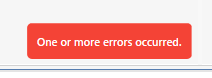
SDL Multiterm fails within SDL Studio 2017 "one of more errors occurred"

Former Member
Former Member

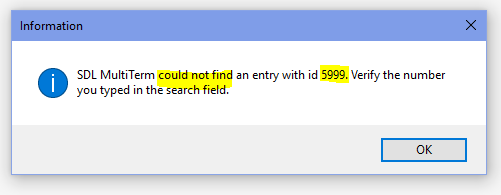
Whenever I get this dreaded "One or more errors occurred" while trying to edit an entry (in SDL MultiTerm) while in the middle of a translation project in Studio 2017 I know, for sure, that I will have to stop right there, save all my work, exit Studio and re-start the whole process. It's hopeless. Not to mention that the entry that caused this error may be screwed up to the point of being useless (even "not found", see below) In other words, the whole Termbase entry has to be redone because even within SDL Multiterm Desktop the same error creeps in and the entry is irreparably damaged. This happens both with read-write Termbases and with read-only Termbases. For the latter, however, Studio does not give any indication that the Termbase cannot be modified.
Parents Reply
  • Former Member
    0 Former Member in reply to Paul Filkin
    Coming back to this subject. I'd noticed that when you want to change a term from lower to uppercase or vice versa, the system, 'logically" assumes that there's is a "duplicate" and will ask you "Duplicate"? or "Merge"? If you say yes to "Merge" the system will try to merge the current entry with a non-existent "duplicate", which is the equivalent (in programming terms) to dividing by zero, and therefore an error will be triggered. All you have to do, to be on the safe side, is say yes to "Duplicate". You will notice that your term lower/uppercase will be fixed AND there will be no duplicates. It may sound complicated but that's how I noticed the system works. Thanks.
Children