
Trados blocks or crashes at specific segments and does not recognize terms any more

Hi,

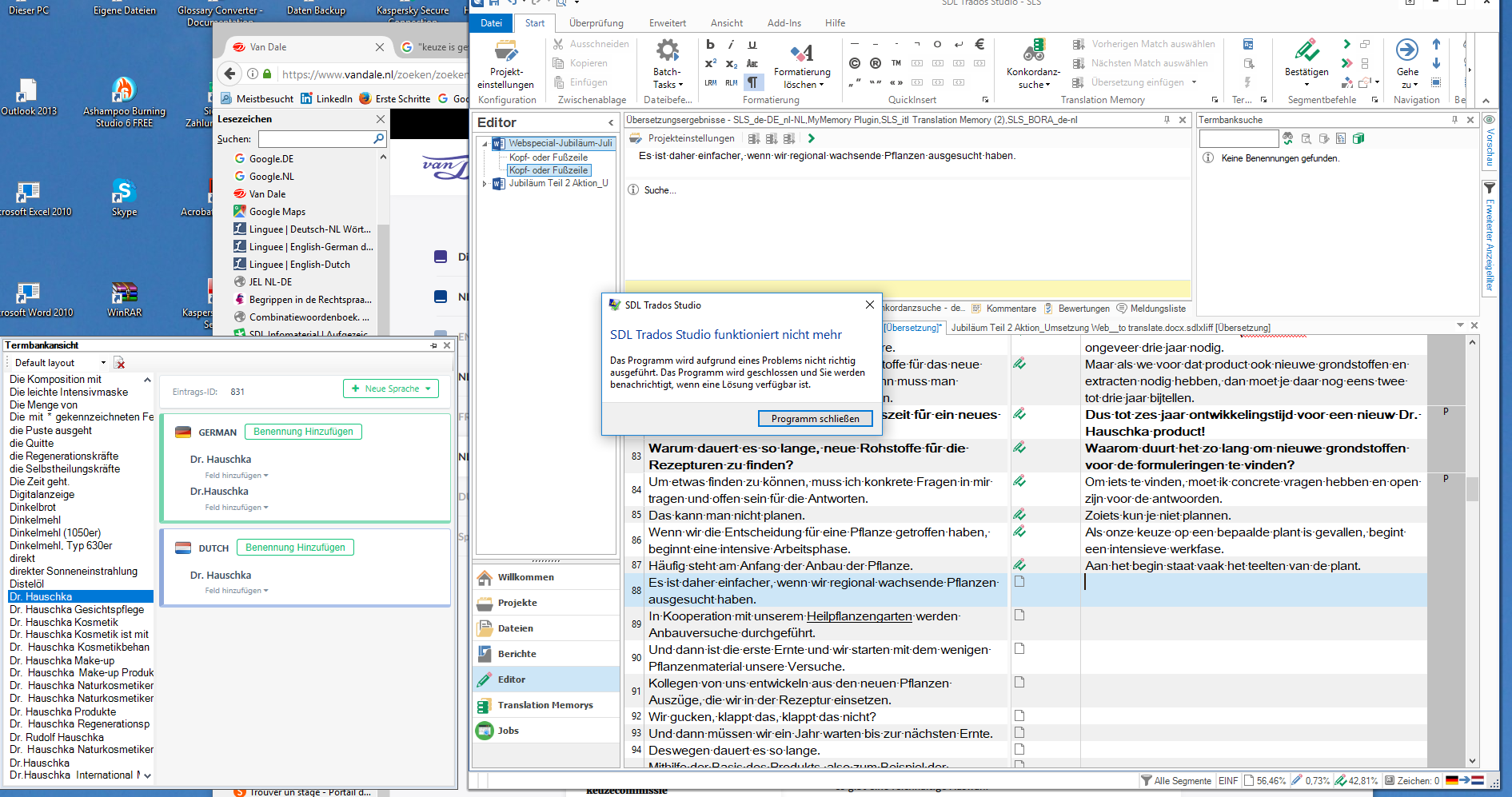
Each time I get to specific segments, Trados blocks. The first time I get a message saying Trados does not work anymore and that I will get a message when there is a solution. When I open Trados again, go back to this segment and save it, Trados blocks. I have to end the task in the Task Manager (Ctrl+Alt+Del) and open Trados again. Alternatively Trados just closes automatically when I enter this segment. It happens each time, so I have to skip those segments if I want to continue working.

It happened after translating a while in different texts (once segment 28+29, once 76+77 and 87+88).

MultiTerm does not recognize all the terms, allthough they are in the glossary. When I want to enter those unrecognized terms to MultiTerm, it says the entry already exists. Now, half an hour later, it does not recognize any terms anymore. I deleted the Termbase and added it again without result. The screenshot shows Termbase Search, but that was only at that moment, I do use Term Recognition.

I wanted to update, but it says the version is up to date. Restarting the computer does not help. I'm using Windows 10. Sorry for adding two themes at a time, but I thought there might be a connection.

I hope someone can help,

Katrien
Parents
  • My Studio also crashed when I clicked Ctrl+Enter for saving a specific segment. I have enabled one server based and one file based termbase. I am trying to save "Varios Largos" from Spanish to Estonian. I have a fuzzy match of 91% ("ERI PIKKUSED") from server based termbase. I just need to change case to lowercase so that the final translation would be "Eri pikkused". After the necessary change and clicking Ctrl+Enter, Trados crashes. What's up with that?

    emoji
  • Hi  

    I would be quite a bit easier if you'd start your own thread, rather than re-surfacing a somewhat (maybe) related thread form 7 years ago. A LOT of code has changed since then and the chance that this is a similar issue is small. You can always reference (link to) old threads if you find them particularly relevant, but please, do start a new one. I can't lock threads, but if I could, I would probably lock this one...

    We all love to help.

    emoji
Reply
  • Hi  

    I would be quite a bit easier if you'd start your own thread, rather than re-surfacing a somewhat (maybe) related thread form 7 years ago. A LOT of code has changed since then and the chance that this is a similar issue is small. You can always reference (link to) old threads if you find them particularly relevant, but please, do start a new one. I can't lock threads, but if I could, I would probably lock this one...

    We all love to help.

    emoji
Children

